When you are travelling on a limited data plan, even background apps start to count in ways you do not notice at home. Tinder is one of those apps people tend to treat as background usage while travelling, which makes sense when you consider it has a massive global footprint of over 75 million active users logging on every month. Open it for a few minutes in a cafe, check it on the train, swipe a bit while waiting in a queue, and suddenly it has become part of the daily data mix. That is exactly why it helps to understand what Tinder actually uses and what can push that number up.
How Much Data Does Tinder Use?
Tinder uses between 10 MB and 20 MB of data per hour, which is fairly modest compared with streaming, video-heavy social media, or video calling apps. In most cases, it sits in the light to moderate range, so you may end up using 150MB to 300MB of data per week depending on how you use the app. For many travellers, that means Tinder is unlikely to be the single biggest drain on a mobile plan, but it can still chip away at data through regular swiping, image loading, profile browsing, and any use of photos or video features.
The real answer depends on behaviour. Someone opening the app a few times a day to reply to messages will use very little. On the other hand, swiping for an hour, opening lots of profiles, loading every photo, sending images, and trying video features will use quite a bit more. And that is where a travel eSIM really changes how you approach usage, since it makes it easier to keep track of consumption and avoid burning through your allowance without noticing.
Does Tinder Use a Lot of Data?
Compared with apps built around constant video playback, Tinder is generally quite light, often using just about 20MB of data in an hour of heavy swiping. It is usually nowhere near the level of Netflix, Instagram Reels, TikTok, or FaceTime video. That said, it is heavier than plain text messaging because the app depends on profile images and frequent refreshing.
So, does Tinder use a lot of data? Usually no. But it can become more noticeable than expected when it is used often throughout the day. That is especially true while travelling, when data is already being shared across maps, messaging, browsing, music, ride-share apps, and social media.
How Much Data Does Tinder Use Per Hour?
Exact usage varies by phone, network, app version, and how aggressively the app loads images, so the most useful way to think about Tinder data usage is in approximate ranges.
Light swiping and profile browsing
A short session with casual swiping, a few profile opens, and minimal photo viewing is usually fairly light and can use around 10MB to 20MB of data in a single hour. This kind of use may only consume a modest amount of data over an hour if done slowly and without much media.
Photo-heavy browsing
If every profile is opened, multiple pictures are viewed, and the app is refreshed regularly in a busy area, you may end up using up to 30MB per hour. Tinder photo loading data is one of the bigger everyday factors on the app.
Messaging and sending media
A few messages back and forth will barely move the needle on most plans. Once photos, GIFs, or other media are being sent and received, usage becomes more noticeable. Text is cheap and may use just 1MB or 2MB of your data.
Using video features
If video chat or video-based features are used, Tinder shifts into a much heavier category and can consume between 35MB and 40MB of data a minute. This is the clearest point where the app starts behaving less like a light dating app and more like a real-time communications app. On a small travel plan, this is the use case most likely to cause trouble.
What Uses the Most Data on Tinder?
Loading multiple profile photos is one of the main reasons Tinder data usage rises. The more profiles viewed in detail, the more data gets pulled in. Frequent swiping also adds up because the app keeps refreshing and loading nearby profiles. Sending and receiving photos or GIFs pushes usage further. Video chat or video profile features are the heaviest of all.
Even repeated app opens and background refresh can contribute over the course of a day. This is why Tinder feels light in some situations and surprisingly active in others. A text-based conversation barely uses anything. A long browse through image-heavy profiles is a different story.
Swiping vs Messaging vs Video Features: Which Uses More Data?
Text messaging is the lightest. It is usually a small part of overall usage and rarely the reason a plan disappears. Swiping and profile browsing sit in the middle. They are not especially heavy one minute at a time, but they can add up because Tinder is designed for repetition. Open, swipe, load, repeat. That repeated image loading is what makes Tinder on mobile data more significant than people expect.
Video features are the heaviest by far. Once video enters the picture, Tinder stops being a small background app and starts using data in a way that needs proper attention.
How Much Data Does Tinder Use on a Travel Day?
Checking Tinder a few times while sightseeing, opening some messages, and doing light browsing during breaks will usually stay manageable. Browsing for 20 to 30 minutes during transit and replying to a few chats is still unlikely to be the biggest issue on the day.
Heavy use in a new city is where things change. More matches, swiping, photo loading, and longer sessions can turn Tinder into a noticeable part of the data budget. Add in maps, Instagram, hotel searches, and ride-share apps, and the total starts stacking up fast.
That is the real planning lesson. Tinder while travelling is rarely a disaster on its own, but everything changes when it joins a long list of apps all drawing from the same limited pool.
Does Tinder Use More Data Than Instagram, Snapchat, or Messaging Apps?
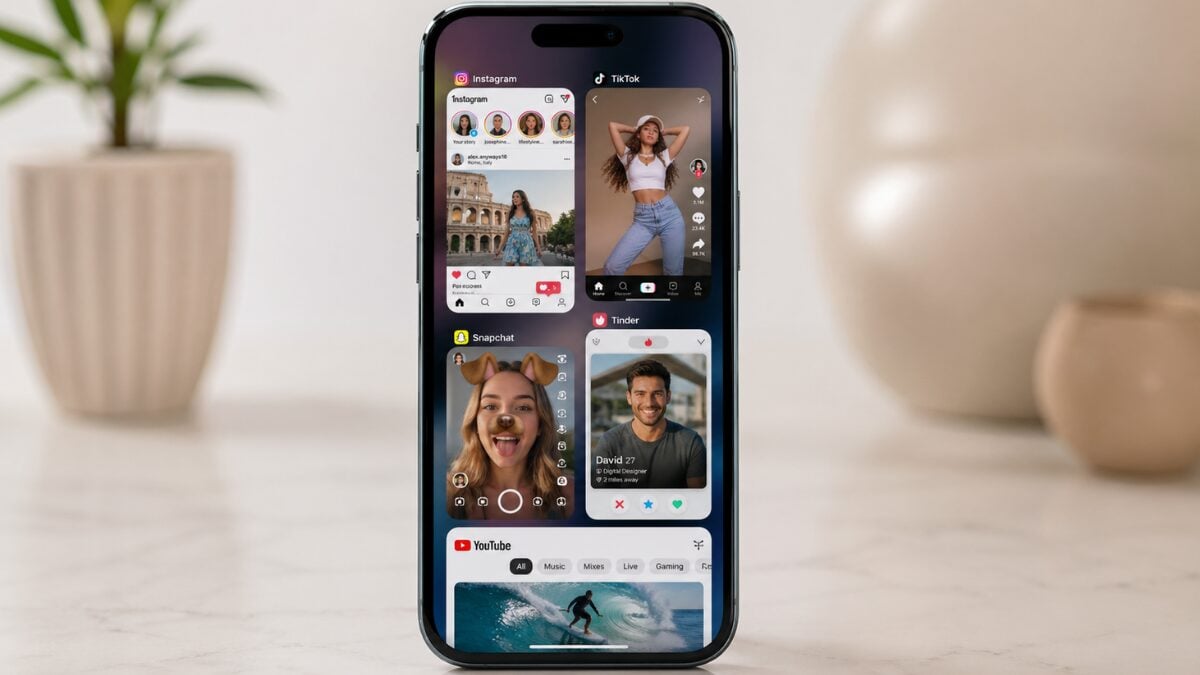
In most cases, Tinder uses less data than Instagram or Snapchat when those apps are used heavily, especially if Stories, short-form video, camera uploads, or constant scrolling are involved. Tinder is usually also far lighter than any app built around video calls or autoplay video feeds.
But Tinder is usually heavier than simple messaging apps when those apps are used mainly for text. That is because Tinder relies much more on image loading. So if the comparison is plain chat versus Tinder profile browsing, Tinder often comes out higher.
How to Use Less Data on Tinder While Travelling
The easiest fix is to keep Tinder sessions short on mobile data and leave longer browsing for Wi-Fi. It also helps to avoid opening every profile photo unless there is a reason to. Limit video features on smaller plans. Try not to keep refreshing the app in crowded locations just to see new profiles. And keep an eye on what else is running in the background, because Tinder is often not the only app nibbling away at the same plan.
If a trip is running on a smaller travel eSIM, those habits can stretch a plan much further without needing to stop using the app altogether.
Is Tinder Safe to Use on a Travel eSIM?
Yes, usually. Tinder on eSIM is generally manageable for light to moderate use. For most travellers, it is not the app that causes the biggest problems. The risk comes from assuming it is basically free to use, then pairing it with frequent checking, lots of image-heavy browsing, and other high-use apps through the day.
That is why Tinder is best treated as part of a bigger travel data plan, not as a separate question. Used casually, it is fine. However, when used heavily, particularly on a small plan with media and video, you will get a data usage warning before your trip ends.
How Much Travel Data Should You Budget for Tinder?
The best way to budget for Tinder is to think of it as one part of a broader daily pattern. A traveller using maps, WhatsApp, email, a bit of social media, and occasional Tinder browsing will usually be fine on a sensible plan. A traveller relying on mobile data all day, scrolling social feeds, uploading content, watching videos, and using Tinder heavily will need more headroom.
That is where repeated usage becomes the real issue. A few small sessions may not feel like much, but they add up over time, especially on lower-cap plans. So keeping an eye on a data usage warning can help stop a plan from running dry earlier than expected.
Takeaways
So, how much data does Tinder use? Usually not a huge amount, at least compared with streaming or video-led social apps. For most travellers, Tinder sits in the light to moderate category. Text chatting stays light, swiping and photo browsing sit in the middle, and video features are the clear heavy hitter.
That makes Tinder fairly easy to live with on a travel plan, including a smaller eSIM package, as long as usage stays sensible. The key is not to treat it as invisible. Open it often enough, load enough profiles, and mix in photos or video, and the numbers start to go up.
FAQs
How much data does Tinder use per hour?
It depends on how it is used. Light swiping and messaging are usually fairly modest, while photo-heavy browsing and video features use much more. Text is light. Images add more. Video uses the most.
Does Tinder use a lot of mobile data?
Usually no, not compared with streaming or video-heavy social apps. But frequent use throughout the day can still make Tinder a noticeable part of mobile data use while travelling.
Does swiping on Tinder use much data?
Swiping alone is not the main issue. The bigger factor is loading profile images and refreshing new profiles. Longer swiping sessions with lots of photo viewing use more data than most people expect.
Can I use Tinder on a travel eSIM?
Yes. Light to moderate Tinder use is usually manageable on a travel eSIM. The main thing is to watch image-heavy browsing and avoid video features if the plan is small.
How can I reduce Tinder data usage while travelling?
Keep sessions shorter on mobile data, use Wi-Fi for longer browsing, limit video use, avoid constant refreshing, and remember that Tinder is sharing your plan with every other travel app on the phone.
Does Tinder use more data than messaging apps?
Usually, yes, if the messaging app is used mainly for text. Tinder tends to use more because profile browsing loads images regularly. Plain text messaging remains much lighter.