When you’re travelling with an eSIM, data starts to feel less like an unlimited resource and more like something you keep an eye on. Plans can be tighter, and everyday habits can quickly change how you use your devices. This is especially true for our listening routines. Globally, the podcast medium has exploded to 619.2 million listeners, with the average fan dedicating 7 hours per week to their favourite shows.
The idea is not to cut things out, but rather to understand where your data goes. A bit of awareness around what you stream, download, or leave for later can help your plan stretch further without getting in the way of the trip, particularly when you’re relying on a travel eSIM to stay connected on the go.
Do Podcasts Use a Lot of Data?
Not usually. Compared with video streaming, podcasts are one of the more data-friendly ways to stay entertained while travelling. That is the good news, but the part worth paying attention to is consistency. A single episode here and there will barely make a dent, but streaming podcasts every day during long walks, train rides, airport waits, and travel days can quietly use more data than expected.
So, do podcasts use a lot of data? On their own, not really. But if they become part of an already busy day of maps, messaging, uploads, browsing, and social media, they can start to matter.
How Much Data Do Podcasts Use Per Hour?
Most podcasts use roughly 20MB to 70MB per hour, depending on audio quality. Lower-quality streams sit at the lighter end of that range, while higher-quality streams or downloads can sit closer to the top end.
A practical way to think about it looks like this:
Low quality: 64 kbps uses 20MB to 30MB per hour
Standard quality: 96 kbps can use 30MB to 50MB per hour
Higher quality: 128 kbps can eat through 50MB to 70MB per hour
What Affects Podcast Data Usage?
Podcast data usage is fairly easy to understand once the main variables are clear. The first is streaming versus downloading. Streaming podcasts uses mobile data as the episode plays. Downloading them over Wi-Fi means the data use happens before heading out, not while abroad.
The second is audio quality. Lower-bitrate audio uses less data. Higher-quality playback sounds a bit cleaner, but it also increases usage. And the third is episode length. A 20-minute news update barely touches your data, while a two-hour interview obviously uses more.
There are also a few settings people forget about. Autoplay can keep the next episode rolling without noticing. Automatic downloads can also eat data if they happen over mobile rather than Wi-Fi. Some apps refresh in the background too, which adds extra usage around the edges.
Streaming vs Downloading Podcasts
When streaming podcasts, the phone pulls audio in real time while the episode plays. That is convenient, but it means every listening session uses part of the mobile allowance.
Downloading is different. The episode is saved first, ideally on Wi-Fi, and then played later without using mobile data for the audio itself. For travellers, that is usually the better option because it turns podcast listening from an ongoing data drain into something planned and controlled.
On a trip, it is easy to have a few light-use activities stack together. A podcast during breakfast, maps on the way out, social media in a queue, then uploads and messages later on. None of that sounds extreme on its own, but together it can chip away at a plan surprisingly quickly.
How Much Data Do Podcasts Use on a Daily Commute or Travel Day?
Real-life examples make this easier to picture. A traveller listening for 30 minutes a day will usually use about 10MB to 35MB daily, depending on quality. That is fairly manageable.
At 1 hour a day, the likely range becomes 20MB to 70MB daily. Over a week, that could mean roughly 140MB to 490MB. Now picture a longer travel day. Airports, buses, flights, trains, and downtime at a hotel can easily turn into 3 to 5 hours of listening.
At that point, podcast data while travelling could land somewhere around 60MB to 350MB in a single day, again depending on quality and whether episodes are being streamed. That is still lighter than a day of video watching, but it is enough to notice on a small plan.
Podcasts vs Music vs Video: Which Uses More Data?
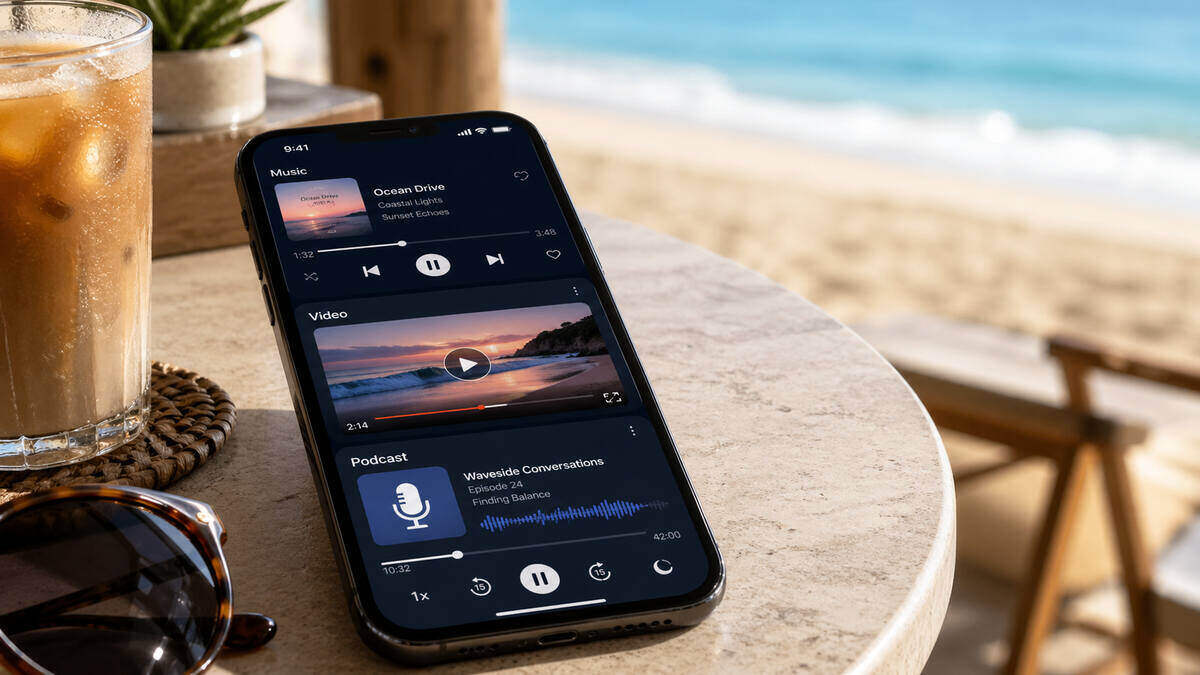
Podcasts generally sit on the lighter side of entertainment data use. Music streaming can be similar, though it often runs at higher quality settings by default, which can push usage up. Video is the real data-heavy option. Even short video sessions can burn through more data than hours of podcast listening.
That is why podcasts are often a good fit for travel. They let people fill long stretches of time without the kind of data hit that comes from streaming shows, watching reels, or spending too long on video platforms.
So yes, mobile data for podcasts is usually modest. It just stops feeling modest when it becomes a daily habit on a limited plan.
How to Use Less Data When Listening to Podcasts
The easiest fix is also the best one: download episodes on Wi-Fi before starting your journey. That single habit can cut mobile data use dramatically. It also removes the stress of trying to stream in patchy coverage areas.
A few other settings help as well. Lower the audio quality if the app allows it, turn off autoplay so one episode does not become four, make sure automatic downloads are restricted to Wi-Fi, and check whether background refresh is doing more than expected.
These small changes are often enough to save data when listening to podcasts without changing the experience much at all.
Are Podcasts Safe to Stream on a Travel eSIM?
Usually, yes. For most travellers, podcasts are perfectly manageable on a travel eSIM, especially when compared with video, hotspot use, or constant uploading. But safe to stream does not always mean smart to stream all day. The answer depends on the size of the plan, the length of the trip, and everything else happening on the phone.
A traveller using maps, messaging, browsing, and a bit of social media can probably stream the occasional podcast without worry. Someone taking long train journeys every day and listening for hours may want to be more careful.
That is the key difference. Podcast listening on eSIM is generally fine. Unplanned daily streaming on top of everything else is where people start to feel the squeeze.
How Much Travel Data Should You Budget for Podcast Listening?
Podcast listening should be treated as one part of the total travel data picture, not the whole thing. For light listeners, the impact may be barely noticeable. It is worth factoring in properly for regular listeners. Anyone budgeting travel data should think about podcasts alongside maps, ride-share apps, messaging, browsing, email, social media, and photo uploads.
That is where travellers often get caught out. Not by one heavy activity, but by several moderate ones layered together. If there is already concern about hitting a cap too quickly, it helps to keep an eye on any data usage warning signs and adjust habits before the plan starts running thin.
Final Takeaway
Podcasts are one of the more data-efficient ways to stay entertained while travelling, and they rarely cause problems on their own. Still, daily streaming adds up, especially on smaller plans or longer trips. A few quick settings changes, a habit of downloading on Wi-Fi, and a rough idea of how much travel data is needed can keep podcast listening simple and stress-free.
FAQs
How much data does a podcast use per hour?
Most podcasts use roughly 20MB to 70MB per hour, depending on audio quality and whether the app streams at a lower or higher bitrate.
Do podcasts use a lot of mobile data?
No, not compared with video. Podcasts usually use much less data than streaming shows or scrolling video-heavy apps, though regular daily listening can still add up.
Is streaming a podcast worse than downloading it?
For mobile data, yes. Streaming uses data while listening. Downloading over Wi-Fi lets the episode play later without using travel data for the audio.
Do podcasts use less data than music or video?
They usually use less data than video by a wide margin. Compared with music, they are often similar or lighter, depending on quality settings.
Can podcasts be used on a travel eSIM?
Yes. In most cases, podcasts are a manageable use on a travel eSIM, especially when downloads are done on Wi-Fi and long streaming sessions are kept in check.
How can podcast data usage be reduced while travelling?
Download episodes before going out, lower audio quality, turn off autoplay, avoid mobile-data downloads, and check app settings for background activity.