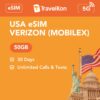




USA 5G eSIM | Verizon Mobilex

  • verizon mobilex
  • Esim compatibility
  • 5 star service
  • live chat anytime
(0 Review)

Activation details

Pick the date you want service to start, then enter the IMEI2 and EID for the device that will use this plan.

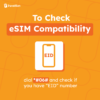
Tip: dial *#06# on the device to find both the IMEI2 and EID.

Quantity

What travellers love

  • Provides seamless activation and is easy to purchase and use.
  • Offers excellent coverage and fast, reliable connections across USA, Canada, and Mexico.
  • Supports smooth streaming and voice chat without dropouts, enhancing travel communication.
Based on customer product reviews, summarised by AI.

Description

What’s Included?

  • 50GB in the USA (incl. Hawaii)
  • Unlimited calls & texts in USA
  • Unlimited text to over 100+ countries (including to Australia landline and mobile)
  • 4G/5G speed
  • 30 days service from activation
  • For use in USA (incl. Hawaii)
  • 15GB Hotspot/Tethering enabled
  • How do Verizon Mobilex eSIMs work? Check our eSIM setup guide
    • Purchase your eSIM plan, provide EID and IMEI2 numbers by dialing *#06#
    • Verizon eSIM will be activated on one day prior to your chosen activation date 
    • Once the Verizon eSIM is activated you will get a push notification directly to your iPhone OR
    • Scan the generic eSIM QR code we sent via email or in this website link
  • For immediate use, allow up to 24 hours for activation

Things to know

  • Local Verizon Mobilex USA eSIM provider
  • Comes with a USA phone number (+1)
  • Activation required – see important notes below
  • No ID registration needed
  • Coverage on the Verizon Network
  • Only compatible with iPhone 14, 15, 16 and 17 range with eSIM functionality.
  • Download the MobileX App to check data usage
  • Check your phone number in your mobile phone settings.

Important Notes

  • eSIM activation will occur one day prior to the activation date specified between 7 PM and 5 AM New York time (GMT-5).
  • Unsure about activation dates? Enter an estimate. Once dates are confirmed, email us at support@travelkon.com.au or use live chat
  • Only compatible with iPhone 14, 15, 16 and 17 range with eSIM functionality. Android phone will not work.
  • Check network coverage in your intended travel areas; Coverage issues are outside our control and we do not offer refunds.

Troubleshooting Guide

eSIM not working? Don’t stress! Follow this guide to get you up and running.

  1. Disable VPN and any secondary SIM/eSIM lines (for dual SIM phones)
  2. Connect to Wi-Fi, once eSIM is activated you will receive a notification from Verizon to add your eSIM
  3. If activation fail you may try scanning the QR code which can be found on our order confirmation email
  4. Confirm mobile data is sourced from our eSIM (i.e. the correct eSIM profile is selected)
  5. Wait up to 10 minutes for activation to occur
  6. APN: MX5G.VZWENTP | Username: [blank] | Password: [blank] (Android: select manually)
  7. Set the network operator to automatic.
  8. Restart your phone and/or turn on and off airplane mode
  9. Still not working? Chat with us live, we’re here to help!

We are not affiliated with the network provider. Data allowance may change without notice; check our website for updates.

Network Operator(s) List

  • USA [Verizon (Mobilex)]

Reviews

0
    0
    Your Cart
    Your cart is emptyReturn to Shop