



Canada 5G eSIM | Telus

  • Esim compatibility
  • 5 star service
  • live chat anytime
(0 Review)
Quantity

What travellers love

  • Provides seamless activation and is easy to purchase and use.
  • Offers excellent coverage and fast, reliable connections across USA, Canada, and Mexico.
  • Supports smooth streaming and voice chat without dropouts, enhancing travel communication.
Based on customer product reviews, summarised by AI.

Description

What’s Included?

  • 50 – 75GB in Canada (unlimited data at 128kbps)
  • Unlimited local calls and texts in Canada
  • 1000 minutes of International calls to 15 countries including:
    Australia, Hong Kong, Indonesia, Japan, Macau, China Mainland, Malaysia, Mexico, New Zealand, Singapore, South Korea, Taiwan, Thailand, United States, Vietnam
  • 4G/5G speed
  • 30 days service from activation
  • For use in Canada
  • Hotspot/Tethering enabled
  • How do Telus eSIMs work? Check our eSIM setup guide
    • Purchase your eSIM plan, redemption code will be sent instantly via email
    • Redeem the code and scan the QR code to add the eSIM to your eSIM compatible phone
    • Scan the QR code to add the eSIM to your eSIM compatible phone
  • Redemption code expires after 180 days – once redeemed the QR code is valid for 60 Days

Things to know

  • Local Telus Canadian eSIM provider
  • Comes with a Canadian phone number (+1)
  • Plan starts when eSIM connects to supported network
  • No ID registration needed
  • Coverage on the Telus Network
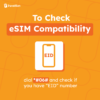
  • Compatible with unlocked eSIM-enabled phones (with EID numbers)
  • Text/SMS “Check” to 1888 to check data usage

Important Notes

  • “Failed Activation” may appear if installed outside the coverage country, this is normal. The eSIM will activate once you reach your destination.
  • Once the eSIM is installed it cannot be transferred or deleted – no refunds will be provided for installation error or accidental delete
  • Do NOT redeem the code unless you are sure, as no refunds are available once the eSIM is sent or if the redemption code is redeemed.
  • Check network coverage in your intended travel areas; Coverage issues are outside our control and we do not offer refunds.

Troubleshooting Guide

eSIM not working? Don’t stress! Follow this guide to get you up and running.

  1. Disable VPN and any secondary SIM/eSIM lines (for dual SIM phones)
  2. Connect to Wi-Fi and disable airplane mode before scanning the eSIM
  3. Confirm mobile data is sourced from our eSIM (i.e. the correct eSIM profile is selected)
  4. Wait up to 10 minutes for activation to occur
  5. APN: sp.telus.com | Username: [blank] | Password: [blank] (Android: select manually)
  6. Set the network operator manually to Telus.
  7. Restart your phone and/or turn on and off airplane mode
  8. Still not working? Chat with us live, we’re here to help!

We are not affiliated with the network provider. Data allowance may change without notice; check our website for updates.

Reviews

0
    0
    Your Cart
    Your cart is emptyReturn to Shop