New Zealand eSIM Unlimited



New Zealand eSIM Unlimited covered countries
1 covered country for this product.
- 🇳🇿 New Zealand
iPhone detected. Select your model. (Scroll to find yours)
Where was this phone purchased? Check Settings › General › About › Model Number.
Can't find your phone? Contact us before ordering.
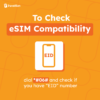
- Dial *#06# and confirm your device shows an EID number.
- Your device must be carrier / network unlocked.
- Your device must not be jailbroken (iOS) or rooted (Android).
- Some regional models may not support eSIM even if the same phone name does.
What travellers love
- Provides good network coverage, often showing as 5G.
- Suitable for use in popular travel destinations like Queenstown.
- Delivers reliable data access for most of the time.


Description
What’s Included?
- Unlimited Data*
- 4G/5G Speed
- 1 – 180 days of service from activation (24 hours)
- For use in New Zealand
- Hotspot/Tethering enabled
- How do eSIMs work? Check our eSIM setup guide
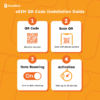
- Purchase your eSIM plan, QR code will be sent instantly via email
- Scan the QR code to add the eSIM to your eSIM compatible phone
- Turn on data roaming to use the eSIM
- eSIM must connect to supported network and be used within 180 days of purchase
Thing’s to know
- This eSIM’s provider is Plus
- Plan starts when eSIM connects to supported network
- No ID registration needed
- No calls or texts included (data-only eSIM)
- Compatible with unlocked eSIM-enabled phones (with EID numbers)
- Check your eSIM validity via TravelKon App or on our website under “My eSIM”
Important Notes
- ✅ Full access to ChatGPT, Claude, Gemini & TikTok on all devices
- Adding the eSIM outside the coverage country may result in a “failed activation,” which is normal. The eSIM will activate once you reach your destination.
- Check network coverage in your intended travel areas; Coverage issues are outside our control and we do not offer refunds.
- *Fair Usage Policy – this eSIM includes 1.5GB of high-speed data per day. After reaching the limit, speeds are reduced to 1Mbps and max speed resets every 24 hours from the time of activation
Troubleshooting Guide
eSIM not working? Don’t stress! Follow this guide to get you up and running.
- Disable VPN and any secondary SIM/eSIM lines (for dual SIM phones)
- Connect to Wi-Fi and disable airplane mode before scanning the eSIM
- Confirm mobile data is sourced from our eSIM (i.e. the correct eSIM profile is selected)
- Turn data roaming on (Android: select all network)
- Wait up to 10 minutes for activation to occur
- APN: plus | Username: [blank] Password: [blank] (Android: select manually)
- Turn off automatic network selection and manually choose from the list below.
- Restart your phone and/or turn on and off airplane mode
- Still not working? Chat with us live, we’re here to help!
We are not affiliated with the network provider. Data allowance may change without notice; check our website for updates.
Network Operator(s) List
- New Zealand [Vodafone (5G)]
*Updated product listing on 03 Jun 2026 to update eSIM provider to to Plus which provides full access to TikTok & ChatGPT. APN and Network Operator(s) lists have also been updated where applicable.
Is my device eSIM compatible?
Check the compatible phone list below, then use the checker if you are unsure.
Samsung Galaxy S22 Ultra Check variant
This model is listed as eSIM compatible. Please still complete the important checks below before ordering.
Korean version (SM-S908N) does not support eSIM.
Samsung Galaxy S22+ Check variant
This model is listed as eSIM compatible. Please still complete the important checks below before ordering.
Korean version (SM-S906N) does not support eSIM.
Samsung Galaxy S22 Check variant
This model is listed as eSIM compatible. Please still complete the important checks below before ordering.
Korean version (SM-S901N) does not support eSIM.
Samsung Galaxy S21 Ultra 5G Check variant
This model is listed as eSIM compatible. Please still complete the important checks below before ordering.
Korean version (SM-G998N) does not support eSIM.
Samsung Galaxy S21+ 5G Check variant
This model is listed as eSIM compatible. Please still complete the important checks below before ordering.
Korean version (SM-G996N) does not support eSIM.
Samsung Galaxy S21 5G Check variant
This model is listed as eSIM compatible. Please still complete the important checks below before ordering.
Korean version (SM-G991N) does not support eSIM.
Samsung Galaxy S20 Ultra 5G Check variant
This model is listed as eSIM compatible. Please still complete the important checks below before ordering.
US (SM-G988U) and Korean (SM-G988N) versions do NOT support eSIM.
Samsung Galaxy S20+ 5G Check variant
This model is listed as eSIM compatible. Please still complete the important checks below before ordering.
US (SM-G986U) and Korean (SM-G986N) versions do NOT support eSIM.
Samsung Galaxy S20 5G Check variant
This model is listed as eSIM compatible. Please still complete the important checks below before ordering.
US (SM-G981U) and Korean (SM-G981N) versions do NOT support eSIM.
Samsung Galaxy Z Flip Check variant
This model is listed as eSIM compatible. Please still complete the important checks below before ordering.
eSIM support varies by region/carrier.
Samsung Galaxy Fold Check variant
This model is listed as eSIM compatible. Please still complete the important checks below before ordering.
eSIM support varies by region/carrier.
Samsung Galaxy Z Fold2 5G Check variant
This model is listed as eSIM compatible. Please still complete the important checks below before ordering.
eSIM support varies by region/carrier.
Samsung Galaxy Note20 Check variant
This model is listed as eSIM compatible. Please still complete the important checks below before ordering.
eSIM only on select regions (US, EU, AU, JP). Korean and most other Asian variants do NOT support eSIM.
Samsung Galaxy Note20 Ultra Check variant
This model is listed as eSIM compatible. Please still complete the important checks below before ordering.
eSIM only on select regions (US, EU, AU, JP). Korean and most other Asian variants do NOT support eSIM.
Samsung Galaxy A56 5G Check variant
This model is listed as eSIM compatible. Please still complete the important checks below before ordering.
eSIM support varies heavily by region.
Samsung Galaxy A55 5G Check variant
This model is listed as eSIM compatible. Please still complete the important checks below before ordering.
eSIM support varies heavily by region.
Samsung Galaxy A54 5G Check variant
This model is listed as eSIM compatible. Please still complete the important checks below before ordering.
eSIM support varies heavily by region.
Samsung Galaxy A53 5G Check variant
This model is listed as eSIM compatible. Please still complete the important checks below before ordering.
eSIM support varies heavily by region.
Samsung Galaxy A52 5G Check variant
This model is listed as eSIM compatible. Please still complete the important checks below before ordering.
eSIM support varies heavily by region.
Samsung Galaxy A36 5G Check variant
This model is listed as eSIM compatible. Please still complete the important checks below before ordering.
eSIM support varies heavily by region.
Samsung Galaxy A35 5G Check variant
This model is listed as eSIM compatible. Please still complete the important checks below before ordering.
eSIM support varies heavily by region.
Samsung Galaxy A34 5G Check variant
This model is listed as eSIM compatible. Please still complete the important checks below before ordering.
eSIM support varies heavily by region.
Samsung Galaxy A26 5G Check variant
This model is listed as eSIM compatible. Please still complete the important checks below before ordering.
eSIM support varies heavily by region.
Samsung Galaxy A25 5G Check variant
This model is listed as eSIM compatible. Please still complete the important checks below before ordering.
eSIM support varies heavily by region.
Samsung Galaxy A16 5G Check variant
This model is listed as eSIM compatible. Please still complete the important checks below before ordering.
eSIM support varies heavily by region.
Samsung Galaxy A15 5G Check variant
This model is listed as eSIM compatible. Please still complete the important checks below before ordering.
eSIM support varies heavily by region.
Samsung Galaxy XCover7 Check variant
This model is listed as eSIM compatible. Please still complete the important checks below before ordering.
eSIM support varies by carrier/region. Mostly enterprise SKUs.
Samsung Galaxy XCover6 Pro Check variant
This model is listed as eSIM compatible. Please still complete the important checks below before ordering.
eSIM support varies by carrier/region. Mostly enterprise SKUs.
Samsung Galaxy A57 5G Check variant
This model is listed as eSIM compatible. Please still complete the important checks below before ordering.
eSIM support varies heavily by region.
Samsung Galaxy A37 5G Check variant
This model is listed as eSIM compatible. Please still complete the important checks below before ordering.
eSIM support varies heavily by region.
Samsung Galaxy A17 5G Check variant
This model is listed as eSIM compatible. Please still complete the important checks below before ordering.
eSIM support varies heavily by region.
Google Pixel 3a XL Check variant
This model is listed as eSIM compatible. Please still complete the important checks below before ordering.
Pixel 3a does not support eSIM if purchased in Japan, Southeast Asia, or with Verizon service
Google Pixel 3a Check variant
This model is listed as eSIM compatible. Please still complete the important checks below before ordering.
Pixel 3a does not support eSIM if purchased in Japan, Southeast Asia, or with Verizon service
Google Pixel 3 XL Check variant
This model is listed as eSIM compatible. Please still complete the important checks below before ordering.
eSIM not available on Australia, Taiwan, Japan and US carrier models (except Sprint/Google Fi).
Google Pixel 3 Check variant
This model is listed as eSIM compatible. Please still complete the important checks below before ordering.
eSIM not available on Australia, Taiwan, Japan and US carrier models (except Sprint/Google Fi).
Google Pixel 2 XL Check variant
This model is listed as eSIM compatible. Please still complete the important checks below before ordering.
Google Fi models only.
Motorola Moto G84 Check variant
This model is listed as eSIM compatible. Please still complete the important checks below before ordering.
Some regional variants do not support eSIM. Verify on device.
Motorola Moto G54 Check variant
This model is listed as eSIM compatible. Please still complete the important checks below before ordering.
Some regional variants do not support eSIM. Verify on device.
Motorola Moto G53 Check variant
This model is listed as eSIM compatible. Please still complete the important checks below before ordering.
Some regional variants do not support eSIM. Verify on device.
Motorola Moto G52J 5G Check variant
This model is listed as eSIM compatible. Please still complete the important checks below before ordering.
Japan SKU.
Motorola Moto G52J 5G II Check variant
This model is listed as eSIM compatible. Please still complete the important checks below before ordering.
Japan SKU.
Motorola Moto G53J 5G Check variant
This model is listed as eSIM compatible. Please still complete the important checks below before ordering.
Japan SKU.
Motorola Moto G35 Check variant
This model is listed as eSIM compatible. Please still complete the important checks below before ordering.
Some regional variants do not support eSIM. Verify on device.
Motorola Moto G34 Check variant
This model is listed as eSIM compatible. Please still complete the important checks below before ordering.
Some regional variants do not support eSIM. Verify on device.
Nothing Phone (3) Check variant
This model is listed as eSIM compatible. Please still complete the important checks below before ordering.
US variant supports eSIM. International variants may not - verify on device.
Nothing Phone (3a) Pro Check variant
This model is listed as eSIM compatible. Please still complete the important checks below before ordering.
US variant supports eSIM. International variants may not - verify on device.
Nothing Phone (3a) Check variant
This model is listed as eSIM compatible. Please still complete the important checks below before ordering.
US variant supports eSIM. International variants may not - verify on device.
Nothing Phone (2) Check variant
This model is listed as eSIM compatible. Please still complete the important checks below before ordering.
US variant supports eSIM. International variants do not.
Huawei Mate 60 Pro Check variant
This model is listed as eSIM compatible. Please still complete the important checks below before ordering.
China-only release. Supports eSIM on the China variant.
Xiaomi Poco X7 Pro Check variant
This model is listed as eSIM compatible. Please still complete the important checks below before ordering.
eSIM only on global variants. Indian variant does not support eSIM.
Xiaomi Poco X7 Check variant
This model is listed as eSIM compatible. Please still complete the important checks below before ordering.
eSIM only on global variants. Indian variant does not support eSIM.
Xiaomi Redmi Note 14 Pro+ Check variant
This model is listed as eSIM compatible. Please still complete the important checks below before ordering.
eSIM only on global variants. Indian/Chinese variants may not support eSIM.
Xiaomi Redmi Note 14 Pro Check variant
This model is listed as eSIM compatible. Please still complete the important checks below before ordering.
eSIM only on global variants. Indian/Chinese variants may not support eSIM.
Xiaomi Redmi Note 13 Pro+ Check variant
This model is listed as eSIM compatible. Please still complete the important checks below before ordering.
eSIM only on select global variants.
Sony Xperia Ace III Check variant
This model is listed as eSIM compatible. Please still complete the important checks below before ordering.
Japan SKU.
Honor Honor 200 Pro Check variant
This model is listed as eSIM compatible. Please still complete the important checks below before ordering.
eSIM on global variants. Chinese variant differs.
Honor Honor 90 Check variant
This model is listed as eSIM compatible. Please still complete the important checks below before ordering.
eSIM support varies by region.
Honor Honor X8 Check variant
This model is listed as eSIM compatible. Please still complete the important checks below before ordering.
eSIM support varies by region.
OPPO Find X8 Pro Check variant
This model is listed as eSIM compatible. Please still complete the important checks below before ordering.
eSIM only on global variants. China model does not.
OPPO Find X8 Check variant
This model is listed as eSIM compatible. Please still complete the important checks below before ordering.
eSIM only on global variants. China model does not.
OPPO Find X5 Pro Check variant
This model is listed as eSIM compatible. Please still complete the important checks below before ordering.
eSIM only on European variants.
OPPO Find X5 Check variant
This model is listed as eSIM compatible. Please still complete the important checks below before ordering.
eSIM only on European variants.
OPPO Find X3 Pro Check variant
This model is listed as eSIM compatible. Please still complete the important checks below before ordering.
eSIM only on European variants.
OPPO Find X3 Check variant
This model is listed as eSIM compatible. Please still complete the important checks below before ordering.
eSIM only on European variants.
OPPO Find N3 Check variant
This model is listed as eSIM compatible. Please still complete the important checks below before ordering.
eSIM only on select markets.
OPPO Find N3 Flip Check variant
This model is listed as eSIM compatible. Please still complete the important checks below before ordering.
eSIM only on select markets.
OPPO Find N2 Flip Check variant
This model is listed as eSIM compatible. Please still complete the important checks below before ordering.
eSIM only on select markets.
OPPO Reno 9A Check variant
This model is listed as eSIM compatible. Please still complete the important checks below before ordering.
Japan SKU.
OPPO Reno 6 Pro 5G Check variant
This model is listed as eSIM compatible. Please still complete the important checks below before ordering.
Select regions only.
OPPO Reno 5A Check variant
This model is listed as eSIM compatible. Please still complete the important checks below before ordering.
Japan SKU.
OPPO A55s 5G Check variant
This model is listed as eSIM compatible. Please still complete the important checks below before ordering.
Japan SKU.
Vivo X200 Pro Check variant
This model is listed as eSIM compatible. Please still complete the important checks below before ordering.
eSIM only on select global variants.
Vivo X200 Check variant
This model is listed as eSIM compatible. Please still complete the important checks below before ordering.
eSIM only on select global variants.
Vivo X100 Pro Check variant
This model is listed as eSIM compatible. Please still complete the important checks below before ordering.
eSIM only on select global variants.
Vivo X90 Pro Check variant
This model is listed as eSIM compatible. Please still complete the important checks below before ordering.
eSIM only on select global variants.
Vivo X80 Pro Check variant
This model is listed as eSIM compatible. Please still complete the important checks below before ordering.
eSIM only on select global variants.
Vivo V40 Check variant
This model is listed as eSIM compatible. Please still complete the important checks below before ordering.
eSIM only on select global variants.
Vivo V40 Lite Check variant
This model is listed as eSIM compatible. Please still complete the important checks below before ordering.
eSIM only on select global variants.
Vivo V40 SE Check variant
This model is listed as eSIM compatible. Please still complete the important checks below before ordering.
eSIM only on select global variants.
Vivo V29 Check variant
This model is listed as eSIM compatible. Please still complete the important checks below before ordering.
eSIM only on select global variants.
Vivo V29 Lite Check variant
This model is listed as eSIM compatible. Please still complete the important checks below before ordering.
eSIM only on select global variants.
Realme Realme 14 Pro+ Check variant
This model is listed as eSIM compatible. Please still complete the important checks below before ordering.
Select markets only.
Realme Realme GT 7 Pro Check variant
This model is listed as eSIM compatible. Please still complete the important checks below before ordering.
Select markets only.
Sharp Aquos R9 Pro Check variant
This model is listed as eSIM compatible. Please still complete the important checks below before ordering.
Japan SKU.
Sharp Aquos R9 Check variant
This model is listed as eSIM compatible. Please still complete the important checks below before ordering.
Japan SKU.
Sharp Aquos R8 Pro Check variant
This model is listed as eSIM compatible. Please still complete the important checks below before ordering.
Japan SKU.
Sharp Aquos R8 Check variant
This model is listed as eSIM compatible. Please still complete the important checks below before ordering.
Japan SKU.
Sharp Aquos R7 Check variant
This model is listed as eSIM compatible. Please still complete the important checks below before ordering.
Japan SKU.
Sharp Aquos Sense8 Check variant
This model is listed as eSIM compatible. Please still complete the important checks below before ordering.
Japan SKU.
Sharp Aquos Sense7 Plus Check variant
This model is listed as eSIM compatible. Please still complete the important checks below before ordering.
Japan SKU.
Sharp Aquos Sense7 Check variant
This model is listed as eSIM compatible. Please still complete the important checks below before ordering.
Japan SKU.
Sharp Aquos Sense6s Check variant
This model is listed as eSIM compatible. Please still complete the important checks below before ordering.
Japan SKU.
Sharp Aquos Sense4 Lite Check variant
This model is listed as eSIM compatible. Please still complete the important checks below before ordering.
Japan SKU.
Sharp Aquos Wish 3 Check variant
This model is listed as eSIM compatible. Please still complete the important checks below before ordering.
Japan SKU.
Sharp Aquos Wish 2 Check variant
This model is listed as eSIM compatible. Please still complete the important checks below before ordering.
Japan SKU.
Sharp Aquos Wish Check variant
This model is listed as eSIM compatible. Please still complete the important checks below before ordering.
Japan SKU.
Sharp Aquos Zero 6 Check variant
This model is listed as eSIM compatible. Please still complete the important checks below before ordering.
Japan SKU.
- Dial *#06# and confirm your device shows an EID number.
- Your device must be carrier / network unlocked.
- Your device must not be jailbroken (iOS) or rooted (Android).
- Some regional models may not support eSIM even if the same phone name does.
Check device compatibility
iPhone detected. Select your model. (Scroll to find yours)
Where was this phone purchased? Check Settings › General › About › Model Number.
Can't find your phone? Contact us before ordering.
- Dial *#06# and confirm your device shows an EID number.
- Your device must be carrier / network unlocked.
- Your device must not be jailbroken (iOS) or rooted (Android).
- Some regional models may not support eSIM even if the same phone name does.
You may also like
-
New Zealand 5G eSIM
From NZ$6.48Rated 4.45 out of 5Select options This product has multiple variants. The options may be chosen on the product pageUp to 100GB
4G/5G Speed
Up to 90 Days
Data Only
Use within 180 days
Use in New Zealand×New Zealand 5G eSIM
Supported Countries- 🇳🇿 New Zealand
-
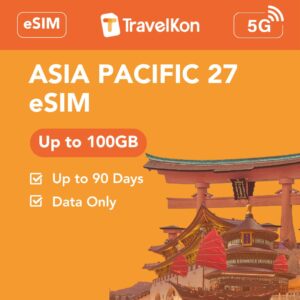
Asia Pacific 5G eSIM 27 Countries
From NZ$11.67Select options This product has multiple variants. The options may be chosen on the product pageUp to 100GB
4G/5G speed
Up to 90 Days
Data Only
Use within 180 days
Use in 27 countries×Asia Pacific 5G eSIM 27 Countries
Supported Countries- 🏳️ Asia
- 🇧🇩 Bangladesh
- 🇰🇭 Cambodia
- 🇨🇳 China
- 🇪🇬 Egypt
- 🇭🇰 Hong Kong
- 🇮🇳 India
- 🇮🇩 Indonesia
- 🇮🇱 Israel
- 🇯🇵 Japan
- 🇰🇿 Kazakhstan
- 🇰🇼 Kuwait
- 🇰🇬 Kyrgyzstan
- 🇱🇦 Laos
- 🇲🇴 Macau
- 🇲🇾 Malaysia
- 🇳🇵 Nepal
- 🇳🇿 New Zealand
- 🇵🇰 Pakistan
- 🇵🇭 Philippines
- 🇶🇦 Qatar
- 🇰🇷 South Korea
- 🇱🇰 Sri Lanka
- 🇹🇼 Taiwan
- 🇹🇭 Thailand
- 🇺🇿 Uzbekistan
- 🇻🇳 Vietnam
-
UK & Europe eSIM 71 Destinations | 3UK
From NZ$35.01Rated 4.85 out of 5Select options This product has multiple variants. The options may be chosen on the product pageUp to Unlimited Data in UK*
*Up to 30GB roaming
Local calls & text in Europe
30 Days
Use within 1 year
Use in 70 countries×UK & Europe eSIM 71 Destinations | 3UK
Supported Countries- 🇦🇽 Aland Islands
- 🇦🇹 Austria
- 🇵🇹 Azores
- 🏳️ Balearic Islands
- 🇧🇪 Belgium
- 🇧🇷 Brazil
- 🇧🇬 Bulgaria
- 🏳️ Canary Islands
- 🇨🇱 Chile
- 🇨🇴 Colombia
- 🇨🇷 Costa Rica
- 🇭🇷 Croatia
- 🇨🇾 Cyprus
- 🇨🇿 Czech Republic
- 🇩🇰 Denmark
- 🇸🇻 El Salvador
- 🇪🇪 Estonia
- 🇫🇮 Finland
- 🇫🇷 France
- 🇬🇫 French Guiana
- 🇩🇪 Germany
- 🇬🇮 Gibraltar
- 🇬🇷 Greece
- 🇬🇵 Guadeloupe
- 🇬🇹 Guatemala
- 🇬🇬 Guernsey
- 🏳️ Hawaii
- 🇭🇰 Hong Kong
- 🇭🇺 Hungary
- 🇮🇸 Iceland
- 🇮🇩 Indonesia
- 🇮🇪 Ireland
- 🇮🇲 Isle of Man
- 🇮🇱 Israel
- 🇮🇹 Italy
- 🏳️ Jersey
- 🇱🇻 Latvia
- 🇱🇮 Liechtenstein
- 🇱🇹 Lithuania
- 🇱🇺 Luxembourg
- 🇲🇴 Macau
- 🏳️ Madeira
- 🇲🇹 Malta
- 🇲🇶 Martinique
- 🇾🇹 Mayotte
- 🇳🇱 Netherlands
- 🇳🇿 New Zealand
- 🇳🇮 Nicaragua
- 🇳🇴 Norway
- 🇵🇦 Panama
- 🇵🇪 Peru
- 🇵🇱 Poland
- 🇵🇹 Portugal
- 🇵🇷 Puerto Rico
- 🇷🇴 Romania
- 🇧🇱 Saint Barthelemy
- 🇲🇫 Saint Martin
- 🇸🇲 San Marino
- 🇸🇬 Singapore
- 🇸🇰 Slovakia
- 🇸🇮 Slovenia
- 🇪🇸 Spain
- 🇱🇰 Sri Lanka
- 🇸🇪 Sweden
- 🇨🇭 Switzerland
- 🇬🇧 United Kingdom
- 🇺🇾 Uruguay
- 🇺🇸 USA
- 🇻🇦 Vatican City
- 🇻🇳 Vietnam
-
Orange Global Explorer eSIM 124 Countries
From NZ$128.38Select options This product has multiple variants. The options may be chosen on the product pageUp to 100GB
4G/5G speed
30 days
Up to 60 mins call & 50 texts
Redemption code (no exp.)
Use in 122 countries×Orange Global Explorer eSIM 124 Countries
Supported Countries- 🇦🇽 Aland Islands
- 🇦🇱 Albania
- 🇩🇿 Algeria
- 🇦🇩 Andorra
- 🇦🇷 Argentina
- 🇦🇲 Armenia
- 🇦🇹 Austria
- 🇧🇩 Bangladesh
- 🇧🇾 Belarus
- 🇧🇪 Belgium
- 🇧🇯 Benin
- 🇧🇦 Bosnia and Herzegovina
- 🇧🇼 Botswana
- 🇧🇷 Brazil
- 🇧🇬 Bulgaria
- 🇧🇫 Burkina Faso
- 🇰🇭 Cambodia
- 🇨🇲 Cameroon
- 🇨🇦 Canada
- 🇨🇫 Central African Republic
- 🇨🇱 Chile
- 🇨🇳 China
- 🇨🇴 Colombia
- 🇨🇷 Costa Rica
- 🇨🇮 Cote dIvoire
- 🇭🇷 Croatia
- 🇨🇾 Cyprus
- 🇨🇿 Czech Republic
- 🇩🇰 Denmark
- 🇩🇴 Dominican Republic
- 🇨🇩 DR Congo
- 🇪🇨 Ecuador
- 🇪🇬 Egypt
- 🇸🇻 El Salvador
- 🇪🇪 Estonia
- 🇫🇴 Faroe Islands
- 🇫🇮 Finland
- 🇫🇷 France
- 🇬🇫 French Guiana
- 🇵🇫 French Polynesia
- 🇬🇦 Gabon
- 🇬🇪 Georgia
- 🇩🇪 Germany
- 🇬🇮 Gibraltar
- 🇬🇷 Greece
- 🇬🇵 Guadeloupe
- 🇬🇹 Guatemala
- 🇬🇬 Guernsey
- 🇬🇳 Guinea
- 🇬🇼 Guinea-Bissau
- 🇭🇳 Honduras
- 🇭🇰 Hong Kong
- 🇭🇺 Hungary
- 🇮🇸 Iceland
- 🇮🇳 India
- 🇮🇩 Indonesia
- 🇮🇪 Ireland
- 🇮🇲 Isle of Man
- 🇮🇱 Israel
- 🇮🇹 Italy
- 🇯🇵 Japan
- 🏳️ Jersey
- 🇯🇴 Jordan
- 🇱🇦 Laos
- 🇱🇻 Latvia
- 🇱🇮 Liechtenstein
- 🇱🇹 Lithuania
- 🇱🇺 Luxembourg
- 🇲🇴 Macau
- 🇲🇬 Madagascar
- 🇲🇾 Malaysia
- 🇲🇱 Mali
- 🇲🇹 Malta
- 🇲🇶 Martinique
- 🇲🇺 Mauritius
- 🇾🇹 Mayotte
- 🇲🇽 Mexico
- 🇲🇩 Moldova
- 🇲🇪 Montenegro
- 🇲🇦 Morocco
- 🇳🇱 Netherlands
- 🇳🇿 New Zealand
- 🇳🇮 Nicaragua
- 🏳️ North Cyprus
- 🇲🇰 North Macedonia
- 🇳🇴 Norway
- 🇵🇰 Pakistan
- 🇵🇪 Peru
- 🇵🇭 Philippines
- 🇵🇱 Poland
- 🇵🇹 Portugal
- 🇵🇷 Puerto Rico
- 🇶🇦 Qatar
- 🇷🇪 Reunion
- 🇷🇴 Romania
- 🇧🇱 Saint Barthelemy
- 🇲🇫 Saint Martin
- 🇵🇲 Saint Pierre and Miquelon
- 🇸🇲 San Marino
- 🇸🇦 Saudi Arabia
- 🇸🇳 Senegal
- 🇷🇸 Serbia
- 🇸🇬 Singapore
- 🇸🇰 Slovakia
- 🇸🇮 Slovenia
- 🇿🇦 South Africa
- 🇰🇷 South Korea
- 🇪🇸 Spain
- 🇸🇪 Sweden
- 🇨🇭 Switzerland
- 🇹🇼 Taiwan
- 🇹🇭 Thailand
- 🇹🇳 Tunisia
- 🇹🇷 Turkey
- 🇦🇪 UAE
- 🇺🇦 Ukraine
- 🇬🇧 United Kingdom
- 🇺🇾 Uruguay
- 🇺🇸 USA
- 🇺🇿 Uzbekistan
- 🇻🇦 Vatican City
- 🇻🇳 Vietnam