Deleting an eSIM removes the mobile plan profile from your phone. Your phone is not damaged, and your photos, apps, contacts, messages, passwords, and files remain safe.
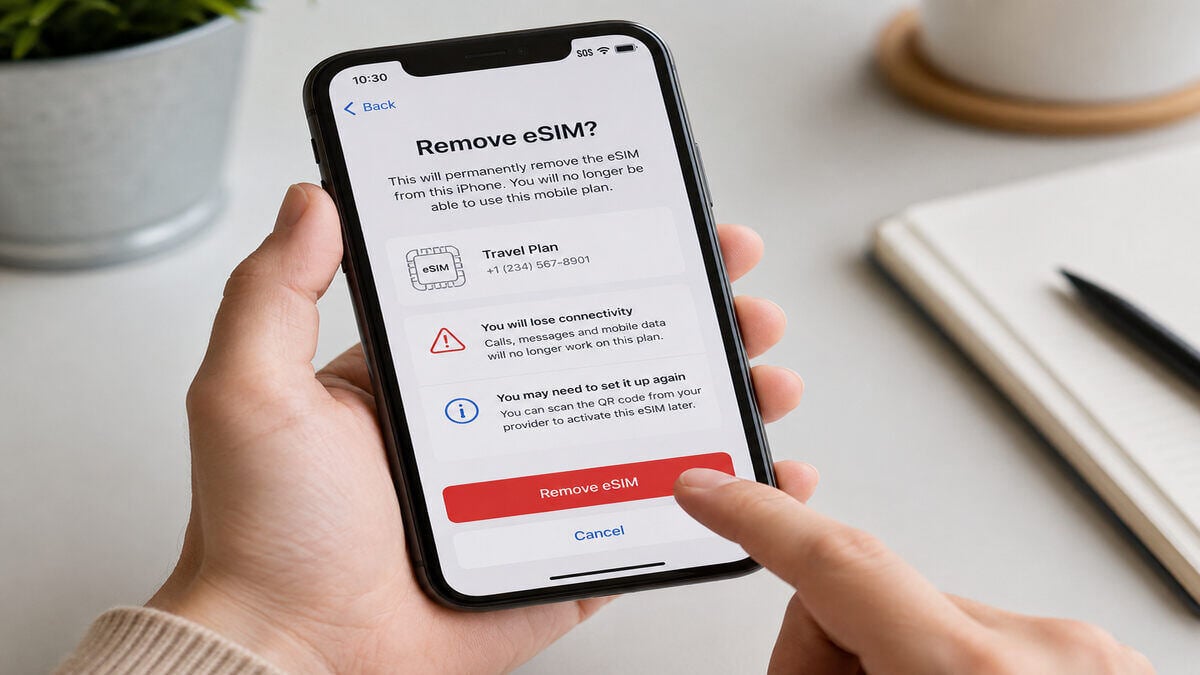
The problem is connection loss. If the travel eSIM was providing mobile data, calls, or SMS, those services may stop working on that device until the eSIM is restored, reissued, reinstalled, or replaced.
Even as eSIMs scale to 6.7 billion global connections by 2030, the technology remains somewhat restrictive. Some deleted travel profiles can be reinstalled, while others cannot, making it vital to check with your provider before making any moves.
eSIM Deletion Effects at a Glance
If you delete an eSIM:
- The eSIM profile is removed from the phone.
- Mobile data, calls, or SMS linked to that eSIM may stop working.
- Your plan or billing may continue separately.
- You may need the provider to restore, reissue, or replace the eSIM.
Important Warning Before You Troubleshoot
Do not delete an active travel eSIM as a troubleshooting shortcut unless support specifically tells you to.
Our guide to how an eSIM works can help you understand the setup, but if mobile data is not working, it is usually safer to check roaming, mobile data selection, network settings, and activation instructions first. Deleting the eSIM can make a fix harder if the activation link only works once.
Deleting an eSIM vs Turning Off an eSIM
Many people delete an eSIM when they only meant to turn it off temporarily.
| Action | What Happens | Can It Usually Be Reversed? |
|---|---|---|
Turn eSIM Off | Profile remains stored on the phone but is inactive | Yes |
Delete eSIM | Profile is removed from the device | Depends on the provider |
Expired eSIM | Profile remains but the plan has ended | Service generally cannot be used |
Factory Reset | eSIM may be removed depending on reset choices | Depends on device and provider |
If the eSIM still appears in your phone settings, it may only be switched off but if it has disappeared completely, it has likely been deleted.
Will deleting an eSIM Cancel My Plan?
Not necessarily. Deleting an eSIM removes the profile from your device, but it does not automatically cancel the service behind it.
For example:
- A travel eSIM may continue counting down its validity period even if deleted.
- A mobile carrier plan may continue billing until cancelled through the provider.
- A subscription-based mobile service usually needs to be cancelled separately.
Always treat phone settings and account billing as separate things. If charges are your concern, contact the provider directly.
Can You Get a Deleted eSIM Back?
Sometimes, but never assume it. If the eSIM can be reissued, the provider may send a replacement QR code, manual installation details, or a new activation link. If the eSIM was single-install only, the original activation method may no longer work.
Before buying another plan, check the original installation email or order page. If the QR code or activation link says it has already been used, stop trying and gather the key details support will need: your order details, device model, destination, screenshots, and a short timeline of what happened.
Will deleting an eSIM Delete My Phone Number?
In most cases, no. Deleting an eSIM removes the mobile profile from the device, not the phone number itself.
| eSIM Type | What Happens to the Number? |
|---|---|
Data-only travel eSIM | Usually, no phone number is attached |
Carrier eSIM with mobile number | The number remains with the carrier |
Business or enterprise eSIM | The number remains active unless the service is cancelled |
If the deleted eSIM carried your primary mobile number, you may temporarily lose calls and SMS on that device until the profile is restored. This applies whether you are using a local carrier plan at home or a specific Indonesia eSIM that came bundled with a temporary local virtual number.
What If I Deleted the Wrong eSIM?
First, do not delete any other SIM profiles. Check which line is still active in your phone settings. Look for labels such as Primary, Personal, Business, Travel, Secondary, or the destination name.
If your home line is still installed, keep it active for calls or SMS where possible. And if you accidentally removed your Japan eSIM instead of an old expired profile, connect to Wi-Fi and verify which profile has been removed before making further changes. This is also why clear SIM labels are important before travelling.
Can I Transfer a Deleted eSIM to a New Phone?
Usually not directly. An eSIM profile stored on one phone cannot always be moved like a physical SIM card. Some carriers support eSIM transfer between devices, but many travel eSIMs are designed for one device and one installation only.
If you are changing phones, selling a phone, or replacing a damaged device, check the provider’s transfer rules before deleting the eSIM from the old device. For instance, if you upgrade your device while travelling with a US eSIM plan, you will typically need to contact support to reissue the profile for the new hardware.
That said, always assume you may need provider support or a replacement plan unless the instructions clearly say transfers are supported.
What Happens If You Delete an eSIM Before or During Travel?
Before Travel
Deleting a travel eSIM before departure can remove the profile before it has ever connected overseas. This is risky because some travel eSIMs only activate properly after arrival, while the installation code may still be single-use.
During Travel
Deleting an eSIM overseas is more urgent. If the eSIM was your main data connection, maps, ride-share apps, translation tools, emails, banking checks, hotel bookings, messaging apps, and hotspot sharing may stop working unless you have Wi-Fi or another SIM available.
After Travel
Deleting an expired travel eSIM after your trip is usually low risk. Still, it can be worth keeping the profile for a few days after returning home in case you need support, receipts, usage checks, or order details.
How to Check Whether an eSIM Is Deleted or Just Turned Off
Before contacting support, confirm whether the eSIM has actually been removed.
On iPhone
- Open Settings.
- Tap Mobile or Cellular.
- Review the list of available SIMs.
- If the eSIM appears but is inactive, it may only be turned off.
- If the profile is missing, it has likely been deleted.
On Android
- Open Settings.
- Tap Network & Internet, Connections, or SIM Manager.
- Review installed SIM profiles.
- If the eSIM appears, try enabling it.
- If the profile is missing, it has likely been removed.
Note: Menu names vary between Android brands, operating system versions, and regions.
What to Do After Deleting an eSIM
| Situation | Likely Cause | Recommended Action |
|---|---|---|
eSIM deleted before departure | Profile removed before activation | Check reinstallation eligibility |
eSIM deleted overseas | Active travel profile removed | Connect to Wi-Fi and contact support |
eSIM appears in settings | Profile only disabled | Turn the eSIM back on |
QR code says already used | Single-use activation | Stop scanning and gather support details |
Phone shows no service | Setup, roaming, or activation issue | Review installation settings |
Hotspot stopped working | No active mobile data connection | Restore connectivity first |
Calls and SMS not working | Primary line removed or disabled | Check default voice line settings |
Billing continues | Service still active with provider | Contact provider about cancellation |
When to Contact TravelKon Support
Contact our support team if:
- The eSIM profile has disappeared completely.
- The QR code says it has already been used.
- Mobile data does not work after arrival.
- The phone shows no service.
- The destination network does not appear.
- The eSIM was deleted before activation.
- You deleted the wrong eSIM.
- You are changing phones and need to know if the transfer is possible.
Provide:
- Device model.
- Operating system version.
- Destination country.
- TravelKon order details.
- Screenshots of SIM settings.
- Screenshots of any error messages.
- A short timeline of what happened.
For example, include when the eSIM was installed, whether it ever connected, when it was deleted, and what error appeared afterwards.
eSIM Troubleshooting Checklist After Deleting a Travel eSIM
- Stop changing settings repeatedly.
- Connect to reliable Wi-Fi.
- Check whether the eSIM is actually deleted.
- Identify which SIM line is missing.
- Review the original installation instructions.
- Restart the phone once.
- Verify mobile data and roaming settings.
- Test a simple website or message first.
Common Mistakes to Avoid
- Deleting an active eSIM as a troubleshooting shortcut.
- Repeatedly scanning the same QR code.
- Performing a factory reset before basic troubleshooting.
- Ignoring carrier-lock restrictions.
- Leaving the airport before confirming data works.
- Assuming hotspot support is included on every plan.
- Relying only on emergency calling without a backup contact method.
- Deleting a line without checking whether it is your home SIM or travel eSIM.
TravelKon Tips Before You Travel
A few simple checks can prevent most eSIM issues:
- Confirm your device supports eSIM.
- Verify the phone is carrier unlocked.
- Save installation instructions offline.
- Install using stable Wi-Fi.
- Label SIMs clearly if using multiple lines.
- Test mobile data immediately after arrival.
- Keep screenshots of order details and activation instructions.
Does Factory Reset Delete an eSIM?
Sometimes. Many devices allow you to choose whether eSIM profiles are kept or removed during a factory reset.
Selecting the wrong option can remove installed eSIMs, so always confirm your settings before resetting a device. If you still need the eSIM, check the provider’s instructions first.
FAQs
What Happens If the deleted eSIM Was Active?
If the deleted eSIM was active, the services linked to it stop working on that device until the profile is restored, reissued, or replaced.
Can a Deleted eSIM Be Reinstalled?
Sometimes. Recovery depends on the provider, eSIM type, and whether the activation method supports reinstallation.
Will deleting an eSIM Delete Photos, Apps, or Contacts?
No. Deleting an eSIM only removes the mobile profile. Photos, apps, contacts, messages, and files remain on the device.
Should an Expired Travel eSIM Be Deleted?
Usually yes, once the trip is complete and the plan is no longer needed. Keeping it for a few days after travel can help if support or usage checks are required.
Does a Data-Only eSIM Replace a Phone Number?
No. Data-only eSIMs usually provide internet access only. Calls and SMS remain linked to your normal SIM or mobile carrier settings.
Will Hotspot Work After Deleting an eSIM?
No. A deleted eSIM cannot provide mobile data, so it cannot power a hotspot.
Can I Move a Deleted eSIM to Another Phone?
Usually not directly. Some carrier eSIMs support transfer, but many travel eSIMs are single-device or single-install products. Check the provider’s instructions before deleting the eSIM from your old phone.
What Should I Do If I Deleted the Wrong eSIM?
Stop deleting or changing SIM settings. Check which lines are still visible, connect to Wi-Fi, and gather screenshots before making further changes.
Takeaways
As you have seen, deleting an eSIM does not damage your phone or erase personal data, but it can remove the mobile profile needed for data, calls, SMS, or hotspot use.
If connectivity is lost after deletion, verify the original installation instructions before attempting further troubleshooting.
For travellers, the safest approach is to install eSIMs carefully, label each line clearly, keep activation details accessible, test connectivity on arrival, and avoid deleting active eSIMs unless support specifically recommends it.