
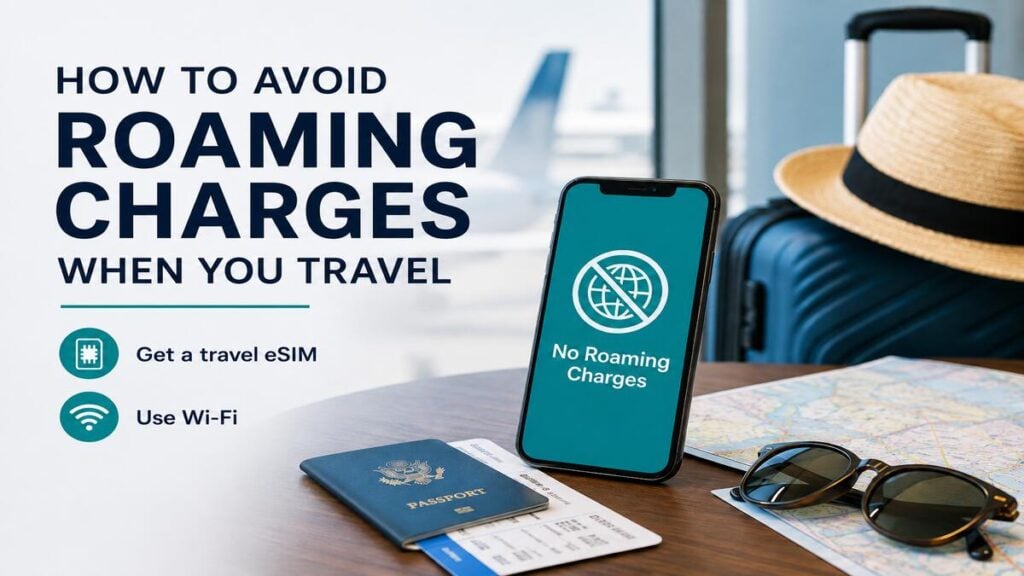
International roaming charges have a way of appearing even when everything seems switched off, packed, and under control. For most travellers, the problem often starts before the plane lands. A phone connects to an overseas network, apps refresh in the background, or a roaming day pass is triggered without much thought.
That is why sorting out your phone before departure is very important. With the right settings and a clear plan for mobile data, Travel eSIMs can make overseas travel much easier to manage.
Quick Answer
The safest way to avoid roaming charges is to stop your primary Australian SIM from using mobile data overseas and use a travel eSIM or another prepaid travel option for mobile data instead.
Before leaving Australia, ensure you turn off data roaming on your Australian SIM, set your travel eSIM as the mobile data line, disable automatic mobile data switching, and check your carrier app for roaming pass settings.
Once overseas, keep an eye on data usage, avoid large app updates, and use trusted Wi-Fi where it makes sense. If you need your normal Australian number for SMS or calls, you can usually keep it active, but make sure it is not allowed to use mobile data.
Why Roaming Charges Happen
Roaming charges happen when your phone connects to a mobile network outside your home carrier’s normal coverage area. That connection might be used for mobile data, calls, texts, voicemail, or an automatic roaming day pass.
The tricky part is that your phone does not only use data when you open a browser. Email can sync, Maps can refresh, messaging apps can update conversations, and other system services can all use data in the background.
That said, you may not be watching videos or scrolling social media, but your phone may still be running processes while connected to an overseas network.
Roaming passes can also be triggered by small actions. Sending a text, answering a call, using mobile data for a few seconds, or letting the phone connect automatically may be enough, depending on your Australian carrier’s plan settings.
Relying on not using the phone much is risky. A better approach is to decide before the trip which SIM is allowed to handle data and which one is not.
Phone Settings to Check Before Departure
The most important phone checks should be done while you are still in Australia, ideally after installing your travel eSIM but before boarding. It is much easier to sort this out with stable internet than at an airport gate, hotel lobby, or taxi rank after landing.
iPhone Settings
On iPhone, go to Settings, then Mobile or Cellular. Label each SIM clearly, such as “Australia” and “Travel eSIM”, so there is no guessing later.
Set the travel eSIM as the mobile data line and keep data roaming off for the Australian SIM. If your phone has an option called Allow Mobile Data Switching, it is usually safer to turn this off while travelling. This helps stop the phone from switching back to your Australian SIM for data.
It is also worth checking Wi-Fi Assist. This feature is designed to keep your connection stable when Wi-Fi is weak, but it can create confusion while travelling because your phone may use mobile data when Wi-Fi performs poorly. Turning it off gives you more control.
Android Settings
Android settings vary by brand, but the usual path is Settings, then Network & Internet, SIMs, or Connections and SIM Manager.
Choose the travel eSIM as the default for mobile data and keep roaming off on the Australian SIM. Also, check whether your phone allows automatic data switching between SIMs. Unless you have a specific reason to keep this active, it is usually safer to turn it off while travelling.
Before departure, also check app updates, cloud backup, photo sync, podcast downloads, offline playlists, and video app downloads. These are the silent data eaters. Set them to Wi-Fi only, pause them, or download what you need before leaving home.
eSIM vs Roaming Pass vs Wi-Fi
There is no single best option for every trip. The right choice depends on where you are going, how long you are travelling, whether your phone supports eSIM, and how much control you want over costs.
Travel eSIM
A travel eSIM is often the cleanest option for travellers who want mobile data overseas without relying on their Australian carrier’s roaming plan. It is installed digitally, usually by scanning a QR code or following app setup instructions, and can sit alongside your normal SIM on compatible phones.
A travel eSIM is especially useful for arrival-day tasks such as opening maps, booking rideshare, messaging accommodation, checking transport routes, translating menus, finding booking confirmations, and using banking or travel apps.
A TravelKon eSIM is commonly used as a data-only eSIM, meaning it provides mobile data rather than a standard phone number for calls and SMS. This works well for apps such as WhatsApp, Messenger, Maps, Gmail, Safari, Chrome, Uber, Grab, Google Translate, and airline apps.
Hotspot support can depend on the plan, device, and network rules, so check the product details before relying on tethering for a laptop, tablet, or another traveller’s phone.
If you’re new to eSIMs, you can have a look at our blog on how international eSIMs work to understand the basics before installing one.
Carrier Roaming Pass
A carrier roaming pass can be convenient because it keeps your normal mobile plan in use overseas. This may suit short trips or travellers who need their Australian number to be fully active.
The trade-off is control and network performance. While a carrier pass keeps your number active, an international mobility study by independent analytics firm Opensignal shows that international roamers experience almost 60% less time connected to high-speed 5G networks compared to locals.
And because home carriers often relegate roamers to older partner networks or route data all the way back through Australia to save bandwidth, your connection can feel incredibly sluggish right when you need it most.
That said, before relying on a roaming pass, check your carrier app and confirm whether roaming is off, blocked, capped, or set to activate automatically.
Wi-Fi Only
Wi-Fi can work for light travel, particularly if you mostly stay in hotels, airports, cafes, and serviced accommodation. The downside is that Wi-Fi is rarely available exactly when you need it most.
That first hour after landing is a good example. You may need mobile data to find your transfer, message the hotel, load a booking confirmation, open a map, or check which train to take. Waiting for free Wi-Fi can be annoying when you are tired, carrying luggage, or trying to get through an unfamiliar airport.
Public Wi-Fi can also be slow, unreliable, or unsecured. For banking, work accounts, private messages, and travel bookings, having your own mobile data connection is often more practical.
Before-Flight Checklist
Before boarding, work through this simple checklist:
- Install the travel eSIM while you have stable internet.
- Label your Australian SIM and travel eSIM clearly.
- Set the travel eSIM as the mobile data line.
- Turn off data roaming on the Australian SIM.
- Turn off mobile data switching unless you genuinely need it.
- Check your Australian carrier app for roaming pass settings.
- Set app updates, photo backup, and cloud sync to Wi-Fi only.
- Download maps, tickets, hotel details, and travel documents.
- Check whether hotspot is supported on your chosen travel eSIM plan.
- Save your eSIM setup instructions somewhere easy to access.
- Restart your phone after landing if the eSIM does not connect straight away.
This is also the right time to check the activation rules for your eSIM. Some plans should be installed before departure, but activated once you connect to the destination network. Others may start their validity period from installation or first use, depending on the product.
Always check the chosen plan details before scanning the QR code.
TravelKon Connectivity Tips
Our eSIMs are most useful for travellers who mainly need data for maps, messaging, rideshare apps, email, browsing, translation, transport, bookings, and everyday travel admin.
On compatible phones, it can sit alongside your Australian SIM. That means your usual number can remain available while mobile data runs through the travel eSIM. This is handy if you still need access to bank codes, app verification, or messages from home.
The key is not just buying the plan but rather setting the phone correctly. A well-chosen travel eSIM can still cause confusion if the wrong SIM is selected for data, roaming is left on for the home line, or the phone is allowed to switch data lines automatically.
For longer trips, check the plan validity, destination coverage, data allowance, hotspot rules, and whether calls or texts are included. Many travellers only need data, but business trips, family travel, hotspot use, and heavy map usage can go through more than expected.
What to Check If Mobile Data Does Not Work Overseas
If your TravelKon eSIM does not connect after landing, start with the basics.
Make sure the eSIM is turned on, mobile data is set to the travel eSIM, and data roaming is enabled for the travel eSIM if the setup instructions require it. This is different from enabling roaming on your Australian SIM.
Next, toggle airplane mode on and off. If that does not work, restart the phone. A simple restart often forces the phone to reconnect properly to the local network.
If the phone still does not connect, check whether network selection should be automatic or manual. Some destinations and plans may need a specific network selected from the available list.
If the eSIM uses an APN setting, enter it exactly as provided in the setup instructions. Even one missing letter or extra space can stop mobile data from working.
If there is still no connection, use hotel, airport, or cafe Wi-Fi to check the setup guide or contact our support team.
Final Thoughts
The best way to avoid roaming charges is to make a plan before your phone leaves Australia.
Check your roaming settings, decide which SIM will handle mobile data overseas, install your travel eSIM early, and confirm your Australian SIM cannot use data in the background.
A few minutes of setup before departure can make the difference between easy mobile data overseas and an unpleasant roaming bill after the trip. Keep the home SIM under control, use the travel eSIM for data, monitor usage, and check everything again before landing.
FAQs
Can SMS Still Be Received Without Roaming Charges?
Receiving SMS overseas is often free, but it still depends on your Australian carrier and plan. Check this before departure if you need bank codes, app logins, or two-factor authentication while travelling.
If you keep your Australian SIM active for SMS, make sure it is not being used for mobile data.
Can the Normal Australian Number Stay Active?
Yes, many dual-SIM phones can keep your Australian number active for calls and SMS while using a travel eSIM for data.
Roaming charges may still apply if your Australian line is used for calls, texts, voicemail, or data. To avoid roaming charges, keep mobile data assigned to the travel eSIM and keep data roaming off on the Australian SIM.
Does Airplane Mode Stop Roaming Charges?
Airplane mode stops cellular connections while it is on, so it can prevent the phone from connecting to overseas mobile networks. Wi-Fi can usually be turned back on while airplane mode remains active.
This is a safe option, but it is limiting. Mobile data, normal calls, and SMS will not work through the mobile network while airplane mode is active.
Should Data Roaming Be On or Off With a Travel eSIM?
For the Australian SIM, data roaming should usually be off.
For the travel eSIM, follow the setup instructions for that specific plan. Some travel eSIMs require data roaming to be on for the eSIM line so it can connect to partner networks overseas.
The important part is making sure roaming is only enabled on the travel eSIM, not the home SIM.
Can a Travel eSIM Be Used for Hotspot?
Often, yes, but not always. Hotspot depends on the eSIM plan, phone, and network conditions.
Check the product details before relying on hotspot for work, streaming, or sharing data with other travellers.
Will Emergency Calls Work With an eSIM?
Emergency calling behaviour depends on the country, device, available networks, and whether a voice-capable line is active.
A data-only eSIM should not be treated as a replacement for emergency calling. Keep a separate plan for emergencies before travelling, especially in remote areas.

