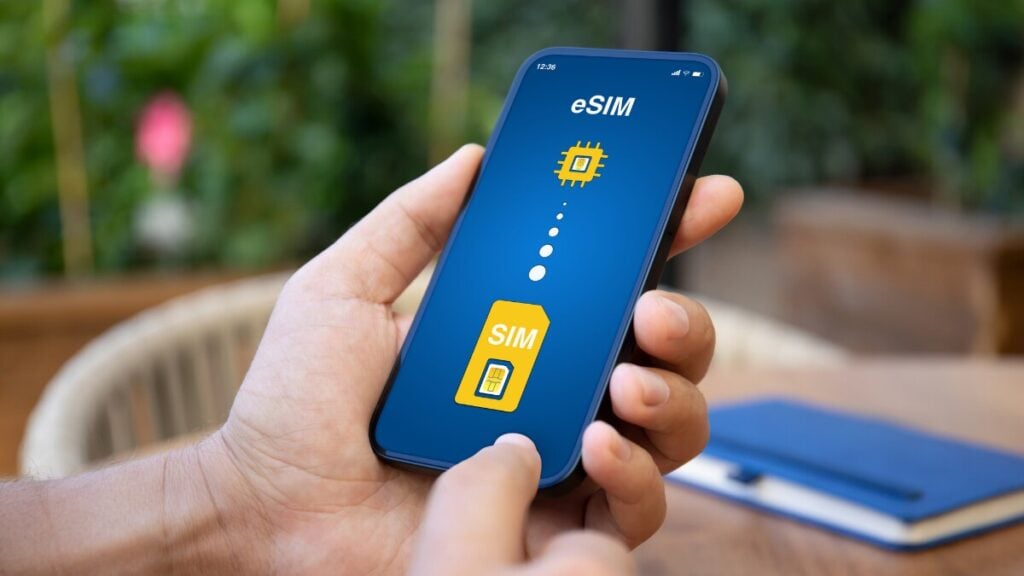
The ship clears Sydney Heads, the phone changes from an Australian carrier to Cellular at Sea, and a photo backup begins without warning. That automatic connection can turn a small background transfer into an expensive roaming charge. To avoid unexpected costs, make sure you compare TravelKon travel eSIMs against every country on the itinerary and not simply the cruise name.
A record 1.45 million Australians took an ocean cruise in 2025, with the average sailing lasting 7.5 days. A phone may encounter land towers, an onboard mobile network and satellite-backed Wi-Fi, each with different coverage and charges.
So Do eSIMs Work on Cruises?
A standard travel eSIM can work in covered ports but normally will not provide mobile data in open water. At sea, your options are ship Wi-Fi, a compatible carrier cruise-roaming service or a maritime eSIM that supports your vessel and route.
An eSIM is a network credential, not a satellite link. A cruise eSIM works only when its plan includes the shipboard network.
| Connection | Most Useful For | Main Limitation | Typical Charging Method |
|---|---|---|---|
TravelKon travel eSIM | Data in covered ports and on land | Maritime networks usually excluded | Prepaid data allowance |
Specialised maritime eSIM | Mobile data aboard listed ships | Vessel, route and hotspot restrictions | Vessel-specific allowance |
Ship Wi-Fi | Messaging, browsing or work on sea days | Speed, app and device restrictions | Daily or full-voyage package |
Home-SIM maritime roaming | Calls, texts and data through the ship network | Carrier compatibility and expensive PAYG rates | Cruise pack or usage-based billing |
What an eSIM Can Do in Port
In port, a compatible TravelKon eSIM can join a supported land network if the country is included, the plan remains valid, the travel line is selected for data and roaming is enabled on that line.
Cruise regions do not guarantee plan coverage, so check every country and island territory. For itineraries crossing several regions, compare global eSIM options and inspect the country list before paying.
Coverage at the berth is not guaranteed. Steel cabins, terminal buildings and offshore anchorages can weaken a land signal. Try an open deck or wait until ashore before treating the plan as faulty.
Unless a TravelKon product page explicitly includes maritime coverage, buy the plan for supported port destinations and not for mobile data between ports. Our guide on what a travel eSIM is can help you get started.
Why Offshore Mobile Service Is Different
Land coverage weakens beyond coastal towers. Some ships then activate an onboard cellular network. The phone connects to the shipboard base station, while the vessel carries traffic to land by satellite; the handset does not contact a satellite directly.
The network may appear as “Cellular at Sea” or “901”. Registration requires a compatible carrier agreement or maritime profile. A normal regional eSIM may detect it but remain unable to join. Gaps can occur during coastal and satellite handovers.
An eSIM at sea works only when maritime access is included. Again, before buying an eSIM for a cruise, confirm the vessel, route, activation area, allowance, validity, hotspot rules, and excess data policy. Cruise compatible without a vessel or itinerary checker is insufficient.
Ship Wi-Fi versus Maritime Roaming
The cruise Wi-Fi vs eSIM decision becomes easier once the connection methods are separated.
Ship Wi-Fi offers a clearer sea-day budget because the package price is known before use. Restrictions may cover streaming, video calls, VPNs, Wi-Fi calling and connected devices. Performance also varies. Carnival Australia’s full-cruise packages currently start at AU$21.25 per person per day for social access and AU$27.20 per person per day for browsing and email. Neither includes video streaming or cellular-network-dependent Wi-Fi calling.
Maritime roaming uses the home SIM through the onboard network. Data, calls, sent texts and voicemail may be charged separately. Telstra currently charges eligible Pre-Paid users AU$3 per MB, making a 100 MB transfer cost AU$300. However, Upfront plans are not compatible at sea, so international roaming on a cruise ship depends on the exact plan, not merely the carrier.
A maritime eSIM can place cruise ship mobile data behind a set allowance on supported vessels. Check hotspot access and what happens when the allowance ends.
Settings to Avoid Bill Shock
For a TravelKon travel eSIM plus ship Wi-Fi:
- Turn on aeroplane mode before the coastal signal disappears.
- Turn Wi-Fi back on and join the ship’s official network.
- Keep the Australian SIM disabled and mobile data switched off.
- Pause cloud backups, app updates, photo syncing and automatic downloads.
On iPhone, open Settings > Cellular/Mobile Data > Cellular Data, select the travel eSIM and disable Allow Cellular Data Switching. On Google Pixel, use Settings > Network & Internet > SIMs. On Samsung Galaxy, use Settings > Connections > SIM Manager. Ensure that you check whether your phone supports eSIM before purchasing.
For a specialised maritime eSIM:
- Install the profile before sailing using reliable Wi-Fi.
- Disable the Australian SIM and select the maritime profile for data.
- Leave aeroplane mode off while using the shipboard cellular network.
- Enable roaming on the maritime profile only when its instructions require it.
- Confirm the network name and monitor the plan’s data counter.
Disabling data roaming alone may not stop chargeable calls, texts or voicemail on the home line. Aeroplane mode prevents cellular registration while allowing Wi-Fi to be switched back on manually. If you do everything correctly, you can avoid roaming charges overseas and still stay connected on your own terms.
Which Cruise Connection Should You Choose?
- Maps, rideshares and data in port: Choose a TravelKon destination, regional or global eSIM covering every port country.
- Regular sea-day internet: Compare the ship’s Wi-Fi packages, supported apps and device limits.
- Light mobile data at sea: Consider a maritime eSIM only after confirming the exact vessel and route.
- Calls or texts through the Australian number: Check the carrier’s cruise-roaming compatibility and rates before departure.
For most Australian cruisers, the practical setup is a TravelKon eSIM in supported ports and ship Wi-Fi on sea days. Check destination coverage, allowance and validity before departure.
A Port-Day and Sea-Day Connectivity Checklist
Before sailing
- Check every port against the eSIM coverage table.
- Confirm validity, activation timing, allowance, hotspot rules and excess-data terms.
- Download offline maps, boarding documents, entertainment and backup login codes.
- Check ship Wi-Fi pricing, app access and device limits.
- Ask the Australian carrier whether maritime roaming is enabled.
On a port day
- After docking or going ashore, turn off aeroplane mode.
- Select the TravelKon eSIM for data and keep home-line roaming off.
- Confirm that the phone has joined a terrestrial network before heavy use.
- Treat signal aboard the ship or at anchor as a bonus, not a promise.
On a sea day
- With a TravelKon travel eSIM, use aeroplane mode plus ship Wi-Fi.
- With a verified maritime eSIM, follow its stated settings.
- Keep the home SIM off unless a confirmed cruise-roaming service is required.
- Check data use daily rather than waiting for a delayed alert.
FAQs
Will a Travel eSIM Work in the Middle of the Ocean?
An ordinary land-network eSIM will not. Offshore options include ship Wi-Fi, compatible carrier cruise roaming or a maritime eSIM supporting that vessel and route.
Can an eSIM Be Used When the Ship Is in Port?
Yes, provided the plan covers the port country and can reach a supported terrestrial network. Reception may improve after going ashore.
Is Cruise Ship Wi-Fi Better than an eSIM?
Ship Wi-Fi is designed for connectivity at sea, while a standard travel eSIM uses supported land networks in port. The better option depends on where data is needed, the required allowance and the total package cost.
How Do You Avoid Maritime Roaming Charges?
Disable the Australian SIM or enable aeroplane mode before offshore service begins, then switch Wi-Fi back on for the ship’s network. Keep mobile data switching and background downloads off.