Esim Guides

esims on cruises

Do eSIMs Work on Cruises? What Works at Sea and in Port

The ship clears Sydney Heads, the phone changes from an Australian carrier to Cellular at Sea, and a photo backup begins without warning. That automatic connection can turn a small background transfer into an expensive roaming charge. To avoid unexpected costs, make sure you compare TravelKon travel eSIMs against every country on the itinerary and not simply the cruise name. A record 1.45 million Australians took an ocean cruise in 2025, with the average sailing lasting 7.5 days. A phone may encounter land towers, an onboard mobile network and satellite-backed Wi-Fi, each with different coverage and charges. So Do eSIMs Work on Cruises? A standard travel eSIM can work in covered ports but normally will not provide mobile data in open water. At sea, your options are ship Wi-Fi, a compatible carrier cruise-roaming service or a maritime eSIM that supports your vessel and route. An eSIM is a network credential, not a satellite link. A cruise eSIM works only when its plan includes the shipboard network. Connection Most Useful For Main Limitation Typical Charging Method TravelKon travel eSIM Data in covered ports and on land Maritime networks usually excluded Prepaid data allowance Specialised maritime eSIM Mobile data aboard listed ships Vessel, route and hotspot restrictions Vessel-specific allowance Ship Wi-Fi Messaging, browsing or work on sea days Speed, app and device restrictions Daily or full-voyage package Home-SIM maritime roaming Calls, texts and data through the ship network Carrier compatibility and expensive PAYG rates Cruise pack or usage-based billing What an eSIM Can Do in Port In port, a compatible TravelKon eSIM can join a supported land network if the country is included, the plan remains valid, the travel line is selected for data and roaming is enabled on that line. Cruise regions do not guarantee plan coverage, so check every country and island territory. For itineraries crossing several regions, compare global eSIM options and inspect the country list before paying. Coverage at the berth is not guaranteed. Steel cabins, terminal buildings and offshore anchorages can weaken a land signal. Try an open deck or wait until ashore before treating the plan as faulty. Unless a TravelKon product page explicitly includes maritime coverage, buy the plan for supported port destinations and not for mobile data between ports. Our guide on what a travel eSIM is can help you get started. Why Offshore Mobile Service Is Different Land coverage weakens beyond coastal towers. Some ships then activate an onboard cellular network. The phone connects to the shipboard base station, while the vessel carries traffic to land by satellite; the handset does not contact a satellite directly. The network may appear as “Cellular at Sea” or “901”. Registration requires a compatible carrier agreement or maritime profile. A normal regional eSIM may detect it but remain unable to join. Gaps can occur during coastal and satellite handovers. An eSIM at sea works only when maritime access is included. Again, before buying an eSIM for a cruise, confirm the vessel, route, activation area, allowance, validity, hotspot rules, and excess data policy. Cruise compatible without a vessel or itinerary checker is insufficient. Ship Wi-Fi versus Maritime Roaming The cruise Wi-Fi vs eSIM decision becomes easier once the connection methods are separated. Ship Wi-Fi offers a clearer sea-day budget because the package price is known before use. Restrictions may cover streaming, video calls, VPNs, Wi-Fi calling and connected devices. Performance also varies. Carnival Australia’s full-cruise packages currently start at AU$21.25 per person per day for social access and AU$27.20 per person per day for browsing and email. Neither includes video streaming or cellular-network-dependent Wi-Fi calling. Maritime roaming uses the home SIM through the onboard network. Data, calls, sent texts and voicemail may be charged separately. Telstra currently charges eligible Pre-Paid users AU$3 per MB, making a 100 MB transfer cost AU$300. However, Upfront plans are not compatible at sea, so international roaming on a cruise ship depends on the exact plan, not merely the carrier. A maritime eSIM can place cruise ship mobile data behind a set allowance on supported vessels. Check hotspot access and what happens when the allowance ends. Settings to Avoid Bill Shock For a TravelKon travel eSIM plus ship Wi-Fi: On iPhone, open Settings > Cellular/Mobile Data > Cellular Data, select the travel eSIM and disable Allow Cellular Data Switching. On Google Pixel, use Settings > Network & Internet > SIMs. On Samsung Galaxy, use Settings > Connections > SIM Manager. Ensure that you check whether your phone supports eSIM before purchasing. For a specialised maritime eSIM: Disabling data roaming alone may not stop chargeable calls, texts or voicemail on the home line. Aeroplane mode prevents cellular registration while allowing Wi-Fi to be switched back on manually. If you do everything correctly, you can avoid roaming charges overseas and still stay connected on your own terms. Which Cruise Connection Should You Choose? For most Australian cruisers, the practical setup is a TravelKon eSIM in supported ports and ship Wi-Fi on sea days. Check destination coverage, allowance and validity before departure. A Port-Day and Sea-Day Connectivity Checklist Before sailing On a port day On a sea day FAQs Will a Travel eSIM Work in the Middle of the Ocean? An ordinary land-network eSIM will not. Offshore options include ship Wi-Fi, compatible carrier cruise roaming or a maritime eSIM supporting that vessel and route. Can an eSIM Be Used When the Ship Is in Port? Yes, provided the plan covers the port country and can reach a supported terrestrial network. Reception may improve after going ashore. Is Cruise Ship Wi-Fi Better than an eSIM? Ship Wi-Fi is designed for connectivity at sea, while a standard travel eSIM uses supported land networks in port. The better option depends on where data is needed, the required allowance and the total package cost. How Do You Avoid Maritime Roaming Charges? Disable the Australian SIM or enable aeroplane mode before offshore service begins, then switch Wi-Fi back on for the ship’s network. Keep mobile data switching and background downloads

Do eSIMs Work on Cruises? What Works at Sea and in Port Read More »
cellular data switching

Cellular Data Switching With Dual SIM: Avoid Accidental Roaming

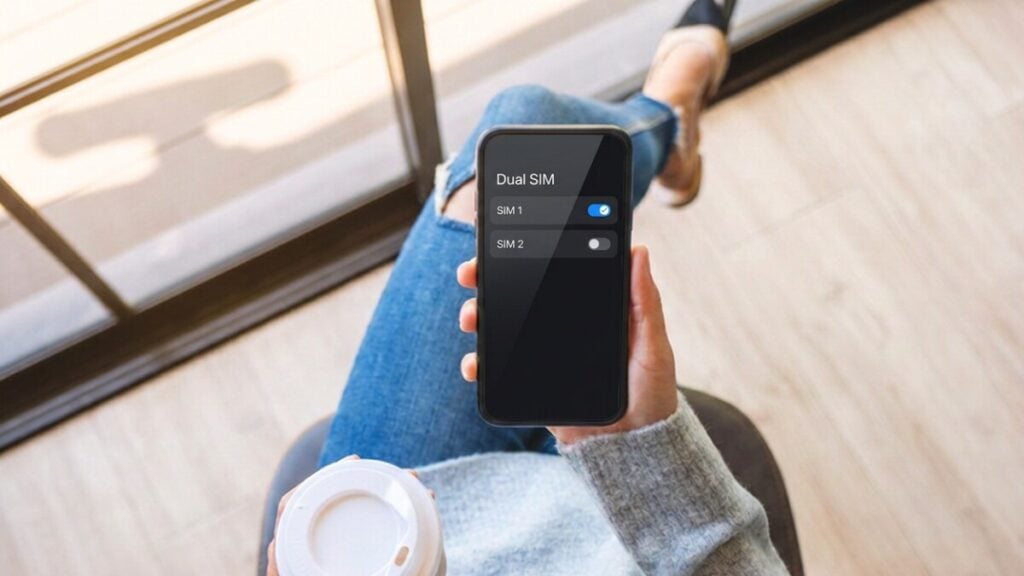
Running two SIMs should feel like freedom, not a guessing game with roaming charges. Yet one wrong toggle can shift your data line and start billing on the wrong network while you scroll, stream, or map your way around a new city. There’s real precedent behind that risk. Across recent telecom consumer research, around 18% of users report experiencing bill shock, with international roaming consistently ranked among the top contributing factors. Before your next trip, it helps to compare TravelKon travel eSIMs and understand how your device decides which SIM handles data.  A few deliberate settings, a quick pre-flight check, and a habit of locking your preferred line can keep costs predictable and your connection steady wherever you land.  What is Cellular Data Switching? Cellular data switching is when a compatible dual-SIM phone uses another active line for mobile data when the selected line cannot connect or, on iPhone, during certain calls. When travelling, select the travel eSIM for mobile data, turn automatic switching off and disable data roaming on the Australian line. Your home number can remain active for calls, SMS and one-time passwords, although calls, voicemail and outgoing messages may incur separate roaming charges. Data Switching Versus Data Roaming These settings control different parts of the connection: Setting What It Controls Cellular or mobile data switching Which active SIM supplies mobile data Data roaming Whether an individual SIM can use an overseas partner network Your phone cannot compare plan prices, roaming rates or remaining data allowances. Automatic switching is a connectivity feature, not a cost-control feature. It does not know which SIM is cheaper. How to Switch Mobile Data Between SIMs Changing the mobile data line does not automatically disable your other number. Calls and messages can remain assigned to the Australian SIM while the travel eSIM supplies data. A dual-SIM iPhone can use one cellular data network at a time. Pixel and Samsung phones generally work the same way, although Android menu names vary. On iPhone On iOS 26, a Turn On Travel eSIM notification may offer Travel eSIM Only or Travel eSIM and Current eSIM. Selecting both keeps the Australian line active while assigning the travel eSIM to data. You must still check the Australian line’s roaming settings. Leave Default Voice Line on the Australian SIM if you want to place calls from that number. On Google Pixel On Samsung Galaxy Some Galaxy phones also allow you to change the preferred SIM through the Quick Panel. Menu names depend on the phone, Android version, carrier and region. If both lines have generic names, label them accordingly before changing anything. On iPhone, select the line and change its Mobile Plan Label. On Pixel and Samsung, rename it through the SIM settings. If the travel profile is missing, check whether you still need to install an eSIM. Before purchasing another plan, you need to check whether your phone supports eSIM and is unlocked for another provider. Calls through WhatsApp, FaceTime and similar services can use the travel plan’s internet connection. Our blog on how to make calls with a data-only eSIM can help you avoid unexpected charges. Safe Dual-SIM Settings for Overseas Travel Use these settings when the travel eSIM should provide all mobile data: Setting Recommended Setup Mobile data line Travel eSIM Australian-line data roaming Off Travel-line data roaming Follow the plan instructions; often on Automatic data switching Off Australian line On only if calls, SMS or OTP access is needed Default calls Home or Ask Every Time Selecting the travel eSIM is the first safeguard. Turning off data roaming specifically on the Australian line provides a second. On iPhone, open Settings > Mobile Service, select the Australian line, tap Mobile Data Options and turn Data Roaming off. If you are using a Pixel phone, open Settings > Network & Internet > SIMs, select the Australian SIM and turn Roaming off. On Samsung, check Settings > Connections > Mobile Networks and SIM Manager. Confirm which SIM the roaming control applies to before changing it. Many travel eSIMs require data roaming on the travel line because they connect through partner networks. Follow the instructions for the specific plan rather than copying the Australian line’s setting. For most travellers, automatic switching should remain off. If the travel eSIM loses coverage, data should stop instead of falling back to the Australian line. This layered setup helps avoid roaming charges overseas. On iPhone, switching to the voice line during a call is not universal. Call-time switching does not work when the current data line is using Data Roaming, and carrier support also affects the behaviour. Note: Do not delete the travel eSIM, rescan its QR code or reset all network settings because the wrong line is supplying data. Those actions will not correct the selected line and may remove a profile connected to a single-use activation code. Run the 60-Second Dual-SIM Roaming Test After arriving at the destination: Do not rely on signal bars alone. Both SIMs can show reception even though only one is supplying mobile data. If data continues after the travel line is switched off, enable Aeroplane Mode and recheck the assignments before using more data. If the Setting Is Missing or Data Still Fails A missing or greyed-out switching option usually means that only one line is active, the second profile has not finished activating or the device does not support simultaneous dual-SIM operation. Confirm that both lines are installed and turned on. If the travel eSIM has no service, enable Aeroplane Mode for about 30 seconds, turn it off once and test again. Contact the appropriate support team if the problem continues: Provide the destination, phone model, software version, plan name, order number where relevant and screenshots of the SIM settings. Device paths were checked against current Apple, Google and Samsung support documentation in August 2026. Menu wording may vary by model, carrier and region. FAQs What Does Allow Cellular Data Switching Do? It lets a compatible dual-SIM phone use another active line for mobile

Cellular Data Switching With Dual SIM: Avoid Accidental Roaming Read More »

esim verification code

Can a Data-Only eSIM Receive SMS and Verification Codes?

A hotel stay can feel perfectly connected right up until a banking app asks for a code sent to your Australian number. At that moment, everything depends on how your connections are split.  A travel eSIM handles data in the background, while verification messages still follow the original phone line tied to your account. Before departure, compare TravelKon travel eSIMs by destination, allowance, validity, networks and inclusions. Do Data-Only eSIMs Support SMS and Bank Verification Codes?  No. A data-only travel eSIM normally cannot receive standard SMS or verification codes because it does not include carrier text service or a usable phone number. To receive SMS with a data-only eSIM in use, keep the Australian line active, select the travel eSIM for mobile data and turn off data roaming on the home line. Delivery still depends on the Australian carrier, overseas network and sender. No setup can guarantee every code. Data-Only Versus Calls-and-Text eSIMs An eSIM is digital; calls, texts and a usable number depend on the plan inclusions. Line Receives Standard SMS? Main Purpose Data-only travel eSIM No Mobile data Voice-and-text eSIM Only if included Calls, SMS and possibly data Australian home SIM Subject to overseas service Existing number and verification codes A travel eSIM phone number displayed in settings may be a network identifier that cannot accept calls or texts. Check the order for data only, no voice or SMS, or calls and texts included. To get a clearer picture of how eSIMs work, take a look at our guide on what a travel eSIM is, which breaks down how setup, activation and data usage all fit together in real-world travel situations.  How to Receive SMS While Using a Data-Only eSIM The phone must support two active lines, and the Australian service must register overseas. Confirm both requirements and check your phone’s eSIM support to avoid getting stranded. Label the plans Home — Australia and Travel — Destination. Incoming SMS follows the receiving number. The default text preference controls outgoing messages; it does not redirect a bank code. On iPhone Both active numbers can receive supported messages, but only one supplies cellular data. Check the line before sending a carrier text overseas. On Google Pixel On Samsung Galaxy The Australian line need not be the default sender to receive SMS addressed to its number. Keep International Roaming Available but Block Home-SIM Data Two controls are easy to confuse: Use this cost-controlled setup: On iPhone, select the Australian line under Mobile Service, open Mobile Data Options and turn Data Roaming off. On Pixel, use Network & Internet > SIMs. On Galaxy, check Connections > Mobile Networks and SIM Manager. Confirm which line each control affects. Turning off home-line data roaming should not disable ordinary SMS. Do not delete either SIM or reset network settings because one code is missing; neither action corrects the receiving number. This arrangement helps avoid roaming charges overseas. Bank OTPs, WhatsApp, and App-Based Verification An internet connection and a working verification route are not the same thing. Verification Method What Must Work Overseas Bank SMS OTP Registered number, active home line, roaming registration and sender delivery WhatsApp re-verification SMS or voice access to the registered number Authenticator code Authenticator app already configured; many codes work offline App approval or push notification Internet access and the registered app Email code Internet access and the email account Bank OTPs Banks send OTPs to the number on file, not the SIM handling your data connection. With nearly 70% of users receiving OTPs via SMS for account setup and identity checks, that registered line stays central to verification. Before you travel, make sure it’s active and set up a backup such as app approval, an authenticator, or a passkey. If a code does not arrive: Never read an OTP to a caller or enter it through an unsolicited link. iMessage, WhatsApp, and Temporary Numbers iMessage can use Wi-Fi or travel eSIM data, but that does not prove carrier SMS or bank short codes can reach the Australian line. RCS chats may also use data, while an SMS fallback can use the selected mobile line. WhatsApp can keep the usual Australian number while using travel eSIM data. A reinstall, phone change or logout may trigger re-verification, requiring SMS or voice access to that number. Installing a travel eSIM does not require changing it. Temporary, shared and VoIP numbers are unreliable for verification. Banks may reject them, and some cannot receive short-code messages. Wi-Fi Calling and SMS support vary by carrier, destination and plan, so check before relying on them. For voice and internet-app options, see our blog on how to make calls with a data-only eSIM. When to Stop and Contact Support Provide the destination, phone model, software version and masked number. Keep codes and account details out of screenshots. FAQs Can a Data-Only eSIM Receive a Bank OTP? Not through that eSIM. It can reach the registered Australian number if the home line is active, registers overseas and the sender supports delivery. Can You Leave an Australian SIM On Just for Texts? Yes. Keep it active, select the travel eSIM for data and turn off data roaming on the Australian line. Confirm charges before travel. Will WhatsApp Keep the Usual Number With a Travel eSIM? Yes. WhatsApp can use the registered number over travel eSIM data. Re-verification still requires SMS or call access to that number. Can Receiving SMS Overseas Cost Money? Charges depend on the carrier, plan and destination. Check the Critical Information Summary and current roaming terms before leaving Australia. Can SMS Be Added to a Data-Only eSIM Later? Usually not. Plan inclusions are normally fixed, so a separate voice-and-text plan or access to the home number is required.

Can a Data-Only eSIM Receive SMS and Verification Codes? Read More »

how to turn off travel esim

How to Turn Off a Travel eSIM Without Deleting It

Back in Australia, the home line has reconnected, but the travel eSIM remains listed in settings. One wrong tap could remove a reusable profile. Before travelling again, compare TravelKon travel eSIMs by destination, allowance, validity, networks and activation conditions so the right plan is already in place when it’s time to switch on and go.  The correct setting depends on whether you want to stop the line, block roaming data, change the data SIM or remove the profile permanently. Can You Turn Off an eSIM Without Deleting It? Yes. Open the phone’s SIM settings, select the travel profile and switch that line off. The eSIM remains installed, but disabling it does not pause validity, extend expiry or cancel the service. Confirm the profile label and destination first. Do not press Delete eSIM, Erase eSIM, Remove or Delete Mobile Plan when only a temporary shutdown is required. If the travel eSIM is turned off while you are still overseas, check the mobile data preference immediately. The phone may select another active line that can incur roaming charges. Turn Off the Line on iPhone Rename vague labels such as Primary or Secondary to something more specific to avoid any confusion. To turn off an eSIM on iPhone: Turning the line off stops its data, carrier calls and standard SMS while keeping the profile and settings stored. It does not delete or disable the other SIM. On iOS 26, the phone may turn off a travel eSIM after arrival. Verify the result and the restored home line. Supported iPhones can store 8 or more eSIMs, so deletion is rarely needed to stop one line. Check how many eSIMs a phone can hold when storage is limited. To restore it, enable Turn On This Line, select it for mobile data and follow its roaming instructions. An expired or exhausted plan will not regain service. Turn Off the Line in Android SIM Settings Android wording varies by model, software, carrier and region. Look for Use This SIM, Use eSIM, Enable or an on/off switch. Avoid Erase, Remove and Delete. On other Android phones, search Settings for SIM, eSIM, Mobile Network or SIM Manager. Select the travel profile and use its line toggle. Ignore any nearby erase or delete option. On Google Pixel On Samsung Galaxy Some Galaxy devices also show SIM preferences in the Quick Panel. Australian menu options vary by device variant. To restore an Android eSIM, enable it through the same menu and wait for network registration. Check mobile data, roaming, validity and allowance. Do not rescan the QR code if the profile has disappeared. Know When to Disable Data Roaming Instead Turning off the entire eSIM is not always necessary. Use the smallest reversible action that produces the required result. Goal Safest Action What Remains Available? Stop all travel-line service Turn the line off Profile remains installed Keep calls and SMS but block data on that line Select another data SIM and disable automatic data switching; if the line is roaming, also disable data roaming Supported calls and SMS remain Change the internet line Select another SIM under Mobile Data Both lines remain active Prevent data fallback Disable automatic data switching Data stops instead of switching Remove the profile Delete only after confirming no future use Profile leaves the device Data roaming controls only data used outside a line’s normal network. Turning it off may not block data from a local-network eSIM. To keep calls or SMS while blocking that line’s data, select another SIM under Mobile Data and disable automatic switching. If the line is roaming, also turn off data roaming. Many travel eSIMs require data roaming on partner networks. Disabling it can stop their data connection but will not pause the plan. Validity may begin on installation, first connection or another stated event. After returning home, select the Australian SIM for mobile data and turn off data roaming on the travel line. Turn off the line itself when every network function from that profile must stop. Avoid Deletion When the Profile May Be Needed Again Deleting removes the profile but may not cancel the plan, stop a subscription or produce a refund. A single-use QR code may not reinstall it. Do not delete an eSIM merely because: Review what happens if you delete an eSIM before removing it. If deletion has already occurred, check our detailed guide for reinstalling an eSIM after deletion rather than repeatedly scanning the QR code. Deletion may be reasonable when no balance or top-up remains, the profile has been transferred, or the phone is being sold. Record the order number and check whether separate cancellation is required. Contact our support team if the profile is not visible, the activation code has already been used, the line cannot be enabled, or service does not return after the basic checks. Do not reset network settings unless requested. If a new profile is required, install the eSIM using the supplied instructions. What to Provide to Support FAQs Does Turning Off an eSIM Delete It? No. Turning off leaves the profile stored. Deleting removes it and may require a new activation code. Can You Turn a Travel eSIM Back On Later? Yes, if the profile remains installed and the plan has not expired or been exhausted. Enable it, select it for data and follow its roaming instructions. Does Turning Off an eSIM Stop Billing or Pause Its Expiry? No. Turning off the line changes the phone’s network connection. Validity, billing and subscription status continue under the provider’s terms. Should You Remove an Expired eSIM? Only when no balance, top-up option or future use remains. Keeping the profile installed is normally harmless to the phone, but any subscription or billing arrangement may continue until cancelled with the provider. What Is the Difference Between Deactivate and Delete? On the phone, deactivate usually means switching the line off while keeping its profile. Delete removes it. A provider may use deactivate for account suspension or cancellation, so check the wording before confirming.

How to Turn Off a Travel eSIM Without Deleting It Read More »

airport layover

Using a Travel eSIM during an Airport Layover or Transit

Your Melbourne-to-Paris itinerary includes two hours at Singapore Changi, but the departure gate changes while the airline app is still loading. The airport Wi-Fi sign-in page has stalled, and a password reset needs an OTP sent to the Australian number. Before flying, compare TravelKon travel eSIMs against the transit country as well as the final destination. Australian international passenger traffic reached 45.766 million in the year ending March 2026, up 8.7%. Whether an installed plan helps during a connection depends on its country list, activation rule and the phone’s selected data line. Can You Use a Travel eSIM during a Layover? Yes. An eSIM for a layover works when the plan includes the transit country and the phone connects to a supported network. A France-only plan will not provide mobile data in Singapore. Remaining airside does not change the network country: the phone is still trying to connect in Singapore. If the transit country is excluded, use the airport’s Wi-Fi or choose a broader plan before departure. Do not enable data on the Australian SIM simply because the travel profile shows no service. Check Whether the Transit Country Is Included Start with the plan’s supported-country list, not its name. Asia, Europe and global are product categories rather than universal coverage promises. Two plans carrying the same regional label can include different countries, territories and partner networks. Check these details: A dual-SIM phone can show bars for the Australian line while the TravelKon eSIM has no service. That said, ensure that you check each line separately. If the TravelKon line registers but cannot pass data, confirm the transit country, selected network, roaming setting and APN before treating the profile as faulty. Basement trains, remote gates, thick concrete and terminal transfers can weaken reception. Country inclusion does not guarantee signal throughout the airport. Choose Destination, Regional, or Global Coverage Always choose the narrowest plan covering the parts of the trip where mobile data will be useful. Extra countries may add little value during a short, protected connection with reliable Wi-Fi. Broader coverage becomes useful with several stops, separate tickets or time outside the airport. Itinerary Practical Starting Point Main Check One destination and a short airside transit Destination eSIM plus airport Wi-Fi Wi-Fi access and final-country coverage Several stops within one region Regional eSIM Every country must appear in the plan list Stopovers across different regions Global eSIM Transit countries, data allowance and validity Separate tickets or an overnight stop Plan covering the transit country Landside coverage, activation timing and transport needs For example, a Melbourne–Singapore–Paris itinerary crosses two regions. A France plan does not automatically cover Singapore, while an Asia plan may exclude France. You can have a look at each global eSIM option rather than assuming every global product has identical reach. Currently, our World Explorer eSIM plan covers 105 countries, including Singapore, France, Qatar and the UAE. It offers 1 GB for 7 days and 3–20 GB for 30 days, and it must connect within 180 days of purchase. Please keep in mind that scanning its QR code starts the plan, so installing it too early would waste validity. For journeys concentrated in the eastern region of the globe, compare Asia eSIM options or Europe eSIM options for trips around Europe. Read the individual product page before purchase. Install before the Flight and Switch Data Lines Safely Install the eSIM in Australia using reliable Wi-Fi only after checking when validity begins. Depending on the product, scanning the QR code, installing the profile or making the first supported-network connection may start the plan. A transit connection can therefore consume part of the validity period. Installing before departure also avoids having the QR code displayed on the phone that must scan it. Manual installation may be possible, but home setup is easier than gate-side setup. During the layover: On iPhone, go to Settings > Cellular/Mobile Data > Cellular Data, select the TravelKon line, and turn off Allow Cellular Data Switching. Then open Settings > Cellular/Mobile Data > TravelKon eSIM > Cellular Data Options and set Data Roaming as the plan instructions require. On Google Pixel, open Settings > Network & Internet > SIMs > Mobile Data and select the TravelKon line. Return to SIMs, turn off Automatic Data Switching, open the TravelKon profile and enable roaming if required. Menu labels can vary by Android version. The Australian line can remain active for an OTP, but its calls, voicemail and roaming conditions still apply. A data-only travel eSIM does not receive SMS sent to the Australian number. If the home line is unnecessary, turn it off completely. Usage alerts for an included Australian roaming pack are required at 50%, 85% and 100%, but reporting can be delayed. These settings help avoid roaming charges overseas. Use Airport Wi-Fi as a Backup International airport Wi-Fi can handle a boarding pass, message or gate update during a short transit. Changi offers complimentary access in public and transit areas without registration, while Heathrow requires registration for free terminal-wide access. Check the airport’s official instructions before relying on Wi-Fi. Expect possible captive portals, reauthentication, crowded networks and coverage gaps between terminals. If the sign-in page does not appear, forget the network, reconnect and open a browser to trigger the portal. Avoid using public Wi-Fi for banking, passport files or confidential work. Confirm the official network name, disable automatic joining, use a reputable VPN where lawful and forget the network afterwards. A correctly configured TravelKon eSIM offers an alternative when the country is covered. Handle Separate Tickets and Overnight Stopovers Connection type matters more than the printed layover duration. A separate-ticket transfer can involve immigration, baggage collection, a terminal bus, check-in and another security screening. An overnight stop may add hotel directions, rideshare messages and local transport apps. An eSIM for a stopover becomes more valuable when the traveller must go landside or solve a disruption without airline protection. It does not replace entry permission, a transit visa or sufficient connection time. Use this checklist before leaving

Using a Travel eSIM during an Airport Layover or Transit Read More »

travelkon vs gigsky

TravelKon vs GigSky: Which eSIM Better Suits Australian Travellers?

The ship has left port and your Australian SIM has connected to a maritime network in the background. That is an expensive moment to discover that a normal travel eSIM only works through land-based networks. Before departure, compare TravelKon eSIM plans against the complete route, including countries, ports and sea days. TravelKon and GigSky overlap on land, but their prices, networks, setup and cruise capabilities differ. Which Travel eSIM Fits Your Trip Best?  TravelKon offers better value across the matched Japan and Europe land plans. GigSky is the stronger specialist option for supported cruises, travellers who want one reusable app-managed eSIM, and anyone who values a free trial before purchasing. Plans, Destinations, and Current Pricing Confirm the final inclusions at checkout because promotions and availability can change. Trip Example TravelKon GigSky Practical Difference Europe trial No free trial listed 500MB/7 days free GigSky lets you test installation and connection before paying Japan, 5GB/30 days AU$15 About AU$37.72 Same allowance and validity Europe, 10GB/30 days AU$29 across 49 countries AU$53.89 across 43 countries Country inclusion matters more than the headline count Europe, 100GB AU$145/90 days AU$218.31/180 days GigSky costs more but offers twice the validity Japan unlimited/7 days AU$24.50 promotional price AU$51.20 High-speed and hotspot rules differ Cruise + Land, 1GB/7 days Land and port use only in this comparison AU$56.73 GigSky requires the exact ship to be supported TravelKon is cheaper in the matched paid land examples, but GigSky has meaningful advantages that a price-only table misses. Its Europe trial costs nothing, its 100GB plan suits a slower trip, and its cruise products serve a use case that TravelKon’s compared terrestrial plans do not. GigSky eSIM plans include country, regional, unlimited and cruise options. Restricted-app Essentials plans and Visa benefits are not standard inclusions; availability depends on the destination, card and issuing region. Confirm currency and eligibility inside the app. Coverage, Speed, Hotspot, and Fair-Use Limits Coverage for both eSIMs depends on the local or maritime partner, the phone, location, congestion and plan. A 5G label does not guarantee that 5G will be available throughout the trip. Japan provides a useful network-level comparison. Our Japan unlimited eSIM plans use KDDI. GigSky lists NTT Docomo and SoftBank. Two listed networks may provide GigSky with another connection option, but they do not guarantee better reception at a specific hotel, ski field or rural address. Check the local coverage maps for the planned route. The unlimited Japan plans are not equivalent: Plan High-Speed Data Continued Use Hotspot TravelKon KDDI Unlimited No daily handset-data cap; speed is not guaranteed Continues for the plan’s validity 6GB total on the seven-day plan GigSky Unlimited Current sales pages list up to 3.5GB daily Reduced speed until the 24-hour reset Supported and subject to the same data policy TravelKon’s fixed-data Japan and Europe eSIM plans support hotspot and continue at up to 128kbps after their high-speed allowance is exhausted. GigSky’s checked land plans permit hotspot and top-ups, but tethering still draws from the purchased or daily high-speed allowance. GigSky coverage at sea is its clearest distinction. A GigSky cruise eSIM can connect through supported maritime networks and then use land networks in port. TravelKon’s compared plans rely on terrestrial networks and should be treated as port-day options, not shipboard coverage. GigSky lists more than 290 supported vessels, but coverage is ship-specific. Confirm the exact ship rather than relying on the cruise line’s name. Reception and speed can vary on board and by route. With 1.45 million Australians cruising in 2025, compatibility is not a minor detail. Land and maritime performance should be assessed separately. Activation, App, and Customer Support First, check whether your phone supports eSIM and is carrier-unlocked. Install over dependable Wi-Fi before departure. TravelKon will send a QR code by email. Install the profile, keep it off until arrival, then select it for mobile data and enable data roaming on that eSIM. The checked plans start after connecting to a supported network and generally must be used within 180 days of purchase. GigSky uses an app-led process. Purchase the plan, install the GigSky eSIM once and let it connect at the destination. The profile can be reused for later GigSky purchases. A plan can remain unactivated for up to 365 days, but its validity cannot be paused after activation. Use this pre-departure checklist: At TravelKon, we provide 24/7 support through WhatsApp, Messenger and email. GigSky provides in-app support requests, website chat and email; email responses are expected within 24 hours. Both compared services are data-only. Internet calling apps will work when data is available, but neither supplies a normal local number for destination calls or dependable bank verification. Retain access to the Australian number when one-time passwords are essential. Which Should an Australian Traveller Choose? For further comparisons, have a look at our blogs on how TravelKon compares with Airalo, Simify, and Vodafone. FAQs Is TravelKon or GigSky Cheaper for Australians? TravelKon is cheaper in the matched paid Japan and Europe plans. GigSky offers a free Europe trial, longer validity on its 100GB plan and specialist cruise products. Which Has Better Coverage, TravelKon or GigSky? Neither has universally better coverage. TravelKon uses KDDI for the Japan plans checked, while GigSky lists NTT Docomo and SoftBank. GigSky has the product advantage at sea when the exact ship is supported. Can Both GigSky and TravelKon eSIMs Use Hotspot? Yes, the checked land plans support hotspot. TravelKon’s seven-day KDDI unlimited plan includes 6GB of hotspot data. GigSky applies its daily high-speed policy to tethered use. Check cruise-plan terms separately. Which Option Is Easier to Set Up Before Departure? GigSky offers an app-led installation and reusable profile. TravelKon uses an emailed QR code with 24/7 WhatsApp, Messenger and email support. Both require an unlocked, compatible phone and reliable installation Wi-Fi.

TravelKon vs GigSky: Which eSIM Better Suits Australian Travellers? Read More »

travelkon vs maya

TravelKon vs Maya Mobile: Which eSIM Better Suits Australian Travellers?

Connectivity decisions tend to look simple on paper, until real usage starts to shape them. A plan that feels generous in one context can feel surprisingly tight in another, depending on how much of your day is spent on maps, messaging, browsing, or background updates. That’s why it helps to anchor the choice in actual travel patterns rather than headline figures. Before departure, compare TravelKon eSIM plans to the pace and style of your trip, not just the data allowance shown. Which Travel eSIM Should You Choose? TravelKon better suits travellers wanting inexpensive fixed data, destination-specific products, longer validity or clearly stated network details. The current Maya Mobile eSIM favours travellers crossing several supported countries who value one reusable profile and broader hotspot terms. Maya’s undefined daily high-speed quota, however, prevents a clean unlimited-speed advantage. Decision Point TravelKon Maya Mobile Plan structure Destination, regional and global; fixed or unlimited One global, time-based unlimited eSIM Land coverage Product-specific; compared Europe plans cover 49 countries 165+ countries through 250+ partners Validity Commonly 7–90 days; product-specific 3, 7, 14 or 30 days Calls, SMS and number Compared plans are data-only, without calls, texts or a local number Current inclusions provide mobile data and do not list calls, SMS or a phone number Hotspot Enabled; separate limits apply on some unlimited products Included, subject to fair-use and network-management rules Reuse Another plan may require a new profile Profile remains installed for later trips Support 24/7 via WhatsApp, Messenger and email 24/7 via WhatsApp, support request and in-app help Refund approach Unscanned eSIMs may qualify; some products are non-refundable once sent Unused plans may qualify within 30 days, less processing fees Plans, Destinations, and Current Pricing TravelKon lets you buy a defined allowance. Japan options currently range from 1GB/7 days at AU$4 to 100GB/90 days at AU$129. A 5GB/30-day Japan eSIM plan costs AU$15, while 10GB costs AU$25. The 49-country Europe eSIM, UK and Turkey range includes 5GB/30 days for AU$19, 10GB for AU$29 and 20GB for AU$45. These fixed plans continue at 128kbps after their high-speed allowance is exhausted. Current Maya eSIM plans cost AU$14.15 for 3 days, AU$28.30 for 7 days, AU$ 39.62 for 14 days, and AU$69.83 for 30 days.  Trip Example TravelKon Maya Mobile Practical Result Japan, 7 days, unlimited AU$24.50 sale price About AU$28.36 TravelKon costs less at the checked prices Japan, 14 days, unlimited AU$42.70 sale price About AU$39.71 Maya costs less; TravelKon states its hotspot limit Europe, 7 days, unlimited AU$39 About AU$28.36 Maya costs less, but its high-speed quota is undisclosed Europe, 30 days, 10GB versus unlimited AU$29 About AU$70.92 TravelKon suits moderate use at lower cost Prices and promotions can change, so check both carts. Validity also affects value. Maya counts each day as 24 hours from activation. TravelKon’s Europe plans use 24-hour periods, but our Japan KDDI unlimited plan counts natural days ending at midnight Japan time. Arriving late can consume most of the first calendar day. Coverage, Speed, Hotspot, and Fair-Use Limits Country totals do not predict reception. Maya eSIM coverage includes AU, Rakuten and docomo in Japan, plus EE, O2 and Three in the UK. TravelKon’s Japan plan uses KDDI, while our Europe plan provides country-specific operators. Performance still depends on the device, location, congestion and roaming priority. Neither provider can promise 5G everywhere. The unlimited wording requires close attention: The Maya eSIM hotspot offers broader published tethering access, but the undefined daily quota creates uncertainty for sustained laptop work. TravelKon gives you clearer thresholds before purchase. Maya also offers cruise add-ons across more than 20 cruise lines, aligning with the growing demand for onboard connectivity among Australians, with 1.45 million taking an ocean cruise in 2025. Standard land-based plans aren’t designed for use at sea, so it’s worth checking the specific vessel, route, and add-on pricing before assuming coverage will carry over.  Activation, App, Support, and Refunds TravelKon sends a QR code by email and offers an app for eSIM management. Install using reliable Wi-Fi, keep the travel line off, then select it for mobile data and enable data roaming at the destination. Most compared plans begin on their first supported overseas connection, but the selected product page controls. Maya eSIM activation uses the Maya app and an installed profile. The profile stays on the phone after expiry, so future trips require another package rather than another installation. Auto Top-Up is optional and off by default. Before buying, check whether your phone supports eSIM and confirm that it is carrier-unlocked. Keep the Australian SIM active if SMS one-time passwords are needed, but disable data roaming on that home line and turn off mobile-data switching. Calls, standard SMS and OTP delivery remain tied to the Australian service because the compared travel plans provide data rather than a replacement mobile number. TravelKon’s refund policy requires an eSIM to remain unscanned and unactivated. Some products, including the compared Japan KDDI options, are non-refundable once sent. Approved change-of-mind refunds are issued as store credit and may attract a handling fee. Maya permits a full refund, less processing fees, when no data has been used and the request is made within 30 days. Similar conditions cover incompatible or locked phones. A completely unusable activated plan may qualify if a Maya error remains unresolved for 10 days after the refund request. These policies do not remove consumer guarantees applying to eligible Australian purchases. How TravelKon Compares to Other eSIMs  For alternatives, TravelKon sits alongside Airalo, Simify, and Saily as a different kind of eSIM experience rather than a like-for-like clone. Airalo leans into scale with a vast global marketplace, Simify often focuses on straightforward travel bundles, and Saily pushes an app-first model built around simplicity and in-app control. TravelKon, by contrast, is more destination-led, with a curated range that can include fixed-data and selected feature-rich plans depending on the route. What stands out is less about who has the biggest catalogue and more about how each platform structures choice. Some prioritise sheer volume, others prioritise app convenience,

TravelKon vs Maya Mobile: Which eSIM Better Suits Australian Travellers? Read More »

travelkon vs ubigi

TravelKon vs Ubigi: Which eSIM Better Suits Australian Travellers?

Your flight lands in Tokyo, the airport Wi-Fi times out and then you remember the hotel address was sent to your email. Before maps or a rideshare can help, your travel line must connect. You can compare TravelKon eSIM plans before departure, but choosing between TravelKon and Ubigi takes more than checking the first price. A travel eSIM suited to Bali can be wrong for regional Japan or three weeks across Europe. Route, networks, high-speed data, hotspot rules, activation and support are all important. Which Travel eSIM Best Suits Your Needs? TravelKon is ideal for travellers prioritising Australian support, destination-specific choice or selected voice-and-text inclusions. Ubigi, on the other hand, suits travellers prioritising app management, one reusable profile and easy top-ups. Ubigi eSIM plans include one-off, monthly and annual options. Neither is the automatic winner. Prices favour TravelKon for Japan and Ubigi for Europe and the United States. However, coverage and fair-use terms can reverse that result. Comparison Point TravelKon Ubigi Billing currency AUD AUD for Australian accounts Plan model Country, regional and global product catalogue One-off, monthly and annual data plans Profile reuse Another eSIM may be required Keep one profile and add plans Calls and SMS Available on selected products Data-only Hotspot Most plans; check exceptions Allowed; fair-use limits apply Management Email instructions and supported usage checker App, usage tracking and top-ups Support WhatsApp, Messenger and email Website assistant, help centre and support tickets Main limitation Product terms and profile reuse vary Data-only; phone transfers require extra steps Plans, Destinations, and Current Pricing Both eSIMs sell country, regional and international plans. Ubigi advertises more than 200 destinations. At TravelKon, we offer dedicated products for popular Australian routes. Destination counts can hide different country lists, networks and throttling rules. Check every transit stop and side trip. What the Current 10GB Price Snapshot Shows Each sampled plan includes 10GB for 30 days, but other terms differ. Destination TravelKon Ubigi Current Difference Japan AU$25 AU$29 TravelKon is AU$4 lower Europe AU$29 AU$26 Ubigi is AU$3 lower United States AU$29 AU$24 Ubigi is AU$5 lower Ubigi applies AUD to Australian accounts. Promotions and product changes can alter the final amount. Please note that this is not a permanent cheapest-provider verdict. Compare live prices, validity, networks and fair-use terms. Ubigi eSIM Australia can surface inbound plans; outbound travellers need destination coverage. Coverage, Speed, Hotspot, and Fair-Use Limits Ubigi eSIM coverage and TravelKon coverage rely on local partners. The operator on the chosen plan matters at street level. TravelKon connects through KDDI, while Ubigi operates across both KDDI and NTT Docomo in Japan. In the US, TravelKon operates on Verizon, while Ubigi connects through both T-Mobile and Verizon. Extra networks provide another option, not guaranteed better reception. Ubigi covers Hawaii but excludes Alaska. Terrain, buildings and congestion affect either service. A 5G label means availability under suitable conditions, not continuous 5G. Hotspot Access Is Not the Same as Unlimited High-Speed Data The Ubigi eSIM hotspot policy allows data sharing. For TravelKon, most of our fixed plans support tethering, with exceptions. Shared devices use the same allowance. Unlimited needs a numerical check. One current Ubigi Japan plan provides 60GB at full speed, then 2Mbps. Some TravelKon products continue at about 128kbps after the allowance, so limits vary by product. For video calls, remote work or family sharing, compare four details: Activation, App, and Customer Support TravelKon emails a QR code and instructions. Many of our products must first connect within 180 days, although activation windows vary. Ubigi eSIM activation uses a reusable profile and app. SmartStart begins on first connection in a covered destination; unused plans generally need activation within six months. Keep the profile for later plans. Ubigi keeps plan purchasing available when its data balance is empty, avoiding a Wi-Fi search before topping up. TravelKon uses device counters or an online checker on supported plans. Australian roaming packs send usage alerts at 50%, 85% and 100%, but independent eSIM alerts can differ. TravelKon provides support through WhatsApp, Messenger, and email, giving users a few different ways to reach out depending on what feels most convenient. Ubigi’s website assistant handles common questions before complex cases move to a ticket; support is not inside the app.  Moving Ubigi to a replacement phone requires its reinstallation process; automatic transfer is not assured. With either provider, do not delete a profile or assume its QR code can be reused without checking first. Refund and Cancellation Limits Refund eligibility becomes narrower after installation, activation or use. Ubigi currently accepts qualifying unused-plan requests within 15 days of payment but excludes plans after service begins. Annual plans are non-refundable during their validity, while monthly plans have a minimum commitment before cancellation. TravelKon excludes scanned, activated or used eSIMs from standard change-of-mind refunds, and selected products become non-refundable once issued. If either service fails overseas, contact support while still at the destination and complete the requested troubleshooting before seeking a remedy. Setup Checklist Before Departure Which Should an Australian Traveller Choose? Always match the purchase to the trip. For other provider models, see how TravelKon compares with Airalo, Simify, and Saily. FAQs Is TravelKon or Ubigi Cheaper for Australians? Neither is consistently cheaper. In the 10GB/30-day snapshot, TravelKon was lower for Japan; Ubigi was lower for Europe and the United States. Recheck the final AUD price and inclusions. Which Has Better Coverage, TravelKon or Ubigi? Neither is universally better. Ubigi advertises more than 200 destinations and multiple networks on selected plans. TravelKon discloses networks at the product level. Choose suitable networks for the exact route. Can Both Ubigi and TravelKon eSIMs Use Hotspot? Yes. Ubigi permits data sharing, and most TravelKon plans allow hotspot use. Product limits, high-speed allowances and throttled speeds still apply. Which Option Is Easier to Set Up Before Departure? Ubigi has the more integrated app flow and reusable profile. TravelKon uses an emailed QR code with product-specific instructions. Install either on Wi-Fi before departure and check the activation window.

TravelKon vs Ubigi: Which eSIM Better Suits Australian Travellers? Read More »

travelkon vs jetpac

TravelKon vs Jetpac: Which eSIM Better Suits Australian Travellers?

Picking the right eSIM provider shapes how your trip starts. You land, need directions, open bookings, maybe order a ride, and none of it works until your data kicks in. A weak setup not only slows everything down but can also trigger roaming on your Australian SIM. TravelKon and Jetpac often look similar, but the differences show up fast. Activation timing, network priority, and hotspot limits all affect how stable your connection feels once you’re moving. Most people begin by trying to compare TravelKon eSIM plans, but the real decision comes down to which provider actually holds up under real use.  Choosing the Right Travel eSIM for Your Needs  Choose TravelKon when AUD billing, Australian support and destination-level plan choice are at the top of your priority list. Our catalogue includes country, regional, global, selected unlimited-style and some voice-inclusive products that you’ll find helpful. Go for Jetpac when you want app-based management, one reusable eSIM profile and simple pack purchases for later trips. Eligible packs also include essential-app access after data runs out, while voice packs and airport benefits may help selected travellers. Always compare equivalent plans for every destination on your itinerary. TravelKon and Jetpac Compared at a Glance Feature TravelKon Jetpac Display currency AUD USD by default Plan model Destination-led product range App-led, reusable profile New trips Another eSIM may be required Add another pack to the installed profile Hotspot Most plans; exceptions apply Supported across the current range Calls and SMS Available on selected products App-based outgoing voice; no traditional SMS Tracking Device counter or supported online checker Centralised in the app Support WhatsApp, Messenger and email WhatsApp and email Main trade-off More product choice, less centralised management Easier repeat use, USD pricing and greater app dependence Plans, Destinations, and Current Pricing Both sell country, regional and international plans. Jetpac has more than 200 destinations, while TravelKon covers major Australian travel routes. Check every transit stop and side trip. Regional packs can differ on Turkey, Switzerland or smaller islands. Europe Price Examples in AUD Data Allowance TravelKon Total TravelKon per GB Jetpac Approx. AUD Jetpac per GB Light use: 5GB AU$19.00 AU$3.80 AU$22.80 AU$4.56 Standard use: 10GB AU$29.00 AU$2.90 AU$45.59 AU$4.56 Heavy use: 30GB AU$55.00 AU$1.83 AU$92.61 AU$3.09 TravelKon is cheaper for 5GB and 10GB. For Jetpac eSIM Australia, choose the plan for the overseas destination rather than an Australian inbound plan. Coverage, Networks, and Speed Both TravelKon and Jetpac rely on overseas partner networks. Neither guarantees reception in rural areas, underground stations, congested locations or signal-blocking buildings. Destination Example TravelKon Product Information Jetpac Product Information What to Check Japan KDDI listed Multi-network access; operators vary by pack Supported operators and 4G/5G access Indonesia, including Bali Telkomsel and XL listed Multi-network access; operators vary by pack Coverage beyond main tourist areas United States Verizon listed on the compared product Multi-network access; operators vary by pack Regional coverage along the full route TravelKon makes operators easier to identify for each eSIM plan before purchase. Jetpac, however, promotes automatic multi-network connectivity, but confirm the operators for your pack. A 5G label indicates possible availability, not continuous 5G. Hotspot and Unlimited-Data Limits Jetpac eSIM hotspot use is permitted across its current range. Fixed packs consume the purchased allowance. Unlimited packs provide 3GB at standard network speed in each 24-hour cycle, then up to 1Mbps until the cycle refreshes. Most TravelKon fixed-data products also permit hotspot use. Product-level exceptions apply, and some plans continue at about 128kbps after the high-speed allowance is used. For laptop work or shared data, compare the full-speed allowance, reduced speed, tethering restrictions and whether the threshold resets daily. Calls, SMS, OTPs, and Essential Apps Most plans from TravelKon and Jetpac are data-only. TravelKon sells selected products with local calls, SMS or a phone number, but those inclusions are not standard. Jetpac offers outgoing calls through app-based voice packs rather than a normal mobile number. Traditional SMS is unsupported. Eligible Jetpac packs of 3GB or more retain WhatsApp chat, Google Maps, Uber and Grab access after paid data is exhausted. Treat this as emergency access rather than normal internet service. Keep your Australian SIM active for SMS and OTPs on a compatible dual-SIM phone. Use the travel eSIM for data and disable roaming on the Australian SIM. Calls or messages may still incur charges. Activation, Apps, and Support TravelKon will email you a QR code. Install it on Wi-Fi, select it for data and enable roaming on the travel line. Many of our data plans must first connect within 180 days, although terms vary. Jetpac eSIM activation is app-centred. Install before departure and let the pack activate on a supported overseas network. An unused pack remains available for three months, and the profile can accept later packs. Jetpac’s app provides tracking, top-ups and extras. SmartDelay may provide lounge access after a qualifying disruption registered in advance; Fast Track covers selected airports and routes. TravelKon offers Australian-based WhatsApp, Messenger and email support. Jetpac lists round-the-clock WhatsApp and email support.  Before purchasing any eSIM, check whether your phone supports eSIM and confirm it is network-unlocked. Refund Terms TravelKon eSIMs are typically non-refundable once they’ve been delivered, especially if they’ve been scanned, activated, or used. If something doesn’t work as expected while you’re overseas, it’s best to contact support right away so the team can troubleshoot and get you back online as quickly as possible.  Jetpac generally treats an installed eSIM as used. Technical claims require troubleshooting and evidence; eligible connection failures may qualify under its money-back terms. Check eligibility before installation. Which Should an Australian Traveller Choose? Travel Need Better Starting Point AUD billing and Australian support TravelKon Frequent international trips Jetpac Different network or inclusion each trip TravelKon Reusable profile and app tracking Jetpac Traditional calls or SMS Check selected TravelKon products Heavy hotspot use Compare the exact fair-use rules Airport disruption benefits TravelKon TravelKon is the stronger starting point when local pricing, Australian support and destination-specific choice matter. Jetpac better suits frequent travellers who value profile

TravelKon vs Jetpac: Which eSIM Better Suits Australian Travellers? Read More »

travelkon vs alosim

TravelKon vs aloSIM: Which eSIM Better Suits Australian Travellers?

If you travel often, you learn quickly that not all eSIMs hold up the same once you’re actually on the ground. Some connect fast and stay stable while others look fine on paper but struggle when you start moving between cities or relying on a hotspot. The difference usually shows up when maps, bookings, and messaging all run at once. A quick step before departure is to compare TravelKon eSIM plans and understand what each option actually offers. When it comes to TravelKon vs aloSIM, the gap is less about price and more about how each performs when the trip is already underway.  Which Travel eSIM Is Right for You?  The better choice here depends on the route and how the phone will be used. Pick TravelKon when the matched plan costs less, broader regional coverage is needed, or direct support through WhatsApp and Messenger is preferred. aloSIM, on the other hand, is ideal when in-app purchasing and top-ups are a priority, or an eligible plan’s temporary Hushed calling number is genuinely useful. Plans, Destinations, and Current Pricing Before narrowing it down, it helps to look at how TravelKon and aloSIM stack up across plan types, supported destinations, and current pricing for Australian travellers.  Trip Example TravelKon aloSIM What Matters Japan, 1GB/7 days AU$4 AU$6.40 Light maps and messaging use Japan, 10GB/30 days AU$25 AU$25.55 Near price tie; compare setup and support Europe, 10GB/30 days AU$29, 49 countries AU$51.10, 35 countries Route coverage creates the larger difference Europe, 100GB AU$145/90 days AU$262.45/180 days Different validity makes this unsuitable as a price-only comparison Japan unlimited/7 days AU$24.50 promotional price AU$38.30 Fair-use and hotspot rules differ sharply These examples aren’t meant to suggest that every TravelKon option will come out cheaper. They highlight why relying on a single headline price can be misleading. The better approach is to look at the destination coverage, usable data, and plan validity first, then compare the final price at checkout.  Data needs also deserve a realistic estimate. Average global use reached 22GB per active smartphone each month at the end of 2025, while video generated about 75% of mobile data traffic. A 5GB plan can still suit a short trip with offline maps and hotel Wi-Fi; daily video, cloud backups or laptop tethering can consume it quickly. Coverage, Speed, Hotspot, and Fair-Use Limits aloSIM coverage depends on the local partner named for each destination, as does TravelKon coverage. Neither brand owns the overseas mobile network.  Japan gives a clean network-level comparison: both aloSIM and TravelKon use KDDI for plans in this region. That removes much of the theoretical coverage argument, although the handset, location, congestion and network conditions can still affect whether 4G or 5G is available. The unlimited Japan offers are less alike than their labels suggest: Seven-Day Japan Plan High-Speed Rule Hotspot Rule Listed Network TravelKon KDDI Unlimited No daily phone-data cap; speed is not guaranteed 6GB total hotspot allowance KDDI aloSIM Unlimited 3GB high-speed daily, then 1Mbps until the next daily reset Hotspot supported and subject to the plan’s data terms KDDI TravelKon better suits heavy handset use on this matched plan while aloSIM provides a defined reduced speed after its daily threshold. TravelKon’s standard fixed-data Japan and Europe eSIM plans checked support hotspot and continue at up to 128kbps after the high-speed allowance is used. aloSIM fixed-data plans support tethering and can be topped up, but usable data ends when the purchased allowance is exhausted unless more data is added. Activation, App, and Customer Support First, check whether your phone supports eSIM and is carrier-unlocked. Then install while dependable Wi-Fi is available. TravelKon sends a QR code by email. Install it before departure, select the eSIM for mobile data on arrival, enable data roaming for that eSIM, and let it connect to a supported network. The checked plans begin when that connection occurs and must be used within 180 days of purchase. aloSIM centres the process in its app, with QR installation also available. Install the aloSIM eSIM before travel, then activate its data package at the destination; validity begins on activation. Device labels vary, so follow the current iPhone or Android menu rather than relying on an old screenshot. Use this pre-flight checklist: When it comes to customer support, TravelKon offers 24/7 help through WhatsApp, Messenger and email. aloSIM provides 24/7 live chat and email.  An aloSIM eSIM is primarily a data service. Some aloSIM plans include a temporary US or Canadian Hushed VoIP number in a separate app, AU$4.18 calling or texting credit, and access matching the data package up to 30 days. An aloSIM phone number is therefore not normally a local number for the destination. VoIP numbers may also fail some bank or platform verification checks, so retain access to the Australian SIM for critical one-time passwords. TravelKon’s plans are data-only, and you get to keep your Australian number. Which Should an Australian Traveller Choose? For more context, explore how TravelKon stacks up against GoSIM, Roameo, and WorldSim.  FAQs Is TravelKon or aloSIM Cheaper for Australians? TravelKon was lower in the matched Japan and Europe examples, but prices and promotions change. Compare the same destination, data, validity and fair-use terms at checkout. Which Has Better Coverage, TravelKon or aloSIM? Neither has universally better coverage. Check the named local network and exact country list. Both Japan products checked use KDDI; regional plans differ in country inclusion. Can Both aloSIM and TravelKon eSIMs Use Hotspot? Yes, the plans checked support hotspot or tethering. Limits still apply: TravelKon’s seven-day KDDI unlimited plan includes 6GB of hotspot data, while aloSIM’s unlimited plan follows its daily data policy. Which Option Is Easier to Set Up Before Departure? aloSIM provides an app-led flow; TravelKon uses an emailed QR code with direct messaging support available if needed. Both are straightforward on an unlocked, compatible phone when installed over stable Wi-Fi before departure.

TravelKon vs aloSIM: Which eSIM Better Suits Australian Travellers? Read More »