Esim Guides

Vietnam esim

Best Vietnam eSIM for June and July Travel: Local Coverage Tips

For Australian travellers, Vietnam in June or July can be a warm winter escape with flexible trip shapes: a few nights in Ho Chi Minh City, a Da Nang and Hoi An coast break, a Hanoi food trip, or a longer north-to-south itinerary. In 2026, the Da Nang International Fireworks Festival runs from 30 May to 11 July, which gives central Vietnam a clear seasonal hook for night plans, event tickets, ride-share pickups, and hotel transfers. For most tourists with an unlocked, eSIM-compatible phone, an eSIM is the simplest way to arrive connected. You can set it up before departure, avoid airport SIM decisions, and use data for Grab, maps, WhatsApp, translation, and hotel check-in as soon as the plan connects. Start by comparing Vietnam eSIM options by network, validity, data allowance, and activation instructions. If you need a local phone number or calls/SMS, a physical local SIM may still be worth comparing. Why June and July Vietnam Trips Need Flexible Mobile Data Vietnam is long and varied. A phone can behave differently in Hanoi’s Old Quarter, a Ho Chi Minh City apartment lift, a Da Nang beach cafe, a Hoi An alley, a Ha Giang viewpoint, or a bus route through the mountains. The seasonal part matters because June and July plans often mix outdoor sightseeing with weather-dependent travel. You might be checking a forecast before a Ha Long Bay cruise, confirming a domestic flight to Da Nang, finding a Grab pickup after a late dinner, translating a menu in Hoi An, or downloading a map before a rural northern route. A Vietnam weather guide is useful before you lock in beach days, mountain routes, cruises, and domestic transfers. Use it alongside your actual itinerary, then choose the data plan that gives you enough room for changes. Vietnam eSIM vs Local SIM Card for a Seasonal Trip An eSIM Vietnam plan is digital. You install it on an eSIM-compatible phone and use mobile data without changing physical cards. Many travel eSIMs are data-only, which is fine if your travel life runs through apps. A local SIM card may include a local phone number, calls, or SMS depending on the package. It can make sense for longer stays, but it usually requires airport or shop setup and may involve registration steps. If arrival convenience matters, choose an eSIM Vietnam option before flying and keep the setup instructions saved offline. What to Check Before Choosing an eSIM Searches like “cheap Vietnam eSIM for international visitors” are useful, but price should not be the only filter. A cheap plan that runs out during a wet-weather route change, festival night, or Ha Giang loop is not good value. Best Vietnam eSIM Plan by Seasonal Traveller Type Traveller Best fit Why Australian winter escape Vietnam travel eSIM Easy data for Grab, maps, hotel messages, food searches, and quick city-to-coast trips. Central Vietnam beach trip Coverage-focused eSIM Da Nang, Hoi An, and Nha Trang plans still need maps, tickets, rides, and weather checks. North-to-south itinerary Higher data plan Domestic flights, trains, buses, hotel messages, and route changes use more data. Rainy-day pivot planner Reliable data with offline backups Handy for forecasts, indoor attractions, Grab pickup points, and saved addresses. Traveller needing calls/SMS Compare local SIM options Many travel eSIMs are data-only. Products to Compare Before You Buy For June and July travellers who want the strongest Vietnam-specific fit, compare the Viettel eSIM for Vietnam. Current options show 5GB daily with 7, 10, 15, 20 and 30 day validity choices, making it a useful match for travellers who want a clear daily-data structure. The Mobifone Vietnam eSIM is another Vietnam-specific option, with current daily data choices from 3GB to 8GB, data-only validity choices from 7 to 30 days, and calls/text variants on selected durations. If Vietnam is part of a wider Southeast Asia trip, compare the Southeast Asia eSIM Unlimited 7 Countries as the regional unlimited-style option, noting its daily high-speed fair-use allowance before reduced speed. For most app-first travellers, the best eSIM Vietnam for tourists is the plan that fits the route and season, not simply the highest advertised data allowance. FAQs Is June or July a good time to visit Vietnam from Australia? Yes, if you want a warm winter escape and you choose your route with the season in mind. Central Vietnam can work well for beach and event plans, while northern and southern routes may need more flexibility around heat, humidity, and showers. Is a Vietnam eSIM good for tourists? Yes, if your phone is unlocked and eSIM-compatible. It is especially useful if you mainly need mobile data for maps, Grab, WhatsApp, translation, weather checks, and bookings. Does a Vietnam eSIM have local coverage? Coverage depends on the plan, network arrangement, location, phone, and conditions. Check the plan details and save offline maps for rural routes. Should I buy an eSIM before I arrive? For most tourists, yes. Pre-trip setup makes it easier to use data for airport transfers, hotel messages, and maps as soon as the plan connects.

Best Vietnam eSIM for June and July Travel: Local Coverage Tips Read More »

Singapore Spring esim

Best eSIM Plans for Singapore in June: Coverage, 5G and Value

June is a practical time for Australians to visit Singapore. It can be a short winter escape, a mid-year family trip, a Changi stopover on the way to Europe, or a city break built around food, shopping, light shows, and air-conditioned attractions. A Singapore eSIM is useful before the holiday has properly started: you land at Changi, check the MRT route, book a Grab, scan tickets for Jewel or Gardens by the Bay, and keep plans moving if humid weather changes the day. For most Australian travellers, the best value plan in June is not the one with the loudest data number. It is the plan that gives enough data for maps, event pages, weather checks, ride-share pickups, attraction bookings, WhatsApp, and hotel messages without wasting time at airport counters. Why Travel to Singapore in June and What Makes an eSIM Good Value? People travel to Singapore in June because it is warm, compact, easy to navigate, and simple to combine with a longer Asia or Europe itinerary. In 2026, i Light Singapore runs from 5 to 28 June around Marina Bay and Raffles Place, which makes mobile data useful for maps, event information, night photos, rides home, and late food plans. A good-value eSIM Singapore plan should match four things: your phone, your stay length, your data use, and your arrival style. Start by comparing Singapore eSIM options by validity and data allowance, then check whether the plan is data-only, when it activates, and whether hotspot is allowed if you need to share data with a laptop or another device. Why Australians Visit Singapore in June Singapore suits June because it gives Australian travellers a warm, easy city break while home is in winter. You can keep the trip compact: Changi and Jewel on arrival, MRT rides from City Hall to Orchard, Gardens by the Bay, Marina Bay, Sentosa, Chinatown, hawker centres, and evening event plans without needing a complicated itinerary. It is also a natural stopover before Europe. If your Europe flight route already passes through Changi, a few nights in Singapore can break the long haul without turning the trip into complex logistics. The city is compact enough for a short stay, but busy enough that mobile data helps with hotel transfers, train routes, attraction tickets, weather checks, and last-minute food plans. Coverage, 5G and June Value: What to Compare When comparing the best eSIM plans Singapore travellers can use in June, focus on practical details: Singapore’s official monsoon update expects Southwest Monsoon conditions to gradually set in around late May or early June 2026. That does not make June a bad time to visit, but it does make flexible mobile data useful when you want to check forecasts, swap an outdoor stop for an indoor one, or find a pickup point during a humid afternoon. Changi Airport lists Singtel, StarHub, and M1 tourist SIM options, including eSIM availability in some cases. If you are comparing airport choices, check Changi’s SIM card purchase guide before deciding whether you want airport setup or pre-trip setup. When to Set Up Your eSIM Install your eSIM while you still have strong WiFi, ideally before leaving Australia. Follow the product instructions on activation timing because some plans should be installed before travel and switched on after landing, while others may start counting validity earlier. If you want the airport arrival to be simple, choose your eSIM Singapore plan before departure, save the setup instructions offline, and confirm your Australian SIM settings so you do not accidentally use roaming data. Best Singapore eSIM Plan by June Traveller Type Traveller Best fit Why Australian winter escape Simple pre-trip eSIM Warm-weather city break with Changi, MRT, Grab, food, shopping, and attractions. Europe stopover Short-validity eSIM Enough for airport transfers, hotel messages, maps, and one to three busy days. June events and night plans More data Maps, event pages, rides home, photos, and group chats add up quickly. Family school-holiday trip Higher data allowance Tickets, maps, weather checks, messages, and device sharing add up. Business traveller Reliable data with hotspot check Calendar links, email, ride-share, and OTPs matter. Products to Compare Before You Buy For Singapore-only trips, the Singapore eSIM is the closest product fit, with current 1GB to 100GB data options and 7 to 90 day validity choices. It is the plan to compare if your trip is focused on Singapore and your phone supports eSIM. If Singapore is one stop in a regional route, compare the Indonesia, Malaysia & Singapore eSIM, which currently offers 1GB to 100GB options and 7 to 90 day validity choices. For longer regional travel, the Southeast Asia eSIM Unlimited 7 Countries is the unlimited-style option to review, with 5 to 90 day validity choices and a daily high-speed fair-use allowance before reduced speed. For most tourists, the best eSIM for Singapore tourist use is the plan that gives enough data for the full stay without forcing you to solve connectivity after landing. FAQs Is an eSIM good for Singapore tourists? Yes, if your phone is unlocked and eSIM-compatible. It is especially convenient for short trips, stopovers, and travellers who mainly need mobile data. Can I use Grab with a Singapore eSIM? Yes. Grab works over mobile data. Make sure you can receive any required verification code through your existing number or app setup. Do Singapore eSIMs include a phone number? Many travel eSIMs are data-only. Check the plan details if calls or SMS matter. Is June a good time to visit Singapore from Australia? Yes, if you want a warm, easy city break, stopover, or mid-year family trip. Expect humid weather and keep plans flexible, especially around outdoor attractions, evening events, ride-share pickups, tickets, and maps.

Best eSIM Plans for Singapore in June: Coverage, 5G and Value Read More »

Europe Spring esim trip

Best SIM Card for Europe with Unlimited Data for Australians Chasing Good Weather

For many Australians, a Europe SIM card is part of the good-weather escape plan: fly north when Australia is cooling down, then land into longer days, outdoor dinners, train trips, and warmer weather across Europe. A normal spring, summer, or early-autumn route might move from Heathrow to Paris, Amsterdam to Berlin, or Rome to Athens with train tickets, hotel apps, maps, translation, and group messages all depending on mobile data. The best SIM card for Europe with unlimited data is not simply the one with the biggest headline. If you are travelling from Australia to catch better weather in Europe, you need to check countries covered, fair use rules, high-speed data limits, hotspot support, validity, and whether the plan behaves the same across each country on your route. Quick Answer: What Is the Best SIM Card for Europe in the Good-Weather Season? The best choice is a Europe travel SIM that covers your actual destinations, lasts the full trip, and gives enough high-speed data for how you travel. If you are leaving Australia for a European spring, summer, or early-autumn itinerary, start with Europe SIM card plans that clearly list coverage, validity, and data conditions. Unlimited-style plans can be useful when good weather means long days outside: maps, rail tickets, beach or festival planning, video calls home, hotspotting on trains, and uploading photos after a full day out. But “unlimited” should always be read with the product details. Some plans may include fair use policies, speed management, or hotspot limits. Why Good-Weather Europe Trips Use Data Differently Europe’s warmer months can make the itinerary more mobile. You might use Google Maps in Paris, WhatsApp in Rome, Trainline or rail apps in Germany, hotel check-in links in Spain, translation in Greece, and airline apps when a low-cost flight gate changes at the last minute. Good weather also means more outdoor days, day trips, and late changes when the forecast looks better in another city. The issue is not only data volume. It is border movement and weather movement. A city break in London is one thing; a three-week route through France, Switzerland, Italy, Austria, and Germany is another. Your SIM needs to handle country changes without turning every border crossing or last-minute sunny detour into a settings check. What Unlimited Data Really Means in Europe Europe has strong roaming protections for EU residents, but Australian travellers should not assume their home roaming works the same way, especially on a longer spring or summer itinerary. The European Union’s roaming guidance explains that even unlimited domestic data plans can have fair use limits when roaming. That is a useful reminder: unlimited mobile data often still has conditions. Before you choose a European SIM card, check: For broader context on roaming rules and fair use, Your Europe explains mobile roaming in the EU. It is not a substitute for checking your TravelKon product details, but it helps explain why fair use wording matters. SIM Card vs eSIM for a Europe Trip A physical SIM card suits travellers who want a card installed in the phone, are using a non-eSIM device, or prefer a more traditional setup. It can also be useful if you want a plan type that is only available as a physical SIM. An eSIM can be simpler for compatible phones because it avoids swapping cards, but not every traveller wants to manage digital profiles. If you are helping parents, kids, or a group get connected, a physical card can sometimes be easier to explain. For long routes, compare a SIM card for Europe trip against the actual country list, not a vague “Europe” label. Best Europe SIM Card by Good-Weather Traveller Type Traveller Best fit Why Australian winter escape Wide-coverage Europe SIM Useful for long routes that move with warmer weather, events, and rail plans. European summer remote worker High-data or unlimited-style SIM Video calls, hotspot, maps, and uploads can consume data quickly. Family school-holiday trip Reliable SIM plus WiFi habits Use mobile data for travel days, tickets, maps, and group messages. Non-eSIM phone user Physical SIM No digital profile needed, which can be simpler for some travellers. Shoulder-season city hopper Moderate to high data SIM Maps, messages, tickets, weather checks, and bookings are the main needs. Products to Compare Before You Buy For the closest unlimited-style option, compare the UK & Europe SIM Card 71 Destinations | 3UK. Current options include 20GB, 100GB, 150GB and Unlimited Data, with the product showing specific EU/World data allowances such as 6GB, 12GB, 18GB and 30GB depending on the option. That makes the detail important: choose by where you are travelling, not the word “unlimited” alone. For fixed-data trips, the Europe & UK SIM Card 44 Countries | Orange currently offers 20GB, 50GB and 100GB options over 30 days. Shorter or lighter trips may suit the Europe SIM Card 35 Countries | Orange, which currently offers 15GB and 22.5GB options over 28 days. If you need a physical card with generous data, compare the best SIM card for Europe with unlimited data by route, validity, hotspot rules, and fair use conditions. FAQs Is unlimited data worth it for Europe? It can be worth it for heavy users, families, remote workers, and long trips. Light users may only need moderate data for maps, messaging, and bookings. Will one SIM card work across all of Europe? Only if the plan includes all the countries you are visiting. Always check the destination list before buying. Can I hotspot with a Europe SIM card? Hotspot support depends on the plan. Check the product details before relying on it for laptops or other travellers. When should Australians travel to Europe for good weather? Many Australians aim for late spring, summer, or early autumn in Europe, depending on whether they want city weather, beach weather, festivals, or fewer crowds. Weather varies by country and altitude, so choose your SIM validity around the actual itinerary rather than the season label alone.

Best SIM Card for Europe with Unlimited Data for Australians Chasing Good Weather Read More »

Japan Spring esim

What Is the Best SIM Card for Japan During Spring Travel Season?

A Japan SIM card becomes more important during spring because the trip rarely stays still. One day you might be checking cherry blossom updates in Tokyo, the next you are loading train platforms in Kyoto, translating a menu in Osaka, or finding your hotel after dark near Shinjuku Station. Spring is one of Japan’s busiest and most rewarding travel periods. The Japan National Tourism Organization notes that cherry blossom season begins from late March in the south and moves north through April, while Golden Week at the end of April can bring heavier domestic travel. That makes reliable mobile data less of a nice-to-have and more of a travel tool. Quick Answer: Which Japan SIM Card Works Best in Spring? For most tourists, the best Japan SIM is a data-focused prepaid option with enough allowance for maps, train apps, translation, messaging, booking confirmations, and light browsing. If your phone is not eSIM-compatible, or you simply prefer a physical card, compare Japan SIM card options before you fly. Look for three things: the data allowance, the validity period, and the activation process. Spring itineraries can stretch quickly. A seven-day Tokyo-only trip is different from two weeks across Tokyo, Kyoto, Osaka, Nara, Hiroshima, and Hakone. Why Spring Travel Changes Your Data Needs in Japan Spring in Japan is beautiful, but it can also be logistically intense. Cherry blossom plans move with the weather. Trains are busy. Popular viewing spots around Ueno Park, Meguro River, Philosopher’s Path, and Osaka Castle can change from relaxed to crowded fast. Mobile data helps you adjust. You might need to check train transfers, find a less crowded station exit, translate an allergy warning, open a digital ticket, message your hotel, or use maps when a planned cherry blossom stop is too busy. Public WiFi exists in many places, but it is not what you want to rely on while changing platforms or walking between stations. For seasonal context, the JNTO spring travel guide is worth checking before choosing how much data you need. Japan SIM Card vs eSIM vs Pocket WiFi A physical SIM card is simple if your phone has a SIM slot and is unlocked. You insert it, follow the activation steps, and use mobile data on your own phone. It is a good fit for travellers who want a dedicated Japan data SIM card for tourist use and do not want to carry another device. An eSIM can be even simpler if your phone supports it, but not every traveller has an eSIM-compatible device. Pocket WiFi can suit groups, but it adds another thing to charge, carry, return, and keep within range. If your priority is a physical card, compare a SIM card for Japan trip by matching days, data, and activation instructions to your route. What to Check Before Buying a Japan SIM Be careful with the phrase “cheap SIM card Japan”. A lower price only helps if the card has enough data, the right validity period, and clear setup instructions. Running out of data halfway through a Kyoto day trip is not a bargain. Best Japan SIM Card by Traveller Type Traveller Best fit Why Cherry blossom city hopper Higher data prepaid SIM Maps, train apps, photos, weather checks, and route changes add up. First-time Japan tourist Simple data SIM Easy navigation matters more than complicated inclusions. Regional traveller Check network and validity Routes through Hokkaido, Hakone, or rural areas need more planning. Short Tokyo stay Moderate data SIM Navigation, messaging, and bookings are the main jobs. Products to Compare Before You Buy For most spring trips, the Japan 5G SIM Card is the practical product to compare first. Current options include 5GB to 50GB with 30 and 45 day validity choices, which fits many Tokyo, Kyoto, Osaka, and multi-city itineraries. If Japan is part of a wider Asia route, compare the Asia 5G SIM Card 13 Countries, which currently offers 10GB to 50GB options with 30 and 45 day validity choices. The KDDI and SoftBank unlimited Japan SIM products were showing as out of stock during this product check, so they should not be treated as the main recommendation unless availability changes. For a simple physical-card option, compare a Japan data SIM card for tourist before you leave, then keep setup instructions saved offline. FAQs Is a Japan SIM card better than pocket WiFi? For many solo travellers and couples, yes. A SIM card means mobile data is on your own phone and there is no extra device to charge or return. Pocket WiFi can still suit groups. Can tourists buy a prepaid SIM card in Japan? Yes, but buying before travel can make arrival easier, especially during busy spring periods when you want to move quickly from airport to train or hotel. Do Japan travel SIMs include calls? Many tourist SIMs are data-only. If calls or SMS matter, check inclusions carefully before buying. How much data do I need in Japan during spring? Light users can manage with moderate data. Heavy map use, photo sharing, hotspotting, and multi-city travel usually need more allowance.

What Is the Best SIM Card for Japan During Spring Travel Season? Read More »

Best Bali eSim Spring

What Should Tourists Know About Mobile Data Before Travelling to Bali?

A Bali eSIM is not just a tech add-on for your trip. It is what lets you message the villa host from Ngurah Rai, find your Grab or Gojek pickup point, open the map before the first Canggu shortcut, and tell the group chat you have made it through arrivals. For most Australian tourists, mobile data in Bali should be simple: enough for maps, messaging, ride-share apps, hotel check-in, restaurant bookings, bank notifications, and the occasional hotspot session. The tricky part is choosing between a travel eSIM, a local SIM card, and roaming before you are tired and standing in the airport queue. Quick Answer: What Mobile Data Do Tourists Need in Bali? Most short-stay travellers are best served by an eSIM if their phone is unlocked and eSIM-compatible. You can install it before flying, keep your Australian SIM in place, and use mobile data as soon as the plan connects in Bali. If you want to sort the data piece before departure, compare Bali eSIM options before you leave Australia. For a Bali-only trip, that is usually a cleaner starting point than comparing generic Asia plans at the last minute. A local SIM can still make sense if you need an Indonesian number, are staying longer, or have a phone that cannot use eSIM. The trade-off is the setup friction: registration, passport checks, plan comparison, and making sure the SIM works before leaving the counter. Why Mobile Data Matters More Than You Think in Bali Bali is easy to enjoy and surprisingly easy to get slightly lost in. A normal day might include WhatsApping a driver in Seminyak, checking a scooter route through Canggu, finding a dinner booking in Ubud, opening surf forecasts near Uluwatu, or showing a ferry ticket at Sanur before heading to Nusa Penida. Hotel WiFi helps once you are checked in. It does not help much when your driver cannot find the villa, when the address pin is slightly wrong, or when you need to message a tour operator from a roadside cafe. That is why mobile data should be planned before the trip, not treated as an airport errand. Bali eSIM vs Local SIM: What Changes for Tourists? An eSIM is digital. You install it on your phone without changing physical cards. Many travel eSIMs are data-only, which is fine if you use WhatsApp, iMessage, FaceTime, Google Maps, Grab, Gojek, Gmail, hotel apps, and banking apps over mobile data. A local SIM is physical. It may include a local number, calls, SMS, or local top-up options depending on the product. It can be useful for longer stays, but it often asks more of you when you arrive: show your passport, register the SIM, possibly deal with IMEI/device rules, and confirm the package suits your trip. Indonesia’s customs authority has an IMEI registration FAQ if you are considering a local SIM and want to understand why device registration can come up. For many tourists using a travel eSIM, the simpler question is whether the phone is unlocked and eSIM-compatible. What to Check Before You Buy If you are comparing price and data inclusions, a cheap eSIM Bali option should still be checked for expiry, data rules, hotspot support, and setup instructions. Cheap only helps if the plan fits the way you travel. Best Mobile Data Option by Traveller Type Traveller Best fit Why First-time Bali tourist eSIM Data is ready for arrivals, maps, ride-share pickup, and hotel messages. Long-stay visitor Compare eSIM and local SIM A local number may matter if you are staying for weeks. Family trip eSIM for the organiser One connected phone can handle maps, bookings, and group logistics. Heavy hotspot user Check plan details carefully Hotspot and high-speed data rules vary by plan. Non-eSIM phone user Physical SIM The device cannot install a digital SIM profile. Products to Compare Before You Buy For most Bali-only holidays, the Bali eSIM is the best product fit, with 1GB to 100GB options and 7 to 90 day validity options. It suits travellers who want data for arrival, maps, ride-share, messaging, and bookings without buying a local SIM after landing. If Bali is part of a wider route, the Indonesia, Malaysia & Singapore eSIM gives 1GB to 100GB options across those three countries. For a longer Southeast Asia route, compare the Southeast Asia eSIM Unlimited 7 Countries; it covers Cambodia, Indonesia, Malaysia, Philippines, Singapore, Thailand and Vietnam, with 5 to 90 day validity choices and a daily high-speed fair-use allowance before reduced speed. If you want the simplest setup before flying, compare the best eSIM for Bali from Australia by matching data, validity, and setup instructions to your itinerary. FAQs Is a Bali eSIM good for tourists? Yes, if your phone is unlocked and eSIM-compatible. It is especially useful for short trips where you mainly need mobile data for maps, messaging, booking apps, and ride-share. Can I use WhatsApp with a Bali eSIM? Yes. WhatsApp works over mobile data. Keeping your Australian SIM active can also help if your account needs verification. Is unlimited data necessary in Bali? Not always. Many tourists only need enough data for maps, messages, browsing, and bookings. Consider higher-data or unlimited-style options if you hotspot, stream, or work remotely. Should I buy mobile data before I fly? For most tourists, yes. Sorting the plan before departure makes the airport arrival easier and reduces reliance on public WiFi.

What Should Tourists Know About Mobile Data Before Travelling to Bali? Read More »

smartphone on a table sim swap fraud

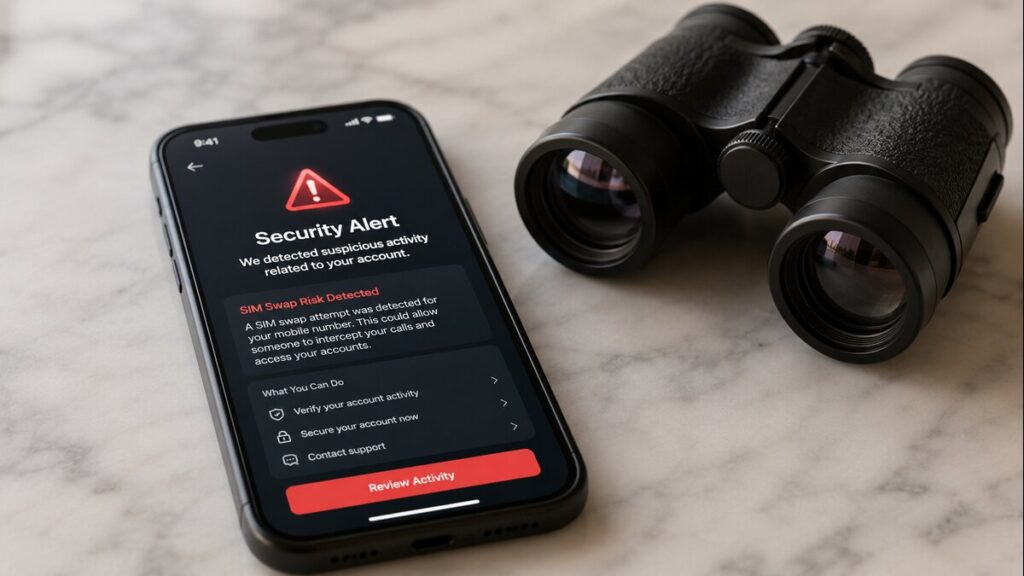
SIM Swap Fraud Travel Tips: How Travellers Can Protect Their Mobile Number

Losing access to a mobile number while overseas can turn a normal travel problem into a very stressful one. For anyone using travel eSIMs, it helps to know what SIM swap fraud is, what it is not, and how it differs from a standard eSIM setup issue.  Fortunately, most activation errors you encounter on the road are simply due to misconfigured settings or poor local network coverage. True SIM swapping requires malicious intent and identity theft, making it a completely different beast than a stubborn data plan.  Quick Answer A data-only eSIM for travel does not usually transfer your regular mobile number or replace your home SIM. SIM swap fraud travel concerns are mainly about protecting your normal mobile number while you are away. If your Australian number suddenly loses service, stops receiving SMS codes, or your carrier alerts you to a SIM change you did not request, contact your home mobile provider immediately. With the Australian Communications and Media Authority (ACMA) estimating that victims of mobile fraud and SIM swap scams lose an average of $28,000, acting fast is critical. But if your travel eSIM is not connecting, start with eSIM troubleshooting: mobile data settings, roaming settings, device compatibility, and the product instructions. What This Means for Overseas Travellers For most travellers, the practical risk is confusion. You may land overseas, turn on your phone, and see no data. That can feel alarming, particularly if you need maps, rideshare, banking, hotel details, or airport arrival messages. But no data on a travel eSIM does not automatically mean your number has been compromised. A data-only eSIM is generally designed to provide mobile data in your destination. And as earlier mentioned, your regular SIM remains linked to your usual mobile number unless your mobile provider makes a change to that number or SIM profile. While it requires malicious intent, data from identity support service IDCARE shows a massive 240% surge in people seeking help for phone porting and SIM swap fraud. Alarmingly, their data reveals that 90% of these cases happen silently without any direct engagement or interaction from the victim. The criminals rely entirely on leaked personal data bought online, which is why securing your carrier account before flying is so important. And that is why proper eSIM setup is required. Your phone may have two lines active: one for your regular number and one for your international eSIM. The goal is usually to use the travel eSIM for mobile data while keeping your home SIM available only if you need calls or SMS. For extra background before setup, our guide on how an eSIM works explains the basics and is a good starting point for everyone new to travel eSIMs. SIM Swap Fraud Travel Checklist 1. Before Departure Secure your mobile provider account before you leave. Use a strong password, add a PIN if your provider allows it, and turn on any extra account protection available. Move important accounts away from SMS-only verification where possible. Banking, email, cloud storage, and travel accounts are safer when protected with an authenticator app or other stronger login method. Check that your phone is unlocked and supports eSIM. A carrier-locked phone may not work with an international eSIM, even if the eSIM itself is valid. Save your eSIM installation email, QR code, order details, and instructions somewhere accessible offline. Screenshots can be helpful if Wi-Fi is unreliable later. 2. During eSIM Setup Install your eSIM using stable Wi-Fi. A hotel, home connection, or reliable airport Wi-Fi is better than trying to complete setup while rushing between gates. And as always, label the eSIM clearly in your device settings. Names such as “TravelKon Europe” or “Japan Data” make it easier to select the correct line for mobile data. Check whether roaming needs to be enabled for the travel eSIM. Some travel eSIM products require data roaming to connect to partner networks overseas. 3. On Airport Arrival Set mobile data to the travel eSIM. Keep your Australian SIM switched on only if you need your normal number for calls or SMS. Turn off data roaming on your home SIM if you are trying to avoid roaming charges. This helps prevent your phone from accidentally using your Australian provider for mobile data. Give the eSIM a few minutes to register on the local network. If it still does not connect, check the product instructions before changing multiple settings. If hotspot use matters, confirm that your device and eSIM plan support it. Hotspot behaviour can vary by product, phone model, and local network. 4. If Something Feels Wrong If your travel eSIM has no mobile data, treat it as a setup issue first. If your normal mobile number suddenly stops working, treat it as a possible carrier account issue and contact your home provider straight away. That split is important because we can only help with TravelKon eSIM setup and connectivity issues. Your home mobile provider is the right contact if your regular number appears to have been moved, blocked, or changed without permission. What Not to Do When Using an eSIM for Travel Try not to delete your eSIM too early. Reinstalling may not be possible, and rescanning the same QR code may not work. Do not rescan the QR code repeatedly without checking the instructions. If activation has already started, repeated attempts can make troubleshooting harder. You shouldn’t ignore carrier-lock warnings. If your phone is locked to a network, an eSIM from another provider may not work. Never assume emergency calls work the same way in every country. Emergency service access can vary by destination, device, network, and service type. Don’t leave your home SIM using mobile data if your goal is to avoid roaming charges. The common setup is a travel eSIM for data, a home SIM for SMS or calls only if needed. Do not assume a travel eSIM issue means SIM swap fraud. No signal, no data, or slow connection can come from settings, coverage, product activation timing, or device compatibility.

SIM Swap Fraud Travel Tips: How Travellers Can Protect Their Mobile Number Read More »

what is an APN

What Is an APN and How Do I Update It?

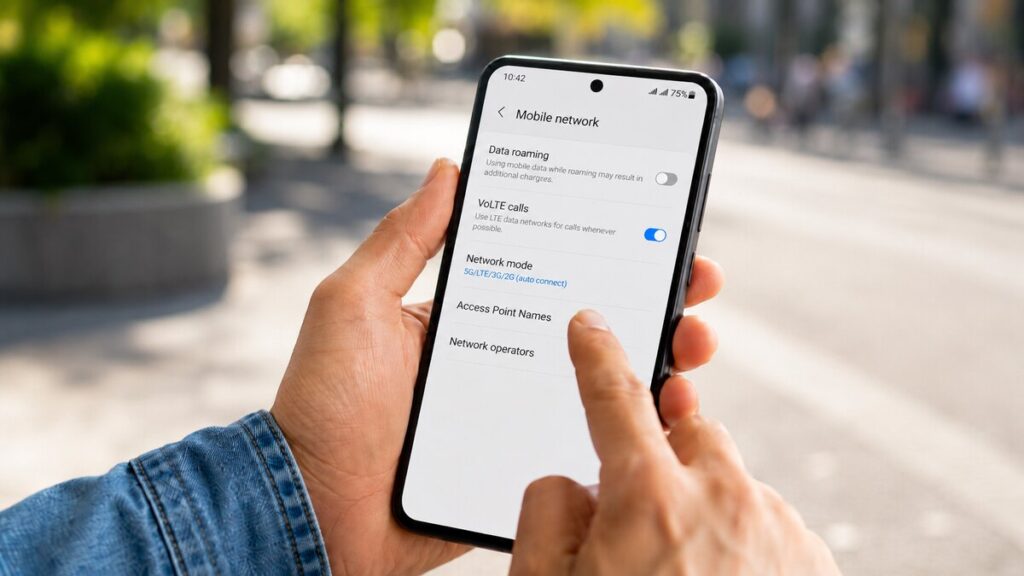
When your mobile data fails to load overseas, it is easy to think the eSIM has a problem. In many cases, the fix is much simpler. Your phone may just need the right APN, mobile data, or roaming settings. For international travellers who often use travel eSIMs, this is one of those setup checks worth knowing before departure, not while standing at the airport arrival trying to book a ride. APN settings eSIM issues can sound technical, but the steps are usually straightforward, as you are about to find out. Quick Answer An APN, or Access Point Name, is the setting your phone uses to connect to mobile data through a mobile network. With an eSIM, the APN may be added automatically during installation, or it may need to be entered manually. To update your APN, go to your phone’s mobile data settings, select the eSIM line, find the APN or Mobile Data Network section, and enter the APN shown in your eSIM instructions. The wording varies between iPhone and Android devices, so the exact menu name may look slightly different. Never try to guess the APN or delete the eSIM unless support tells you to. What This Means for Travellers A travel eSIM is usually used to access mobile data while overseas. Many plans are data-only, which means they are made for internet access rather than standard calls or SMS. This is important because your phone may show signal bars but still fail to load maps, WhatsApp, email, or browser pages. The signal bar only shows that the phone can utilise the available network. However, it does not always mean the mobile data settings are correct. For a data-only eSIM, the most common setup checks are simple: the eSIM must be installed, selected for mobile data, allowed to use roaming where required, and set with the correct APN if the product instructions provide one. If you are still getting familiar with eSIM setup, you may find it useful to go through our blog on how an eSIM works before tweaking device settings. APN Settings eSIM Checklist Use this checklist before making major changes. Check that the eSIM Is Installed Open your SIM or mobile service settings and confirm the eSIM appears on your device. If it is not visible, go back to your installation email and product instructions before trying to scan the QR code again. Select the eSIM for Mobile Data Make sure your international eSIM is selected as the line for mobile data. If your Australian SIM is still selected, your phone may try to use your home provider instead. Check Roaming Settings Carefully Many travel eSIM products need data roaming switched on for the eSIM line. The important part is making sure roaming is enabled for the travel eSIM, not accidentally for your home SIM. Switching roaming on for your Australian SIM may lead to extra charges depending on your home plan. Check the APN Field Find the APN or Mobile Data Network section. On some phones, this may sit under Cellular, Mobile Service, Mobile Network, Access Point Names, or Mobile Data Network. If your TravelKon product instructions provide a specific APN, enter it exactly as written. Even a small spelling mistake can stop mobile data from working. Turn Wi-Fi Off When Testing This is an easy one to miss. If your phone is connected to a hotel, cafe, or airport Wi-Fi, it may look like the eSIM is working when it is not. Turn Wi-Fi off briefly and test mobile data directly. Restart Your Phone After changing APN or roaming settings, restart the phone. This gives the device a clean chance to reconnect to the local network. Try Manual Network Selection If automatic network selection does not connect, try selecting a local network manually. Only choose networks listed or supported in your product instructions where that information is provided. Check Hotspot Separately If mobile data works but hotspot does not, the issue may be separate from the APN. Hotspot availability can depend on the eSIM plan, device, and network. Check the product details before changing unrelated settings. What Not to Do When Using a Travel eSIM Never delete the eSIM too early. Some eSIMs cannot be reinstalled after deletion, even if the QR code is still available. Do not rescan the QR code over and over unless the instructions or support team tell you to. If the eSIM is already installed, the problem is often in the settings rather than the QR code. Also, do not switch roaming on for your home SIM unless you understand the charges. For most travellers, the safer approach is to use the travel eSIM for mobile data and keep the home SIM controlled carefully. Try not to ignore carrier-lock warnings. If your phone is locked to a mobile provider, a travel eSIM may not work until the device is unlocked. Do not assume emergency calls, SMS, or phone numbers work the same way with every travel eSIM. Many travel eSIMs are data-only. Keep a backup option for urgent contact, especially when arriving late, travelling alone, or relying on mobile data for transport. Lastly, don’t keep changing random settings. Once the basic checks are done, contacting support is usually the next best step. How TravelKon Users Should Prepare Before departure, save your TravelKon installation email somewhere easy to access offline. Screenshots are useful, especially if airport Wi-Fi is slow or unreliable. Check your device compatibility before buying or installing. Make sure your phone supports eSIM and is not carrier-locked. Compatibility can vary by model and region, so it is worth checking the exact device rather than relying on the phone name alone. Install the eSIM on stable Wi-Fi, unless your product instructions say otherwise. Some plans may activate on installation, while others activate when they connect overseas, so the specific product instructions matter. Keep the destination, product instructions, and order details handy. If you need our support, this information helps avoid back-and-forth and makes troubleshooting faster. When to Contact

What Is an APN and How Do I Update It? Read More »

how to set up eSIM hotspot

How To Set Up An eSIM Hotspot

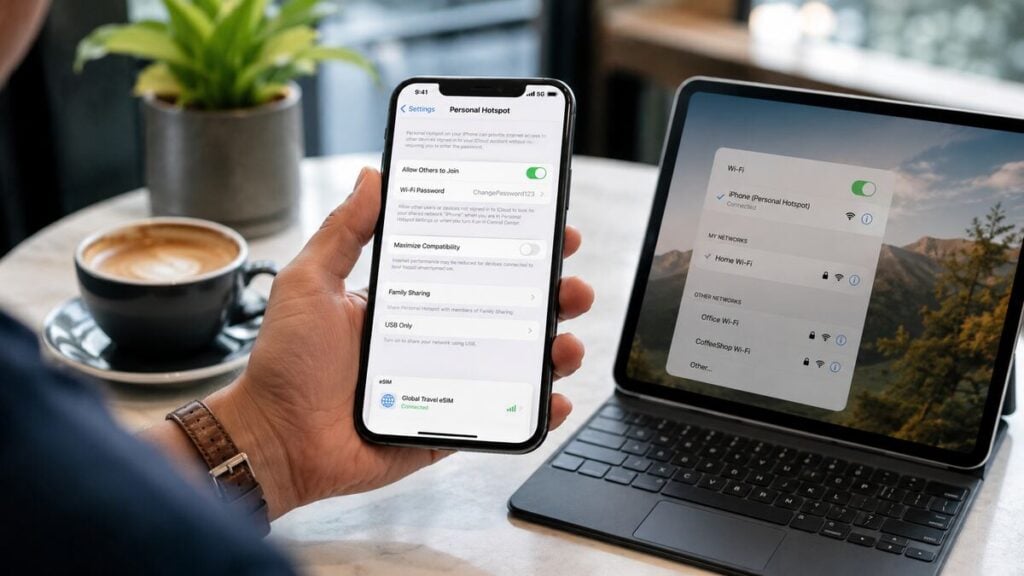
How do you set up an eSIM hotspot when travelling overseas? This is a practical question, particularly when a laptop needs internet at the airport, hotel Wi-Fi is unreliable, or a tablet needs mobile data on the move. For any traveller using a travel eSIM, hotspot sharing can be one of the most useful ways to stay connected. A smooth eSIM hotspot setup comes down to the right device settings, a compatible eSIM product, and a quick check before departure, so there are no surprises after landing. Quick Answer You can use a hotspot with a travel eSIM by following these four direct steps: Note: If your connected devices have no internet access after following these steps, you may need to manually update the APN (Access Point Name) settings in your eSIM configuration. However, keep in mind that hotspot support can depend on your device, destination, eSIM product, and local network. Before relying on it for work, study, maps, or family sharing, check the product instructions and confirm your device supports hotspot sharing with an eSIM. What an eSIM Hotspot Means An eSIM hotspot means your phone shares its mobile data connection with another device. Your phone connects to the overseas mobile network through the eSIM, then your laptop, tablet, or second phone connects to your phone by Wi-Fi, Bluetooth, or USB. In a nutshell, the eSIM provides the mobile data and hotspot passes that data along. This is helpful when public Wi-Fi is slow, unavailable, or not ideal for everyday travel tasks. It can support emails, browsing, maps, messaging, document uploads, and light work on a laptop. A travel eSIM is often data-only. That means it may not include standard calls or SMS, but that does not automatically stop hotspot use. The key is making sure the eSIM is connected to mobile data first. eSIM Hotspot Setup Checklist Use this checklist before departure or once you arrive overseas. Common Mistakes to Avoid Do not assume the eSIM is being used for data just because it is installed. Always check which SIM is selected for mobile data. Never turn off roaming for the travel eSIM unless the instructions say to. With many travel eSIMs, roaming settings are part of how the eSIM connects overseas. Thirdly, don’t delete the eSIM if it does not connect straight away. Some eSIMs may not be reusable after removal, and deleting it can make troubleshooting harder. Restart the phone, check the selected data line, review the instructions, and test again first. Do not expect hotspot speeds to be identical everywhere. Performance can change based on local network coverage, signal strength, network congestion, battery mode, and how many devices are connected. Last but not least, never leave hotspot running all day if it is not needed because it can drain your phone quickly, especially when a laptop is connected. TravelKon Connectivity Tips Before Departure Before travelling, check the TravelKon product details for your destination and confirm whether hotspot use is supported for the eSIM you selected. Save your setup instructions somewhere offline, such as in your files, photos, or email app. Install the eSIM before departure where possible, but follow the activation timing in the product instructions. Some eSIMs should only be activated close to travel or after arrival. You can also have a look at our blog on how an eSIM works to familiarise yourself with everything before travelling. The guide makes the setup process easier to understand and helps avoid confusion between your home SIM and your travel eSIM. When to Contact TravelKon Support Reach out to us if your eSIM is installed but mobile data will not connect, the hotspot option is missing, your device settings do not match the instructions, or hotspot is not working after mobile data is confirmed. Before contacting support, collect the details that will make troubleshooting faster. Helpful screenshots include your eSIM mobile data settings, roaming settings, APN settings if relevant, and any error messages. Also note your destination country, device model, eSIM product, and whether mobile data works on the phone before hotspot is turned on. That final detail is important. If mobile data does not work on the phone itself, the issue is likely with the eSIM connection rather than hotspot sharing. Final Thoughts A good eSIM hotspot setup starts before departure. Install the eSIM, check compatibility, save the instructions, set mobile data to the correct eSIM, confirm roaming settings, and test mobile data before switching on hotspot. Once your phone is online, sharing data is usually easy. The safest next step is to check the TravelKon eSIM instructions for your destination, then test the connection early so any settings can be fixed before you truly need it. FAQs Can You Use Hotspot With a Travel eSIM? Usually, yes, if the eSIM product, device, and destination network support it. Always check the product instructions before travelling if hotspot is important for work, study, or sharing data with another device. Can You Hotspot From a Data-Only eSIM? Often, yes. A data-only eSIM can still share mobile data by hotspot when hotspot is supported. Calls and SMS are separate features, so a data-only plan may still work for internet sharing even if it does not include standard phone services. Why Is My eSIM Hotspot Setup Not Working? The most common causes are the wrong SIM being selected for mobile data, roaming being switched off for the travel eSIM, a weak local network signal, incorrect APN settings, or hotspot not being supported for that specific eSIM product or device. Does Hotspot Use More Data? Hotspot itself does not automatically use more data, but connected devices often do. Laptops may run software updates, sync files, load desktop websites, and stream higher-quality video, which can use data much faster than normal phone browsing. Should Data Roaming Be On or Off? For the travel eSIM, data roaming may need to be on. For your home SIM, it is usually safer to keep roaming off unless you intentionally want to use it.

How To Set Up An eSIM Hotspot Read More »

can an eSIM be hacked

Can an eSIM Be Hacked?

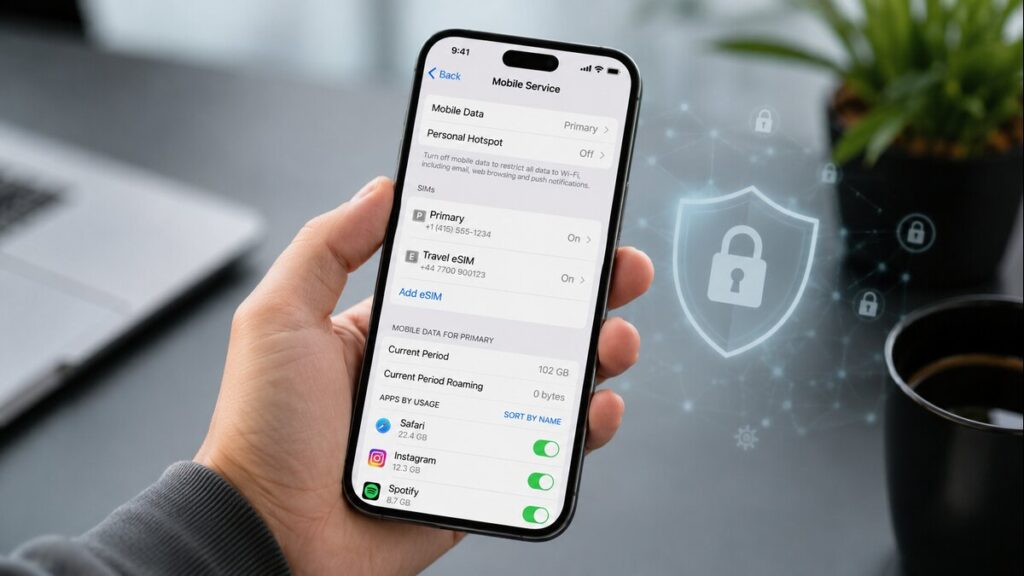
A strange mobile warning overseas can make anyone nervous. Besides, when your phone is your map, wallet, booking folder, translator, and ride home from the airport, you have no option but to always be careful how you use it. Most international travellers prefer using travel eSIMs as a practical way to get mobile data overseas without swapping physical SIM cards. Still, it helps to know what is normal, what needs attention, and what steps to take if something does not look right, especially with newer threats like getting your eSIM hacked. Quick Answer Yes, an eSIM can be hacked in theory, but in most travel situations, the bigger risk is not the eSIM itself being directly hacked. More common issues include scam links, phishing messages, unsafe public Wi-Fi, weak passwords, suspicious apps, a compromised device, or someone getting access to your eSIM QR code or account details. For example, cybersecurity data from the US Cybersecurity and Infrastructure Security Agency (CISA) via Zensec reveals that over 90% of all cyberattacks begin with a phishing attempt rather than direct hardware or software hacking. For travellers, the safest approach is to treat your eSIM details like private travel documents. Only use the instructions from your provider, keep your phone secure, avoid suspicious links, and contact support before deleting or reinstalling the eSIM. What This Means For Travellers A travel eSIM is usually used for mobile data while overseas. Many travel plans are data-only, which means they are designed for internet access rather than normal calls and SMS. That matters because some issues can look like security problems when they are actually eSIM setup issues. For example, your phone might still be using your home SIM for data, roaming might be off for the eSIM line, or the destination network may take a few minutes to connect after airport arrival. It is also worth knowing the basics of how an eSIM works before travelling. A little context makes eSIM troubleshooting much easier when you are tired, in a queue, or trying to connect straight after landing. Step-By-Step Safety And Troubleshooting Checklist What Not To Do When Using TravelKon eSIMs You shouldn’t delete the eSIM as your first troubleshooting step. Once removed, it may not be simple to reinstall, depending on the plan and provider. Avoid rescanning the QR code unless the instructions say this is allowed. If the QR code has already been used or was installed on the wrong device, contact support before trying again. Never ignore carrier-lock messages. If the phone is locked, the eSIM may not work until the lock issue is resolved with your carrier. Do not assume a data-only eSIM will handle calls, SMS, or emergency access the same way your home SIM does. These functions can vary by device, carrier, country, and plan type. Ensure you don’t leave your home SIM’s international roaming on without checking the settings. It may be useful for SMS or calls, but it can also create unexpected charges if mobile data uses the wrong line. How TravelKon Users Should Prepare If you’re using our travel eSIMs, we recommend that you prepare before departure rather than waiting until the plane lands. Start by checking the product page for your destination, data allowance, validity period, hotspot notes, installation timing, and any plan-specific instructions. Then confirm your phone supports eSIM and is unlocked. Also, save your TravelKon installation email before you leave. Keep the QR code, manual setup details, order number, and instructions handy. Installing while connected to Wi-Fi is usually the easiest option, especially if the product allows installation before travel. Before departure, check which SIM is set for mobile data, which SIM is used for calls and messages, and whether your home SIM’s roaming is switched off or controlled properly. After arriving at the airport, turn on the TravelKon eSIM, select it as the mobile data, follow the product instructions for roaming, and give the phone a few minutes to connect. If it does not work, avoid changing too many settings at once. Work through the instructions first, then contact TravelKon support if you are still stuck. When To Contact TravelKon Support Contact support if your eSIM has been installed but will not connect after following the instructions, the QR code says it has already been used, your phone shows a carrier-lock warning, your destination network does not appear, data is being used from the wrong SIM, or you are unsure whether deleting the eSIM is safe. Include your device model, destination, order details, plan name, screenshots of the issue, and a short note explaining what has already been tried. That makes eSIM troubleshooting faster and avoids repeated back-and-forth. Final Thoughts Most eSIM issues come from setup confusion, unsafe links, exposed details, device problems, or the wrong SIM being used for mobile data. The safest move is to choose the right international eSIM, check compatibility, save the setup instructions, install on Wi-Fi where possible, and avoid deleting or rescanning anything unless the instructions or support team advise it. For TravelKon users, a few checks before departure can make staying connected overseas much easier. FAQs Can an eSIM Be Hacked? Yes, an eSIM can be hacked in theory, but most travel-related concerns are more likely to involve phishing, unsafe links, exposed account details, suspicious apps, or incorrect setup. Keep your eSIM QR code private and only follow the official installation instructions. What Should I Do If I Think My eSIM Was Hacked? Stop using suspicious links, turn off mobile data temporarily if needed, check for unknown apps or profiles, update your phone, and change important passwords using a trusted connection. If the issue relates to your eSIM setup, contact support before deleting or reinstalling anything. Is A Travel eSIM Safer Than Public Wi-Fi? A travel eSIM can reduce your need for unknown public Wi-Fi, which is helpful overseas. It does not remove every online risk, so still be careful with passwords, payment pages, banking apps, and unexpected messages. Can Someone Else Use My eSIM

Can an eSIM Be Hacked? Read More »

emergency call with esim

Can You Make Emergency Calls With a Travel eSIM?

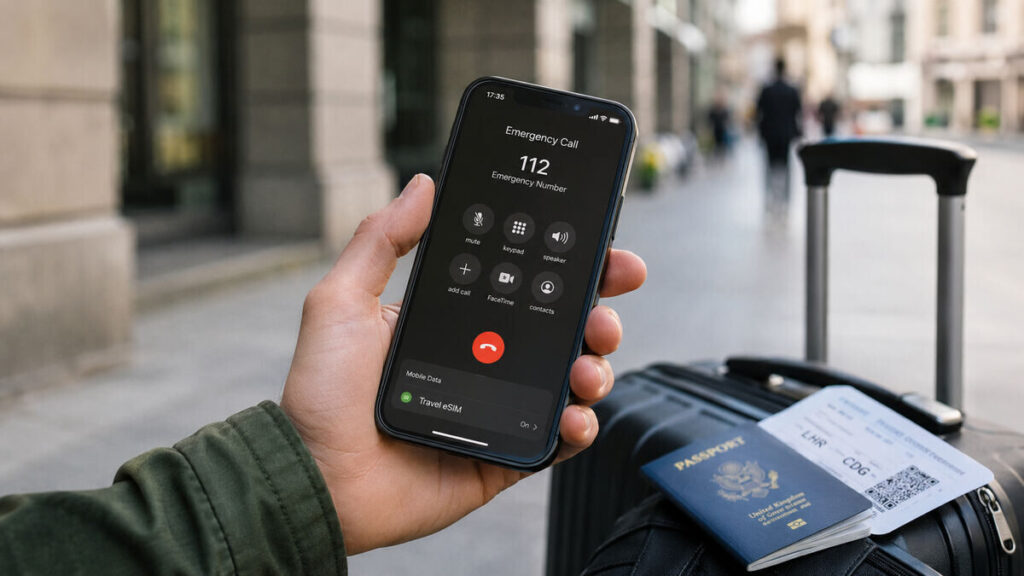
When travelling overseas, mobile connection is not just about maps, messages, and airport transfers. It is also about feeling confident that help is still reachable if something goes wrong. That is why eSIM emergency calls are such a common concern for most travellers. A travel eSIM can be a simple way to stay connected overseas, but it is important to understand what type of service it provides before relying on it in a serious situation.  Quick Answer Emergency calling depends on your phone, destination, available mobile networks, local emergency services, and whether your device can connect to a suitable network at the time. A data-only eSIM is mainly designed for mobile data. It usually does not include a standard phone number, regular voice calls, or SMS. Emergency calling is not an eSIM feature that should be treated as guaranteed. It is generally handled at the device and network level, and conditions can vary by country and carrier. In practical terms, your travel eSIM can still be very useful in an emergency because mobile data can help you use maps, messaging apps, browser search, rideshare apps, translation tools, and location sharing. But it should not be your only emergency plan. What This Means for Travellers For most travellers, an international eSIM is best understood as a mobile data connection. It helps you get online after airport arrival, use your travel apps, message family, find your hotel, and avoid relying only on public Wi-Fi. That data can come in handy in urgent situations. With working mobile data, you may be able to message someone for help, share your live location, search for nearby medical care, contact your accommodation, or use internet-based calling apps such as WhatsApp, Messenger, or FaceTime. This is different from making a normal phone call through a mobile number. If your eSIM is data-only, it should not be treated as a full replacement for your home SIM. If your phone supports dual SIM, you may choose to keep your Australian SIM or primary line available for calls and SMS while using the travel eSIM for data. Just check your home provider’s roaming fees first, especially for calls, texts, and data roaming. Take your time and go through our guide on how an eSIM works before travelling. Step-by-Step Checklist Before You Travel What Not to Do When Travelling Do not assume “SOS”, “Emergency Calls Only”, “No Service”, and “No Internet” all mean the same thing. These messages can point to different issues. Never rely only on one connection method. Keep offline maps, hotel details, travel insurance contacts, embassy details, and a backup way to contact someone. Don’t assume emergency calls work the same way everywhere. Emergency numbers, network behaviour, location handling, and service availability can vary by country. How TravelKon Users Should Prepare Our eSIM users should start with the product page and installation email for the exact eSIM purchased. That is where the most relevant setup details should be checked, including destination coverage, data allowance, activation timing, roaming settings, and any plan-specific notes. Before departure, confirm that your device supports eSIM and is unlocked. Install the eSIM on reliable Wi-Fi, then label the line clearly in your phone settings.  If hotspot is important, check the product details before relying on it. Hotspot availability can depend on the plan, destination, network, and device settings. It is also worth saving the installation email somewhere easy to access offline. If you need support, having screenshots and order details ready will make the process much faster. When to Contact TravelKon Support Contact our support team rather than guessing if the eSIM is installed but mobile data does not work after arrival, the eSIM profile is missing from your settings, your device shows a carrier-lock warning, the QR code will not scan, the plan appears active but no network connects, or you are unsure whether deleting the eSIM will cause issues. When asking for help, include your order details, destination, device model, screenshots of your mobile data settings, any error messages, and the steps already tried. Final Thoughts The safest way to think about eSIM emergency calls is that a travel eSIM can help you stay connected through mobile data, but it should not be treated as a guaranteed emergency calling service. Before departure, check your plan instructions, save local emergency numbers, keep a backup contact method where possible, and avoid deleting the eSIM if setup does not work straight away. If something looks wrong, contact our team with your order details, device model, destination, and screenshots so the issue can be checked properly. FAQs Can a Data-Only eSIM Make Emergency Calls? A data only eSIM usually does not include standard voice calls or SMS. Emergency calling may still be possible in some situations through the phone and available local networks, but this depends on the country, carrier, device, and emergency number. It should not be treated as guaranteed. Will Emergency Calls Use My TravelKon eSIM Data? Emergency calls are not the same as using mobile data through a TravelKon eSIM. A data-only eSIM helps with internet access, apps, maps, messages, and online tools. Emergency calling is generally handled by the phone and available mobile networks, not as a normal data feature of the travel eSIM. Why Does My Phone Say “Emergency Calls Only”? This usually means your phone is not connected to a normal mobile service for that line, but it may still detect a network for emergency access. Check that the eSIM is turned on, the travel eSIM is selected for mobile data, data roaming is enabled if required, and the destination is included in your plan. Should I Delete My eSIM if It Is Not Working? No. Do not delete it unless the setup instructions or support team tells you to. Deleting an eSIM may stop you from reinstalling it and can make troubleshooting harder. Can I Use WhatsApp With a Travel eSIM? Usually, yes, as long as the travel eSIM has working mobile data. Apps such as WhatsApp, Messenger,

Can You Make Emergency Calls With a Travel eSIM? Read More »