Hotel Wi-Fi can be a headache when the connection comes with a device limit. Your phone and your partner’s join without trouble, but the laptop for tomorrow’s meeting, the kids’ tablets and the TV streamer are still waiting. Each needs a separate login, or the hotel simply refuses additional connections. Do you share your phone’s data and drain its battery, or pack a small router that keeps everyone’s devices connected through one login?
What Is a Travel Router, and How Is It Different from Pocket Wi-Fi?
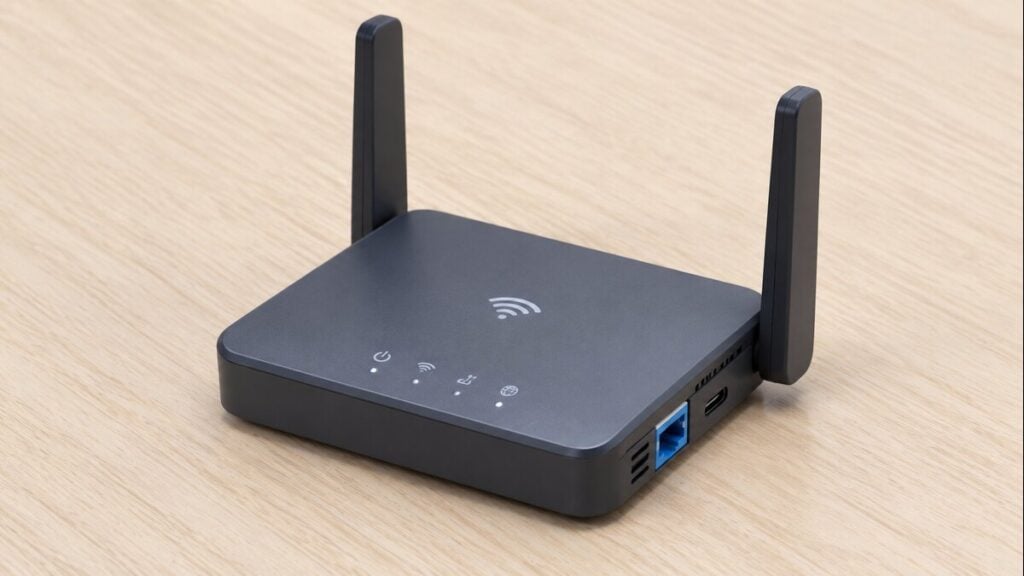
A travel router is a small router you own and carry from trip to trip. It takes a connection that already exists and turns it into your own private Wi-Fi network. Most models offer some mix of these modes:
- Repeater: joins hotel or apartment Wi-Fi and rebroadcasts it under your own network name and password.
- Ethernet-to-Wi-Fi: plugs into a wall port in the room and turns the cable into Wi-Fi.
- Phone tethering: connects to your phone by USB and shares its mobile data with everything on the router’s network.
- SIM slot: some models take a SIM and connect to the mobile network directly.
Three devices get mixed up in shop listings. A travel router shares a connection that already exists, and a SIM slot is optional. A SIM router, often sold as a mobile hotspot, has its own SIM and usually a battery. Pocket Wi-Fi works in much the same way, but is typically rented for the trip, collected at the airport and returned afterwards. If you’re weighing up pocket Wi-Fi against an eSIM for a trip to Japan, this comparison of pocket Wi-Fi vs eSIM in Japan explains the practical differences.
How Is a Travel Router Different from a Regular Router?
A home router uses a cable from a modem and one fixed spot. On the other hand, a travel router is built for changing sources, often runs from USB power, and can log in to hotel Wi-Fi, which many home models can’t.
Do You Need a Travel Router?
For most trips, a phone hotspot running on a travel eSIM is enough to put a laptop or tablet online, as long as the plan allows hotspot or tethering. A travel router makes sense if you regularly use hotel Wi-Fi or Ethernet, need to connect several devices through one hotel login, or travel with family and multiple screens. A SIM router offers another option, providing shared mobile data without relying on anyone’s phone as a hotspot.
Hotspot support and device limits depend on the plan, the provider and the phone, so check all three before you decide.
Which Should You Pack? Quick Decision Table
| Trip | Phone hotspot | Travel router | SIM router |
| Solo with a laptop | Enough, if the plan allows hotspot | Only for hotels that cap devices | Not worth a second plan |
| Couple with a laptop | Enough while the laptop stays near the phone | Worth it where each device must log in | Only for working away from the hotel |
| Family with tablets | Drains one phone and allowance fast | Best fit: one login, every screen | Covers days out |
| Remote worker, LAN port in room | Backup for calls | Best fit via the wall port | Backup if hotel internet drops |
| Road trip | Best fit from the passenger seat | Hotel nights only | Good for groups |
Rented pocket Wi-Fi works like a SIM router without the purchase. It suits a short family trip, or a traveller whose phone can’t take an eSIM, but it means an airport pickup and a return.
How Does a Phone Hotspot Work with a Travel eSIM?

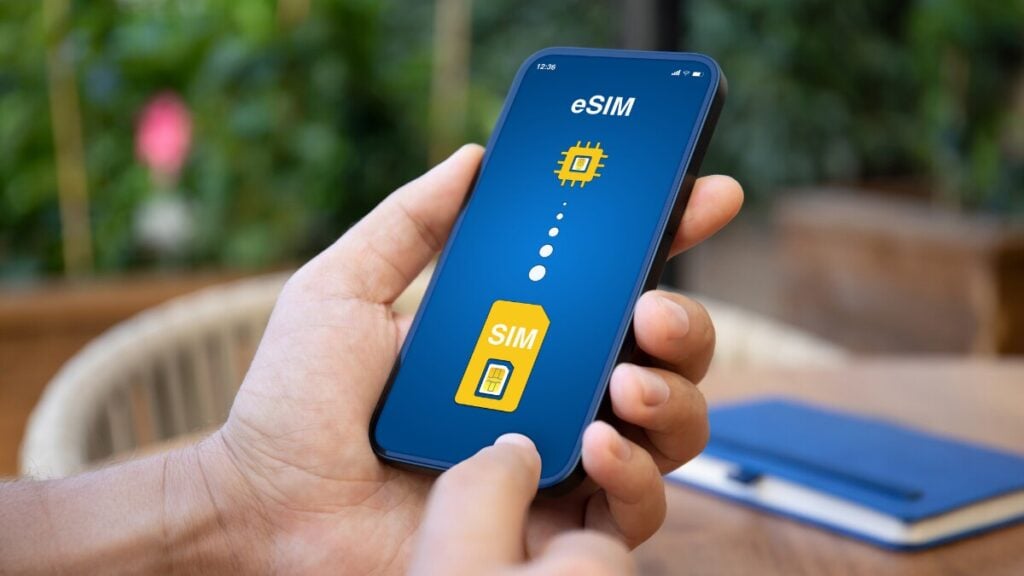
A mobile hotspot is your phone acting as a small router. It shares the eSIM’s data with nearby devices over Wi-Fi, USB or Bluetooth.
On iPhone, Personal Hotspot needs a provider that supports it, fees may apply, and the device limit depends on the provider and model. An older laptop that can’t see the network may connect once you switch on Maximise Compatibility, and iCloud backups may pause while a device is on a hotspot.
On Android, a Wi-Fi hotspot can share data with up to 10 other devices, though some carriers limit or charge extra for tethering. USB and Bluetooth tethering are there too, but Mac computers can’t tether to an Android phone over USB.
Your phone may support hotspot sharing, but the eSIM plan must also allow tethering for other devices to connect. Before sharing your connection, check the plan’s restrictions and follow these steps to set up an eSIM hotspot on your phone.
When Does a Travel Router Make More Sense?
- Hotels that cap devices per room. Some hotels limit or charge for extra devices. The router signs in once and counts as one, so a family’s phones, tablets and laptop all fit behind it.
- Rooms with a LAN port. Some hotels, including business hotels in Japan, still put a LAN port at the desk. Ethernet-to-Wi-Fi mode turns the port into private Wi-Fi for the whole room.
- Villas and apartments with patchy coverage. Indonesia is now the top overseas destination for Australians. In a larger Bali villa, the Wi-Fi may come from a single router that struggles to reach every bedroom. A travel router in repeater mode, placed between that router and the bedrooms, can carry the signal further.
- Streaming to the TV. A Chromecast often can’t get past a hotel login page. On the router’s network, it joins as it would at home.
Can a Travel Router Run a VPN?
Many can. A VPN client on the router covers every device behind it, including smart TVs and consoles that can’t run a VPN app. Expect slower speeds, and note that some hotels block VPN traffic and some countries restrict VPN use.
The Downsides of a Travel Router
It’s one more device to carry, charge and keep updated, and hotel login pages can take a few attempts through it. Unless it takes a SIM, it also goes offline the moment you leave the hotel.
How to Get a Travel Router Online at Check-In
- Pack the router, its cable, a wall charger with the right adapter and a power bank, and save its admin password offline.
- In the room, power the router, then join its Wi-Fi from your phone or laptop.
- Open the router’s app or admin page and choose the source: the hotel’s Wi-Fi in repeater mode, or the wall port if you’ve plugged in a cable.
- On the same device, open a browser and load any web page. The hotel login page should appear. Enter the room number, surname or access code it asks for.
- If no login page appears, turn on the router’s hotspot login mode if it has one, or follow the manufacturer’s guide to changing its DNS setting. If the hotel only accepts devices it has already approved, MAC address cloning lets the router borrow your laptop’s identity.
- Connect everything else to the router’s network. Those devices reconnect on their own at the next hotel.
When Is the Phone Hotspot Enough?
Short trips with one laptop or tablet rarely need a router. Plan around three limits.
- Battery and heat. Sharing a mobile connection can make your phone run warm and drain its battery faster. The impact depends on usage, signal strength and how many devices are connected, as explained in this guide to how much battery an eSIM uses. Keep your phone plugged in while tethering and enable the auto-off option if available.
- The phone has to stay nearby. If your partner walks to the ride-share pickup point with the phone, the laptop at the café goes offline. Bank one-time passcodes land on that phone too.
- One allowance pays for everyone. An hour of streaming uses about 1 GB in standard definition and up to 3 GB in HD. Two kids watching a 90-minute HD movie on separate tablets can use up to 9 GB. That’s about 40% of the 22 GB an average smartphone uses worldwide in a whole month.
Do you even need to share data? A cellular iPad can use its own eSIM to stay connected when you’re away from your phone, making it a useful option for working or browsing while travelling. Before choosing a plan, check how eSIMs work on iPads to see which models support them and what to consider when setting one up.
What about a SIM Router?
A SIM router takes a physical SIM, makes its own mobile connection, and shares it over Wi-Fi. Some models may accept an eSIM, but confirm that for the specific model rather than assuming it.
It suits groups who want data away from hotel Wi-Fi without draining one phone, such as campervan trips, European road trips and rentals with no Wi-Fi. The catch is a separate data plan for the router. Check that its bands match the networks in every country on your route and that the SIM’s terms allow router use.
Check the eSIM Plan Before You Choose
Whichever device you pick, the eSIM plan decides how much a phone can share. Check each plan’s coverage, validity, device support and inclusions, including the hotspot or tethering line. You can compare travel eSIM plans and their hotspot terms before you fly.
Our eSIM travel plans have different hotspot allowances depending on the destination and network. For example, the World Explorer 5G eSIM includes hotspot and tethering, while some US plans using T-Mobile, AT&T and Verizon networks restrict hotspot speeds. Check the details of your chosen plan before purchasing to understand what you can share with other devices.
What to Look for in a Travel Router
When comparing portable router listings, skip the headline speed figure: a router can’t beat the connection feeding it. These features matter more:
| Feature | Why it matters | Worth paying for if… |
| Captive-portal support | Handles hotel and airport login pages | You stay in hotels often |
| Ethernet WAN port | Turns a wall port into Wi-Fi | You work from hotel rooms |
| USB tethering | Shares phone data through the router | Your rental has no Wi-Fi |
| VPN client (WireGuard or OpenVPN) | Covers every device at once | You already use a VPN |
| USB-C power | Runs from a laptop charger or power bank | You want one less charger |
| SIM or eSIM slot | Brings its own mobile data | Road trips or groups away from Wi-Fi |
Currently, Wi-Fi-only travel routers at Australian retailers typically cost around AU$100 to AU$230, and 5G SIM routers from about AU$660 to AU$800.
If you’re buying a travel router in Australia, look for the RCM, the mark that shows a device has been tested against Australian standards. An overseas mark such as CE or FCC on its own doesn’t show that.
FAQs
What Is the Point of a Travel Router?
A travel router gives all your devices one private network that moves with you. You log it in once per hotel, and laptops, tablets and TV streamers reconnect without anyone typing an access code.
Can You Use a Travel eSIM as a Hotspot?
Often, but not always. Some plans include hotspot, some cap its speed and some exclude it. The hotspot line on the product page gives the answer, not the phone’s settings.
Does a Travel Router Need Its Own SIM?
No. Most work from hotel Wi-Fi, a wall port or a tethered phone. Only SIM routers take a SIM, and they need their own data plan.
Is a Travel Router Safer on Hotel Wi-Fi?
Somewhat. Your devices sit behind your own private network, out of direct reach of other guests. The hotel’s connection still carries the traffic, so keep software updated, stick to HTTPS and add a VPN if you’d use one at home.
How Many Devices Can Connect to a Phone Hotspot?
An Android phone can share its hotspot with up to 10 other devices. On iPhone, the limit depends on the provider and model. In practice, battery life and the data allowance run short well before you reach either limit.
Is There a Way to Get Wi-Fi While Travelling?
There are four common ways: a travel eSIM with hotspot, hotel Wi-Fi through a travel router, a SIM router you own, or pocket Wi-Fi you rent. Which suits you depends on how many devices you carry and how much time you spend away from hotel Wi-Fi.