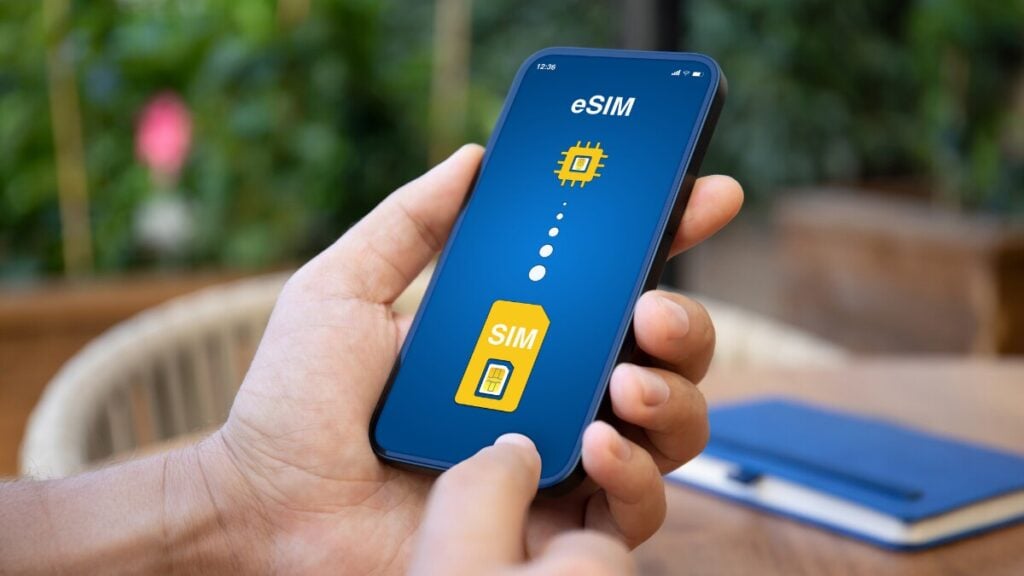
Your phone might work perfectly at home, but that doesn’t guarantee it will accept a different SIM overseas. If it’s locked to your mobile carrier, that travel eSIM you purchased or local SIM you planned to use may be useless. Worse, you might not discover the restriction until you’ve landed. Fortunately, checking your phone’s carrier lock status takes just a few minutes, and there are ways to resolve the issue before departure.
How Do I Know If My Phone Is Unlocked?
On an iPhone, go to Settings > General > About and check Service Provider Lock. Match what the phone shows using the table below:
| What you see | What it means |
| No SIM restrictions (iPhone) | Unlocked |
| A provider name next to the lock label (iPhone) | Locked to that provider |
| The new provider’s name and working service after a SIM swap | Unlocked |
| An unlock-code prompt, “SIM card isn’t supported” or an invalid SIM error | Locked |
A network lock is different from a SIM PIN or PUK lock, which protects the SIM card, and from Activation Lock, covered in the used-phone section.
Why Should You Check If Your Phone Is Unlocked Before Travelling?
A locked phone can still work overseas using your existing provider’s roaming service, provided your plan allows it. What it can’t do is accept a SIM or eSIM from another provider, whether you’re using an iPhone or Android.
For Australians travelling overseas, this can limit their options for staying connected. The scale of international travel is considerable, with Australian Bureau of Statistics figures showing 986,250 short-term resident returns in August 2026 alone. Travellers planning to use a local SIM or travel eSIM need to check their phone’s lock status before departure. Otherwise, they could arrive without mobile data for directions to their hotel, transport bookings or translation apps.
How to Check If an iPhone Is Unlocked
- Open Settings.
- Tap General, then About.
- Scroll to the lock line. On current Australian iOS, it reads Service Provider Lock. Other regions and older iOS versions label it Carrier Lock or Network Provider Lock.
- Read the value. “No SIM restrictions” means unlocked. A provider name means the phone is locked to that provider.
If no carrier lock information appears, as can happen on iOS 13 or earlier, contact your provider to confirm the phone’s status. Understanding what it means if your iPhone is carrier-locked can also help you identify potential restrictions and work out your next steps before travelling.
How to Check If an Android Phone Is Unlocked

Samsung
On some models, a Network unlock screen under Settings > Connections > More connection settings shows the lock status. The menu doesn’t appear on every model or in every region, so treat a missing menu as “unknown”, not “unlocked”.
Google Pixel
Pixel phones bought from the Google Store come unlocked. Pixels sold by a carrier may be SIM-locked.
Oppo, Xiaomi and Other Brands
Most other Android phones don’t show a network-lock status in Settings, so where the phone was bought matters more. The Oppo and Optus X phones amaysim sells, for example, start out locked to the Optus network. On Xiaomi phones, “Mi Unlock status” in Developer options refers to the bootloader, not the network lock, so it doesn’t answer this question.
The SIM Swap Test (Any Android Phone)
The SIM swap is the most reliable way to tell if a phone is unlocked:
- Borrow an active SIM from a different network. A brand that runs on your current provider’s network may not reveal a lock.
- Power off, swap the SIM, power on and wait a few minutes. Restart once more if no signal appears.
- Check the result. The new provider’s name and a working call mean it’s unlocked. An unlock-code prompt or “SIM card isn’t supported” means locked.
An eSIM test works too, but many eSIMs install only once, so a borrowed physical SIM is cheaper.
Network-Operator Scan: Why It Isn’t Proof
A common tip is to turn off Select automatically under network operators and see whether other networks appear. A locked phone may list them too, because the list shows every network the radio can detect, not the ones it can use.
IMEI Checkers vs. Asking Your Provider
You can find your phone’s IMEI by dialling *#06#. If the code doesn’t work, there are other ways to find your IMEI number through your device settings.
Online IMEI checkers may claim to identify whether a phone is carrier-locked, but these third-party services aren’t always reliable. For a more dependable answer, contact your mobile provider directly. Telstra, for example, can use your IMEI to check the device’s lock status and explain any unlocking requirements or fees.
Australia’s AMTA IMEI checker serves a different purpose. It helps identify phones reported lost or stolen rather than confirming whether they’re carrier-unlocked.
Phone Locked? How Telstra, Optus and Vodafone Unlock It
| Provider | How to request | Fee | Lead time |
| Telstra | Call 13 22 00 and say “unlock device option” (Mon–Fri, 9 am–8 pm AEST) | $80 if never activated or active six months or less; $25 from six months to two years; free after two years | Up to 7–10 days |
| Vodafone | Online tool: IMEI 1, plus an active SIM from another provider inserted | Plan devices free; outright prepaid $50 under six months, $25 after | Not stated |
| Optus | Online IMEI process for prepaid devices; have your mobile number, IMEI and a PayID payment method ready | Not listed on the landing page; confirm before paying | Not stated |
Who each process covers:
- Telstra: Pre-Paid phones and mobile broadband devices. Month-to-month plans aren’t locked. Postpaid and Upfront customers who suspect a lock should contact Telstra.
- Vodafone: devices bought from Vodafone Australia, 3 Mobile or Crazy John’s.
- Optus: prepaid devices. Postpaid customers should contact Optus.
To unlock a Telstra phone, request it as soon as the check fails, and back up the phone before any unlock. Enter Vodafone codes carefully: several wrong entries can network-block the device, and then it can’t be unlocked online.
Other Providers
Smaller brands such as amaysim, Boost and ALDI Mobile run on the big three networks. Start with the brand that sold the phone: quote the IMEI and ask whether it’s locked, the cost and the lead time.
What If You Bought the Phone Second-Hand or Overseas?
Only the network the phone is locked to can unlock it, not a Marketplace or eBay seller. A phone from a Vodafone store in London needs that UK provider, not Vodafone Australia.
Before buying a used phone:
- Check the lock. Ask the seller to show the Settings lock screen, or do a SIM swap in front of you.
- Check Activation Lock on an iPhone. The seller should sign out of their Apple Account and turn off Find My while you watch. Otherwise the phone can’t be set up, even with “No SIM restrictions”.
- Check the AMTA lost-and-stolen register with the IMEI. Results can lag new reports by 3–5 days, so check again just before paying.
A phone bought overseas can be unlocked and still fail in Australia. All three Australian networks closed 3G by November 2024, and a number of relatively new imported models don’t meet Australian standards and have been disconnected. Ask your new provider to confirm the exact model works on its network before buying.
What If It Still Doesn’t Work?
A carrier lock isn’t the only reason your phone might show no service. Incorrect settings can also prevent a connection, including data roaming being disabled on the eSIM line, the wrong SIM selected for mobile data, or a pending carrier settings update. If you’ve already confirmed your phone is unlocked, knowing how to fix no service after installing an eSIM can help you identify other possible causes and get connected. On some Pixel models, dialling *#*#7465625#*#* may also refresh the SIM status after unlocking.
Your Pre-Travel Phone Checklist
- Confirm the phone is unlocked at least two weeks before departure. If it’s locked, request the unlock that day.
- Confirm eSIM support and note the EID. Unlocked and eSIM-capable are separate checks, so check whether your phone supports eSIM. On iPhone, the EID sits in Settings > General > About.
- Update iOS or Android on home Wi-Fi, not on hotel Wi-Fi the night you land.
- Decide which line carries data. A common setup puts data on the travel eSIM and keeps the Australian SIM on for calls and bank OTPs, with data roaming off. Check your plan details for any roaming charges.
FAQs
Can You Check If a Phone Is Unlocked Without a SIM Card?
On an iPhone, yes: the Service Provider Lock line shows without a SIM inserted. On most Android phones, no; ask the provider the phone is locked to, quoting the IMEI.
Does Unlocking Erase the Phone?
Not usually, but back up first, as data may be lost. If an iPhone has no other SIM to finish the unlock, erase it and restore from a backup.
Are Phones Bought Outright in Australia Unlocked?
Often, but not always. Phones from Apple or the Google Store are sold unlocked; phones sold with a prepaid service are often locked.
Does an Unlocked Phone Mean It Supports eSIM?
No. Unlocking removes a network restriction; eSIM support depends on the hardware. Confirm the model supports eSIM and has an EID before buying a plan.